
Alternatives to Sprite-AI
Explore the best alternatives and competitors to Sprite-AI.
Explore 20 alternatives to Sprite-AI. Compare features, pricing, and find the best fit for your needs.

Qwen Image 2.1
Qwen Image 2.1 is an AI image-generation and editing studio for turning ideas into visuals. Create new images, refine references, explore transparent
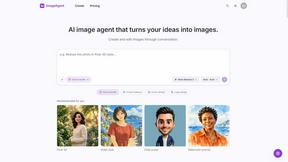
ImageAgent
Create and edit AI images through conversation, using text or reference images and refining results in chat.


AppIconGenerator
Generate iOS and Android app icons from any image and export all platform sizes for free.
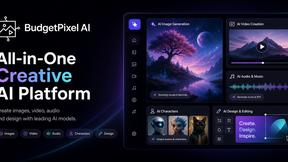
Budgetpixel AI
Create AI images, videos, music, and designs in one workspace with multiple models, powerful editing tools, and API access.
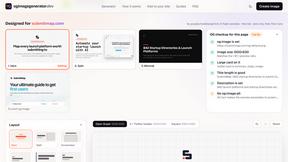
ogimagegenerator.dev
Paste a URL and AI designs on-brand Open Graph images from your page's colours, fonts and logo. Free, no sign-up.
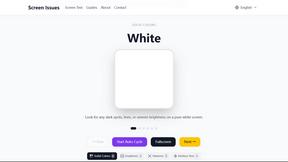
Screen Issues
Free Online Screen Test Tool - Instantly diagnose dead pixels, lines, color issues, and flickering. Multiple test modes, no download needed.

HookAds
Free ad creative hub: 1,750+ prompts behind viral AI ads, 118 hook frameworks, teardowns, swipe files and 27 free AI ad tools. Copy, remix, ship.

ImageGenerator
Create and edit AI images online with multiple models, text-to-image, image-to-image, background removal, and upscaling.
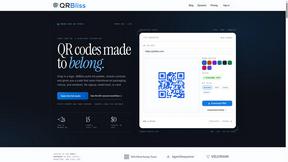
QRBliss
Free QR code generator with AI Brand Sync, 15 free dynamic codes, smart redirects, and zero tracking cookies. No signup to start.


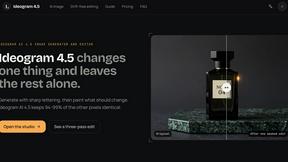
Ideogram AI 4.5
AI image generation and editing with sharp typography, native 2K output, and precise localized edits with minimal visual drift.
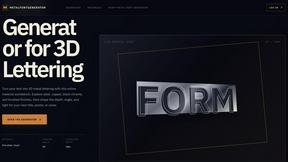
metalfontgenerator
A sleek online tool for creating bold 3D metal lettering with customizable finishes, depth, perspective, lighting, and spacing.

Presentation Intelligence
AI-native presentation and visual content platform that turns prompts, documents, images, videos, and data into polished, shareable decks.

Lockimate - AI Live Wallpapers
Turn any photo into a real Apple Live Photo that animates when you wake your iPhone. Restyle it and choose the motion — customizable.

Magic Eraser
AI photo editor for removing objects and backgrounds, enhancing images, and creating visual content.


About Sprite-AI Alternatives
In the rapidly evolving landscape of game development, the demand for quick, high-quality visual assets has never been higher, and tools that bridge the gap between creative vision and technical execution are becoming essential. Sprite-AI belongs to a growing category of design tools that leverage artificial intelligence to automate the creation of pixel art, a style that remains beloved for its nostalgic charm and efficient performance in 2D games. By allowing users to describe a sprite in plain English, these platforms aim to eliminate the steep learning curve of manual pixel art, making game development more accessible to indie developers, hobbyists, and prototypers who need to iterate quickly. However, despite the appeal of such convenience, many users find themselves exploring other options due to specific constraints like pricing models that may not fit a consistent workflow, a desire for more granular control over the AI’s output, or the need for integration with a different set of development platforms and file formats. When searching for an alternative, it is crucial to evaluate the tool’s flexibility in output sizes and the quality of its built-in editing capabilities, as the ability to fine-tune generated assets directly impacts the final polish of a game. Look for platforms that offer transparent and predictable pricing, whether through subscription tiers or a token-based system, to avoid unexpected costs during rapid prototyping phases. Additionally, consider the community ecosystem surrounding the tool; a robust gallery of shared prompts and user creations can serve as both inspiration and a learning resource, while strong export compatibility with major game engines like Unity, Godot, and Unreal ensures a seamless pipeline from concept to implementation. Ultimately, the best choice balances AI-driven speed with the human touch of manual editing, providing a workflow that feels both efficient and creatively fulfilling.
FAQs about Sprite-AI Alternatives
What is Sprite-AI?
Sprite-AI is an AI-powered pixel art generator designed to help indie game developers, hobbyists, and prototypers create 2D assets quickly without needing to draw manually. Users can describe a sprite in plain English, and the application produces clean, game-ready pixel art in standard sizes like 32x32, 64x64, or 128x128 pixels. It is categorized as a design tool that streamlines the creation of icons, items, characters, and hero or boss art for video games.
Who is Sprite-AI for?
Sprite-AI is built primarily for indie game developers, hobbyists, and prototypers who need fast 2D asset generation without the steep learning curve of traditional pixel art. It is also ideal for solo developers or small teams who require a steady stream of sprites for testing mechanics or building out game worlds. The tool caters to anyone who values speed and simplicity in asset creation, from newcomers to experienced developers looking to accelerate their workflow.
What are the main features of Sprite-AI?
Sprite-AI features a text-to-sprite generator that creates pixel art from plain English descriptions, with output options in 32x32, 64x64, and 128x128 pixel sizes. It includes a built-in pixel editor with tools for painting, erasing, filling, and color-picking to allow fine-tuning of every pixel. Users can export sprites as transparent PNGs that are compatible with major game engines like Unity, Godot, GameMaker, and Unreal, and the platform also offers a community gallery, prompt guides, and a token-based pricing model.
Is Sprite-AI free?
Sprite-AI operates on a token-based pricing model rather than a traditional free or subscription plan, meaning users only pay for the assets they actually generate. While there may be promotional credits or limited free trials for new users, the core service requires purchasing tokens to create sprites. This pay-per-use structure is designed to be cost-effective for developers who need only occasional assets, but it may not be suitable for those seeking a fully free tool.