
Alternatives to JavaScript Tools
Explore the best alternatives and competitors to JavaScript Tools.
Explore 20 alternatives to JavaScript Tools. Compare features, pricing, and find the best fit for your needs.

Kody Tools
Free collection of online developer utilities, code formatters, and digital converters designed to streamline your daily workflow.

layahost
Jev-compatible typed decisions API: moderation, routing, intent and scoring for any text, hosted in the EU.

laya.tools
A free directory of 950+ projects built on Laya, the open-source decision model. Updated daily.
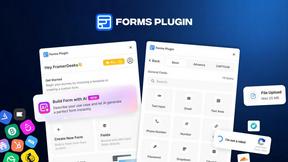
Forms Plugin
The #1 Native Form Builder Plugin for Framer - No Code, No Embeds, No External Platforms.

AkraLabs
Where modern software products get discovered, launched, and distributed. Explore verified AI tools, SaaS startups, and developer software.






PerPageFax
PerPageFax lets you send a fax online from any browser for a flat $0.50 per page — no account, no subscription, no fax machine.


calculate.at
calculate.at is a free online calculator hub — 290+ tools for finance, health, math, and conversions, no signup needed.

Fill PDF from Sheet
Fill PDF from Sheet automates the process of populating PDF forms from data in Excel, CSV, or Google Sheets.


AppBanana
10,000+ Apps Approved, Yours Next With 10,000+ successful apps, we know exactly what Google wants, and how to get yours approved.

Glanced
Follow news, blogs, newsletters, and podcasts in a free RSS reader, with AI summaries, top stories, full-text search, saved searches, and a catalog.


Create PDF from Excel
Create PDF from Excel online and preview every page before downloading. Fit wide sheets, repeat headers, and combine workbooks privately.

About JavaScript Tools Alternatives
In the expansive ecosystem of web development and software engineering, tools that streamline daily workflows are invaluable. JavaScript Tools, often represented by platforms like JSTools.Space, is a comprehensive suite of 27 focused utilities that fall squarely into the Dev Tools and Productivity & Management categories. These browser-based tools allow developers to format code, inspect data, generate tokens, and test configurations without leaving their workspace. The appeal lies in their immediacy and simplicity, yet users frequently seek alternatives due to evolving requirements such as the need for offline desktop applications, deeper integration with specific IDEs, advanced collaboration features for teams, or the desire for a different pricing model that includes premium support or API access. When evaluating an alternative to a JavaScript tools collection, the primary considerations should center on functionality scope, data privacy, and platform compatibility. Look for a solution that covers the core utilities you rely on, such as JSON formatting, JWT decoding, and UUID generation, while also offering unique value like custom scripting or batch processing. Equally important is the handling of sensitive data; many developers prefer tools that process everything locally to avoid server uploads. Finally, consider the user interface and accessibility—whether you need a command-line interface, a browser extension, or a fully-fledged desktop app—and ensure the tool supports the modern standards of your development stack without introducing unnecessary complexity.
FAQs about JavaScript Tools Alternatives
What is JavaScript Tools?
JavaScript Tools, such as those found on JSTools.Space, is a collection of 27 focused developer utilities that run directly in your browser. These tools allow you to format, inspect, encode, generate, and test various types of developer data, including JSON, HTML, CSS, XML, and Markdown. It is designed to streamline everyday development tasks without requiring any software installation or account creation.
Who is JavaScript Tools for?
JavaScript Tools is designed for web developers, software engineers, and IT professionals who need quick, reliable utilities for data formatting, code generation, and testing. It is particularly useful for frontend and backend developers working with APIs, JSON payloads, authentication tokens, and data serialization. The tools are also helpful for technical writers and QA engineers who need to validate or generate structured data.
Is JavaScript Tools free?
Yes, based on the provided information, JavaScript Tools like JSTools.Space is free to use. Most operations run locally in the browser without requiring any payment, accounts, or file uploads. This makes it an accessible resource for individual developers, freelancers, and teams looking for cost-effective productivity solutions.
What are the main features of JavaScript Tools?
The main features include formatting JSON, HTML, CSS, XML, and Markdown; decoding JWTs; generating passwords, API keys, UUIDs, hashes, and authentication tokens; comparing files; querying JSON; editing HTML; and generating realistic dummy data. These 27 focused tools cover a wide range of everyday development needs, and most operations execute entirely within the browser for enhanced privacy and speed.