
Alternatives to JustPDF
Explore the best alternatives and competitors to JustPDF.
Explore 20 alternatives to JustPDF. Compare features, pricing, and find the best fit for your needs.


GigUp
GigUp helps freelancers discover relevant Upwork jobs through AI matching, automated monitoring, and instant alerts.

Safe Outreach
AI-powered platform that evaluates the safety of LinkedIn automation tools and helps reduce the risk of account restrictions.

CADCraft
Free, open-source 2D CAD for precise drafting, technical design, and AI-assisted automation.

How Long How Many Tool
Timers and hourly checks to figure how out long until a certain time or how many days away.

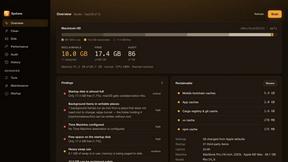
Systune
A Mac cleaner, security audit and macOS tuner in one app that shows every file before it removes anything
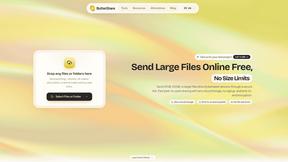
ButterShare
Realtime peer-to-peer file transfer in the browser. Send files directly between devices, no account and no upload to a server.
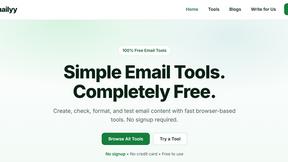
Emailyy
Free email tools for signatures, subject lines, HTML previews, word counts, and email headers. Browser-based, simple to use, and no signup required.
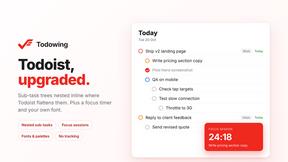
Todowing
Chrome extension that nests Todoist sub-tasks inline in Today, Upcoming, Filters and Labels. Free tier, or $19.99 once for everything.

Uniclip
Clip pages, take full-page screenshots and batch-capture list data to Notion, Feishu, Obsidian, Markdown, CSV or JSON.

TroveKey
Search tabs, Chrome bookmarks and history, run browser commands, and save webpages and social posts locally—no account.
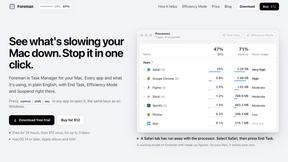
Foreman
See every app and what it's using in plain English, and end or slow down the one that's hogging your Mac.
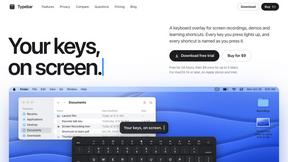
Typebar
Every key you press lights up on an on-screen keyboard, and each shortcut is named as you press it.

Notchpals
Little characters peek out of your Mac's notch to remind you to drink water, eat, sit up and get to bed. Quiet during calls. $4.99 once.

LightScreen
Free fullscreen light screen tool online. Turn any display into a flashlight, ambient light, or solid-color screen. No download or sign-up.

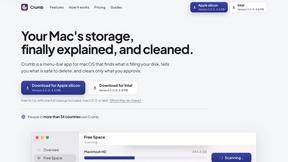
Crumb
A Mac menu bar app for a full disk. See what is using your space, read whether it comes back on its own, and remove only what you tick.
Everywhere
Fast file search for the Mac. Results as you type, files inside Mail and Photos, works with Wi-Fi off. $19 once.
About JustPDF Alternatives
JustPDF is a privacy-first PDF toolkit that falls squarely into the productivity and document management software category. It distinguishes itself by offering a suite of 17 professional-grade tools that operate entirely within a user's web browser, ensuring all file processing happens locally on the device. This approach to privacy and security is a core part of its value proposition, appealing to individuals and organizations handling sensitive documents who are wary of uploading files to third-party servers. Users may explore alternatives to any software for a variety of reasons, including specific feature requirements not met by the current tool, budget constraints that necessitate a different pricing model, or the need for software that integrates with a particular platform or operating system. When evaluating other options in the PDF utility space, it is crucial to consider not only the breadth of tools offered but also the underlying architecture for file processing, the transparency of the privacy policy, the flexibility of pricing tiers, and the overall user experience. The ideal choice balances functionality, cost, and a commitment to data security that aligns with the user's specific needs.
FAQs about JustPDF Alternatives
What is JustPDF?
JustPDF is a privacy-first online PDF toolkit featuring 17 professional-grade tools for editing, converting, and managing PDF documents. Its defining characteristic is that all processing is performed locally within your web browser using JavaScript and WebAssembly, meaning your files are never uploaded to a remote server. This architecture provides a verifiable layer of security, as users can confirm no data leaves their device by checking the browser's Network tab. It is designed as a comprehensive, browser-based alternative to traditional desktop software and cloud-based PDF services.
Who is JustPDF for?
JustPDF is ideal for students, professionals, and organizations that prioritize data privacy and security when handling PDFs. It is particularly well-suited for educational institutions and researchers, as it is FERPA-compliant, ensuring the protection of student educational records. Anyone who regularly works with sensitive documents—such as legal contracts, financial reports, or personal identification—and wishes to avoid cloud uploads will find its local processing model highly valuable. Its simple, account-free free tier also makes it accessible for casual users with occasional PDF needs.
Is JustPDF free?
Yes, JustPDF offers a robust free tier that requires no account creation and provides access to all 17 tools. This free plan is limited to 3 operations per day, which is sufficient for many individual users. For power users or professionals with higher volume needs, JustPDF Pro offers unlimited access starting at $4 per month. This tiered model allows users to test the full functionality risk-free before committing to a paid subscription for uninterrupted productivity.
Why choose JustPDF over other online PDF tools?
The primary reason to choose JustPDF is its uncompromising commitment to privacy through local, in-browser file processing. Unlike many popular online tools that upload your documents to their servers, JustPDF ensures your data never leaves your computer, a fact you can independently verify. This provides unparalleled security for confidential information. Additionally, it offers a wide array of 17 tools, including advanced features like AI chat with PDFs and OCR, all within a clean, user-friendly interface that requires no software installation or mandatory account.