
Alternatives to AssetCenter
Explore the best alternatives and competitors to AssetCenter.
Explore 20 alternatives to AssetCenter. Compare features, pricing, and find the best fit for your needs.

Safe Outreach
AI-powered platform that evaluates the safety of LinkedIn automation tools and helps reduce the risk of account restrictions.

How Long How Many Tool
Timers and hourly checks to figure how out long until a certain time or how many days away.


Systune
A Mac cleaner, security audit and macOS tuner in one app that shows every file before it removes anything

ButterShare
Realtime peer-to-peer file transfer in the browser. Send files directly between devices, no account and no upload to a server.

Emailyy
Free email tools for signatures, subject lines, HTML previews, word counts, and email headers. Browser-based, simple to use, and no signup required.
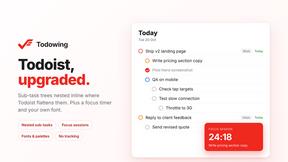
Todowing
Chrome extension that nests Todoist sub-tasks inline in Today, Upcoming, Filters and Labels. Free tier, or $19.99 once for everything.

Uniclip
Clip pages, take full-page screenshots and batch-capture list data to Notion, Feishu, Obsidian, Markdown, CSV or JSON.

TroveKey
Search tabs, Chrome bookmarks and history, run browser commands, and save webpages and social posts locally—no account.
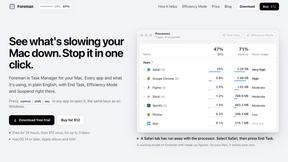
Foreman
See every app and what it's using in plain English, and end or slow down the one that's hogging your Mac.
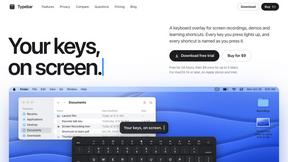
Typebar
Every key you press lights up on an on-screen keyboard, and each shortcut is named as you press it.

Notchpals
Little characters peek out of your Mac's notch to remind you to drink water, eat, sit up and get to bed. Quiet during calls. $4.99 once.

LightScreen
Free fullscreen light screen tool online. Turn any display into a flashlight, ambient light, or solid-color screen. No download or sign-up.
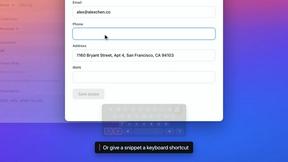

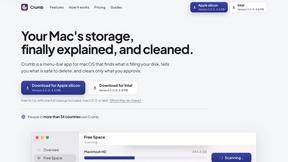
Crumb
A Mac menu bar app for a full disk. See what is using your space, read whether it comes back on its own, and remove only what you tick.
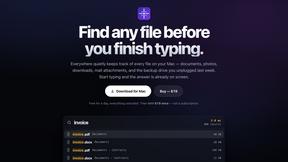
Everywhere
Fast file search for the Mac. Results as you type, files inside Mail and Photos, works with Wi-Fi off. $19 once.
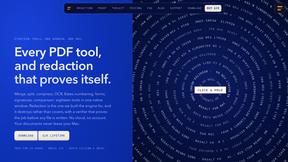
Basalt
Eighteen PDF tools in one native Mac window: merge, split, compress, OCR, Bates numbering, forms, signing and redaction. Offline. $29 once.

Voice Keyboard Pro
Hold a key, say what you mean, let go. Clean, punctuated text lands at the cursor in any app on your Mac or iPhone.
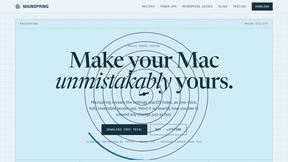
Mainspring
Mainspring turns the settings macOS hides into 90+ one-click, fully reversible power-ups for Finder, Dock, screenshots and more. $29 once.
About AssetCenter Alternatives
AssetCenter is a modern asset management platform designed to give organizations complete visibility and control over every asset throughout its lifecycle, falling squarely into the Productivity & Management software category. It centralizes all asset events—from acquisition and assignment to maintenance and end-of-life—into a single, chronological timeline, serving as a unified source of truth that replaces scattered data across multiple systems. Users commonly look for alternatives to AssetCenter for a variety of reasons, including budget constraints where the pricing model may not align with smaller teams or non-profits, the need for more specialized features like advanced barcode scanning or IoT integration, or a desire for a simpler, more lightweight tool that doesn't require extensive customization. Others may seek platforms that offer deeper integration with their existing ERP or HR systems, or they might prefer open-source solutions that grant full control over data and infrastructure. When evaluating an alternative, organizations should prioritize a solution that offers robust lifecycle tracking, customizable fields to model real-world workflows, and a clear audit trail for accountability. It is also essential to consider scalability, ease of use for non-technical team members, and the availability of depreciation insights or reporting tools that support smarter decision-making and operational efficiency.
FAQs about AssetCenter Alternatives
What is AssetCenter?
AssetCenter is a modern asset management platform that provides organizations with complete visibility and control over every asset through a unified timeline. It captures all asset events—such as purchases, assignments, maintenance, and transfers—in a single chronological view, creating a single source of truth that replaces scattered data across multiple systems. The platform is designed to help teams make smarter decisions, reduce inefficiencies, and stay organized by offering built-in lifecycle tracking and depreciation insights.
Who is AssetCenter for?
AssetCenter is built for any industry that needs to manage physical or digital assets throughout their lifecycle, from acquisition to end-of-life. It is ideal for organizations of all sizes that require customizable categories and fields to model real-world workflows without rigid constraints. Teams across departments—such as IT, facilities, finance, or operations—can use AssetCenter to assign assets to people, locations, or departments while maintaining full accountability and traceability.
What are the main features of AssetCenter?
AssetCenter’s main features include a unified timeline that captures every asset event in chronological order, customizable categories and fields for flexible workflow modeling, and automated recording of all asset assignments and transfers. It also provides built-in lifecycle tracking, depreciation insights, and an intuitive interface that helps teams reduce inefficiencies and make informed decisions. These features ensure complete visibility and control over assets from acquisition to end-of-life.
Why choose AssetCenter over other asset management tools?
Organizations choose AssetCenter because it consolidates all asset data into a single, clear chronological view, eliminating the need to manage information across multiple systems. Its flexibility allows users to customize categories and fields to fit any industry or workflow, while every change is automatically recorded for full accountability and traceability. With built-in depreciation insights and lifecycle tracking, AssetCenter helps teams reduce inefficiencies and make smarter decisions, making it a comprehensive solution for modern asset management.