
Alternatives to RoomCreator
Explore the best alternatives and competitors to RoomCreator.
Explore 20 alternatives to RoomCreator. Compare features, pricing, and find the best fit for your needs.

ButterShare
Realtime peer-to-peer file transfer in the browser. Send files directly between devices, no account and no upload to a server.


Todowing
Chrome extension that nests Todoist sub-tasks inline in Today, Upcoming, Filters and Labels. Free tier, or $19.99 once for everything.

Foreman
See every app and what it's using in plain English, and end or slow down the one that's hogging your Mac.

Notchpals
Little characters peek out of your Mac's notch to remind you to drink water, eat, sit up and get to bed. Quiet during calls. $4.99 once.


Crumb
A Mac menu bar app for a full disk. See what is using your space, read whether it comes back on its own, and remove only what you tick.

Everywhere
Fast file search for the Mac. Results as you type, files inside Mail and Photos, works with Wi-Fi off. $19 once.

Screen Issues
Free Online Screen Test Tool - Instantly diagnose dead pixels, lines, color issues, and flickering. Multiple test modes, no download needed.

Basalt
Eighteen PDF tools in one native Mac window: merge, split, compress, OCR, Bates numbering, forms, signing and redaction. Offline. $29 once.
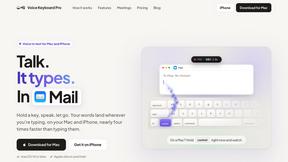
Voice Keyboard Pro
Hold a key, say what you mean, let go. Clean, punctuated text lands at the cursor in any app on your Mac or iPhone.

Mainspring
Mainspring turns the settings macOS hides into 90+ one-click, fully reversible power-ups for Finder, Dock, screenshots and more. $29 once.

Woodpecker
Make your Mac sound like a real mechanical keyboard. Every key plays its own recording, 22 switches, quiet on calls. $4.99 once.
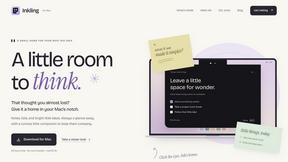
Inkling
Catch a thought without leaving what you are doing. Notes, checklists and a little companion in your Mac's notch. $12 once.

Manatee
A Mac app that opens damaged video, PDFs, archives and documents and writes out everything it can still read. $9 once, no uploads.
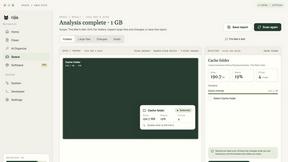
Nijia
Mac storage analysis and cleanup app with a full-featured 7-day free trial. No payment card required.


gamespadtesterpro.com
Gamepad Tester Pro makes it easy to check whether your controller is working properly directly from your browser. Test compatible PS5, PS4, Xbox, Nint


About RoomCreator Alternatives
RoomCreator is an AI-powered interior design application that simplifies the process of visualizing home renovations. It falls into the category of consumer-friendly design software, specifically leveraging artificial intelligence to generate realistic room makeovers from a single photograph. This tool is designed for homeowners and DIY enthusiasts who seek immediate, professional-looking design concepts without the need for technical skills or lengthy planning sessions. Its core promise is delivering stunning visual transformations in mere seconds, making advanced design visualization accessible to everyone. Users may explore alternatives to RoomCreator for various practical reasons. Some might seek different pricing models, such as a one-time purchase versus a subscription, or require a tool with more advanced features for complex architectural projects. Others may need software that integrates with specific platforms, offers different export options, or provides a distinct style of visualization. When evaluating other options in this category, it's wise to consider the balance between ease of use and depth of control, the quality and realism of the AI-generated outputs, the range of supported room types and design elements, and the overall value proposition relative to your specific project needs and budget.
FAQs about RoomCreator Alternatives
What is RoomCreator?
RoomCreator is an AI-driven room design tool that allows users to instantly visualize home renovations. By simply uploading a photo of a space like a kitchen, bedroom, or living room, the software generates realistic redesigns in about 10 seconds. It provides smart layout changes, new color schemes, furniture arrangements, and complete makeovers, all without requiring any prior design skills from the user.
Who is RoomCreator for?
RoomCreator is ideally suited for homeowners and DIY enthusiasts looking to experiment with design ideas quickly and easily. It is perfect for individuals planning quick renovations, working with small spaces, or wanting to test out concepts like new wall colors or furniture layouts before making any purchases. Its simplicity makes it accessible to anyone, regardless of their technical or artistic background.
Is RoomCreator free?
RoomCreator offers a free trial, allowing users to experience its core functionality of uploading a photo and receiving AI-generated designs. For continued access to all features and unlimited projects, users would typically need to explore the platform's subscription or premium plans, which provide more comprehensive design capabilities.
What are the main features of RoomCreator?
The key features of RoomCreator include generating AI room designs from a single photo in 10 seconds, proposing smart layout improvements, and instantly applying new wall colors, flooring, and furniture. It specializes in kitchen and bedroom redesigns, offers an exterior paint color visualizer, and creates realistic 3D previews with natural lighting. A before-and-after comparison tool helps users clearly see the transformation of their space.