
Alternatives to ReadTube
Explore the best alternatives and competitors to ReadTube.
Explore 20 alternatives to ReadTube. Compare features, pricing, and find the best fit for your needs.

Safe Outreach
AI-powered platform that evaluates the safety of LinkedIn automation tools and helps reduce the risk of account restrictions.

CADCraft
Free, open-source 2D CAD for precise drafting, technical design, and AI-assisted automation.

How Long How Many Tool
Timers and hourly checks to figure how out long until a certain time or how many days away.


Systune
A Mac cleaner, security audit and macOS tuner in one app that shows every file before it removes anything

ButterShare
Realtime peer-to-peer file transfer in the browser. Send files directly between devices, no account and no upload to a server.

Emailyy
Free email tools for signatures, subject lines, HTML previews, word counts, and email headers. Browser-based, simple to use, and no signup required.
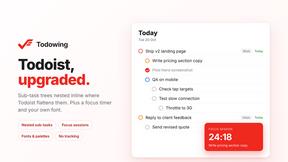
Todowing
Chrome extension that nests Todoist sub-tasks inline in Today, Upcoming, Filters and Labels. Free tier, or $19.99 once for everything.

Uniclip
Clip pages, take full-page screenshots and batch-capture list data to Notion, Feishu, Obsidian, Markdown, CSV or JSON.
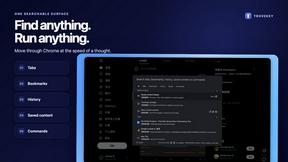
TroveKey
Search tabs, Chrome bookmarks and history, run browser commands, and save webpages and social posts locally—no account.
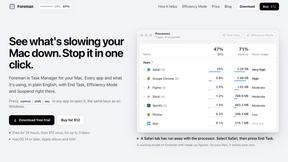
Foreman
See every app and what it's using in plain English, and end or slow down the one that's hogging your Mac.
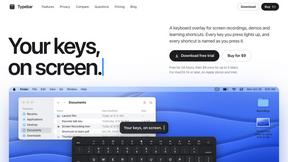
Typebar
Every key you press lights up on an on-screen keyboard, and each shortcut is named as you press it.

Notchpals
Little characters peek out of your Mac's notch to remind you to drink water, eat, sit up and get to bed. Quiet during calls. $4.99 once.

LightScreen
Free fullscreen light screen tool online. Turn any display into a flashlight, ambient light, or solid-color screen. No download or sign-up.

Crumb
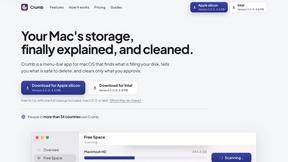
A Mac menu bar app for a full disk. See what is using your space, read whether it comes back on its own, and remove only what you tick.

Everywhere
Fast file search for the Mac. Results as you type, files inside Mail and Photos, works with Wi-Fi off. $19 once.

Basalt
Eighteen PDF tools in one native Mac window: merge, split, compress, OCR, Bates numbering, forms, signing and redaction. Offline. $29 once.

Voice Keyboard Pro
Hold a key, say what you mean, let go. Clean, punctuated text lands at the cursor in any app on your Mac or iPhone.
About ReadTube Alternatives
In the ever-expanding digital landscape, the sheer volume of video content can become a source of cognitive overload rather than enrichment. ReadTube emerges as a thoughtful solution within the Productivity & Management category, offering a unique bridge between the immersive world of YouTube and the focused clarity of a text-based reading environment. By converting subscribed channels into a quiet, organized newsletter, it allows users to skim headlines, read summaries, and access full narrative rewrites of videos, effectively turning a twenty-minute viewing session into a five-minute read. However, users often begin searching for alternatives for several practical reasons, such as seeking a different pricing model that fits a tighter budget, desiring integration with platforms beyond YouTube, or needing more advanced collaboration and sharing features for team-based research. Others may find that their specific workflow requires a different approach to content extraction, perhaps wanting a tool that handles live streams or community posts with equal precision. When evaluating alternatives, the most important criteria revolve around the fidelity of text conversion and the depth of the reading experience. A strong alternative should offer accurate, context-aware summaries that preserve the nuance of the original video, not just a list of timestamps or raw transcripts. Equally critical is the organization of your personal archive; look for robust semantic search capabilities that let you find ideas based on meaning rather than exact keywords, along with features like multi-language translation and the ability to add timestamped notes and highlights. Finally, consider the platform’s philosophy on distraction—does it prioritize a calm, focused interface, or does it introduce new notifications and clutter? The best tool will seamlessly integrate into your existing learning or research habits, allowing you to reclaim your attention and think more clearly about the content that truly matters.
FAQs about ReadTube Alternatives
What is ReadTube?
ReadTube is a productivity tool that transforms your YouTube subscriptions into a quiet, readable newsletter. Instead of watching videos, you receive text-based articles for each new video, including a one-line headline for quick scanning, a short paragraph for skimming, and a complete narrative rewrite that condenses a 20-minute video into a five-minute read. It is designed to help you consume video content without the distractions of autoplay, recommendations, or constant scrolling.
Who is ReadTube for?
ReadTube is built for people who value depth over distraction, including students, researchers, professionals, lifelong learners, and anyone who feels overwhelmed by the constant stream of video content. It is ideal for those who want to efficiently skim ideas from their favorite YouTube channels without losing focus to endless autoplay. The tool serves users who prefer reading over watching, or who need to revisit key concepts quickly without re-watching entire videos.
Is ReadTube free?
The provided content does not specify whether ReadTube is free or offers a paid subscription model. To determine pricing, users should visit the official ReadTube website or check their product documentation for current plans, which may include a free tier with limited features or a premium subscription for full access. As with many productivity tools, pricing often reflects the depth of features such as unlimited archive storage, advanced semantic search, and multi-language translation.
What are the main features of ReadTube?
ReadTube offers several key features to enhance the reading experience of video content. It provides two levels of summaries for every video: a one-line headline and a short paragraph for quick scanning, plus a full narrative rewrite. Additionally, users can translate articles into their own language, search their entire library using semantic search, add timestamped notes and highlights, and build a personal archive of ideas. These features are designed to help users reclaim focus and think more clearly about the videos worth their attention.