
Alternatives to Picture Enhancer
Explore the best alternatives and competitors to Picture Enhancer.
Explore 20 alternatives to Picture Enhancer. Compare features, pricing, and find the best fit for your needs.
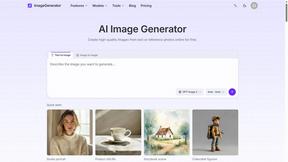
ImageGenerator
Create and edit AI images online with multiple models, text-to-image, image-to-image, background removal, and upscaling.

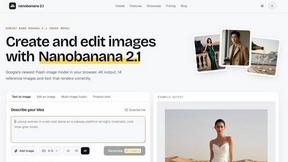
nanobanana 21
AI image studio powered by Nano Banana 2.1 for high-quality images, accurate details, readable text, and consistent characters.
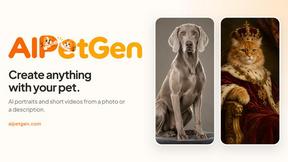
AIPetGen
AIPetGen turns a photo of your dog, cat, or other pet, or a written description, into a new picture or a short animation.


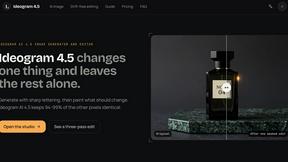
Ideogram AI 4.5
AI image generation and editing with sharp typography, native 2K output, and precise localized edits with minimal visual drift.
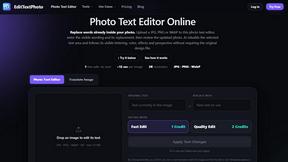
EditTextPhoto
AI-powered image text editor to edit, replace, fix, or translate text in images while preserving the original font, color, size, and style.

Raindance AI
Turn a single portrait into a cinematic five-second seaside video for TikTok, Reels, and Shorts.

Genjutsu AI
Genjutsu AI turns your ideas into cinematic videos, product ads, social shorts, and high-quality images in minutes.

AI Album Cover Maker
Create release-ready album covers from a prompt or photo. Generate, refine, and export art for singles, EPs, mixtapes, and playlists.


Lockimate - AI Live Wallpapers
Turn any photo into a real Apple Live Photo that animates when you wake your iPhone. Restyle it and choose the motion — customizable.

Vismuse
Create polished AI images and videos from prompts or references for social posts, ads, flyers, album covers, and campaigns.

StopScroll
AI YouTube thumbnail maker that generates multiple thumbnail concepts from a URL, title, or prompt.

NodeStory
One-click UGC videos, product photo sets, and reusable AI workflows, with 30+ image and video models in one studio.

IsThisAIImage
Free AI image checker: upload a photo for AI-generated and deepfake scores, a clear verdict, and optional generator hints.

HubVanta AI
HubVanta AI helps creators generate images and videos with advanced AI tools for visual content workflows.
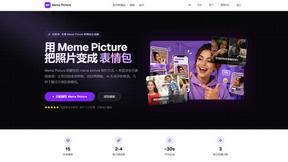
Meme Picture
Meme Picture uses AI to instantly turn your selfies and pet photos into shareable classic memes with no login required and free daily generations.

Anime Maker
Anime Maker transforms text, photos, or prompts into custom anime images, characters, logos, and short videos using advanced AI generation tools.
About Picture Enhancer Alternatives
Picture Enhancer is a free, browser-based AI tool designed to sharpen, upscale, and restore photos without requiring any software installation. It belongs to the broad category of image enhancement and generation tools, where users can upload JPG, PNG, or WebP files and apply deblurring, resolution upscaling, or restoration effects at varying intensity levels. While its free tier offers three lifetime tries per IP without signup, and credits are only charged on successful outputs, users often seek alternatives due to limitations in batch processing, credit replenishment rates, or the need for more advanced editing capabilities like color correction or object removal. Others may find the credit-based system restrictive for high-volume work or prefer platforms that offer unlimited processing for a flat fee. When evaluating an alternative, it is essential to consider the balance between cost, feature depth, and ease of use. Look for tools that support a wide range of input formats and output resolutions, especially if you work with e-commerce listings or social media content where image clarity is critical. Additionally, assess whether the platform offers a transparent pricing model with no hidden charges, a generous free trial for testing, and robust privacy protections for your uploaded files. For professionals and creators, batch processing capabilities and integration with other editing workflows can also be decisive factors, as they save time and streamline repetitive tasks.
FAQs about Picture Enhancer Alternatives
What is Picture Enhancer?
Picture Enhancer is a free online AI photo enhancer that runs entirely in your browser with no software download required. It allows users to upload JPG, PNG, or WebP images and apply deblurring, upscaling, or restoration effects at Standard, Strong, or Super intensity levels. The tool provides a before-and-after preview and delivers a watermark-free result only when the enhancement job succeeds.
Who is Picture Enhancer for?
Picture Enhancer is designed for creators, online sellers, and everyday users who need sharper images quickly. It is ideal for enhancing social media posts, e-commerce product listings, screenshots, and family photos. The tool is especially useful for anyone who wants to improve image quality without technical expertise or installing software.
Is Picture Enhancer free?
Yes, Picture Enhancer offers a free tier where guests receive three lifetime tries per IP address with no signup required. Users who sign in receive starter credits, and credits are only deducted when an enhancement job succeeds. Standard enhancements cost 2 credits, Strong costs 4, and Super costs 6, with paid plans available for additional credits and batch processing.
What are the main features of Picture Enhancer?
Picture Enhancer provides three core enhancements: deblur to sharpen blurry photos, upscale to increase resolution, and restore to fix damaged or old images. Users can choose from three intensity levels—Standard, Strong, or Super—and preview results before downloading. Paid users unlock Super tiers, batch enhance up to 10 images at once, and can choose between monthly credit plans or permanent credit packs that never expire.