
Alternatives to EditTextImage
Explore the best alternatives and competitors to EditTextImage.
Explore 20 alternatives to EditTextImage. Compare features, pricing, and find the best fit for your needs.
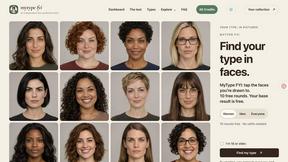
MyType FYI
Explore your visual type with ten free rounds of fictional faces, a base result and optional original portraits, posters or five-second videos.
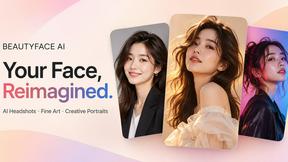
Beautyface
Beautyface AI is an AI Photoshoot Generator that turns your selfies into studio-quality photos, professional headshots, wedding portraits
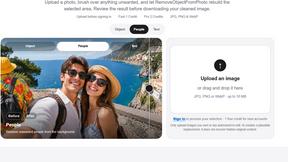
RemoveObjectFromPhoto
Remove unwanted objects, people, and text from photos with AI for clean, natural-looking results in seconds.
Qwen Image 2.1
Qwen Image 2.1 is an AI image-generation and editing studio for turning ideas into visuals. Create new images, refine references, explore transparent
ImageAgent
Create and edit AI images through conversation, using text or reference images and refining results in chat.
GenX
All-in-one AI workspace to generate images, videos, and audio with multiple leading AI models.
AppIconGenerator
Generate iOS and Android app icons from any image and export all platform sizes for free.
FreeCreate
Create AI images from text or reference photos and turn prompts or still images into short videos with FreeCreate. Start free—no account needed.
YIX
AI image and video generation, photo editing, restoration and free prompt tools in one browser studio.
Nano AI
Create and edit AI images, generate videos, and compare models in one creative workbench.
ImageGenerator
Create and edit AI images online with multiple models, text-to-image, image-to-image, background removal, and upscaling.
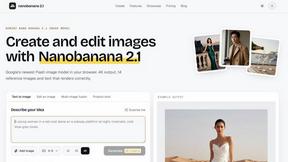
nanobanana 21
AI image studio powered by Nano Banana 2.1 for high-quality images, accurate details, readable text, and consistent characters.
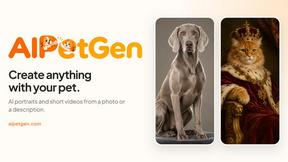
AIPetGen
AIPetGen turns a photo of your dog, cat, or other pet, or a written description, into a new picture or a short animation.


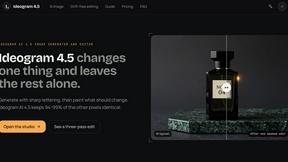
Ideogram AI 4.5
AI image generation and editing with sharp typography, native 2K output, and precise localized edits with minimal visual drift.
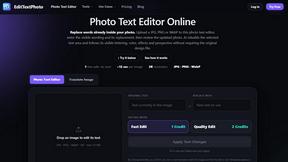
EditTextPhoto
AI-powered image text editor to edit, replace, fix, or translate text in images while preserving the original font, color, size, and style.
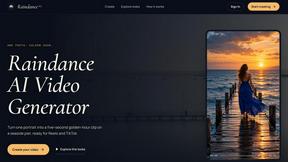
Raindance AI
Turn a single portrait into a cinematic five-second seaside video for TikTok, Reels, and Shorts.
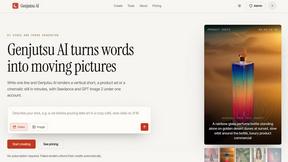
Genjutsu AI
Genjutsu AI turns your ideas into cinematic videos, product ads, social shorts, and high-quality images in minutes.
About EditTextImage Alternatives
EditTextImage is a specialized online tool that falls within the image generation and editing category, specifically designed for seamless text replacement within existing graphics. Instead of creating new visuals from scratch, it focuses on the precise task of altering text in a finished image—such as a poster, screenshot, or product photo—while perfectly preserving the original font, color, layout, and effects like drop shadows or perspective. This places it in a unique niche where traditional graphic design software like Photoshop or Canva often requires significant expertise and time, making EditTextImage a rapid, AI-powered solution for quick fixes. Users commonly seek alternatives to EditTextImage for a variety of practical reasons, including pricing structures, feature depth, or platform compatibility. While its one-time payment model for a set number of edits appeals to many, some users may require unlimited edits or a subscription-based service for ongoing projects. Others might look for tools that offer broader image editing capabilities beyond text replacement, such as full background removal or object manipulation, or they may need a solution that integrates directly into their existing workflow, like a mobile app or a browser extension. When choosing an alternative, it is crucial to evaluate the accuracy of AI font sampling, the resolution of output images, the ease of use for non-designers, and whether the pricing aligns with how frequently you perform such edits. The best alternative will balance speed, quality, and cost to match your specific editing volume and technical requirements.
FAQs about EditTextImage Alternatives
What is EditTextImage?
EditTextImage is an online AI-powered tool that allows you to edit text within any image without needing traditional design software like Photoshop. It works by sampling the typeface, color, and layout directly from the pixels of the uploaded image, enabling you to replace existing text while perfectly preserving the original font, drop shadows, perspective, and overall design. The entire process takes about 10 seconds and outputs a high-resolution 2K image, making it ideal for quick fixes on finished graphics.
Who is EditTextImage for?
EditTextImage is designed for anyone who needs to make quick text changes on a finished image but lacks access to the original design file or professional software. This includes marketers A/B testing headlines on product photos, social media managers fixing typos in posted graphics, designers updating dates on posters, and business owners swapping text in screenshots or banners. It is particularly valuable for users who are not design experts, as it requires no font installations, no subscriptions, and no technical skills.
Is EditTextImage free?
Yes, EditTextImage offers a free trial where your first edit is completely free with no credit card required. After that, it operates on a one-time payment model rather than a subscription: you pay $9.90 for a pack of 30 edits. This pay-per-use approach is ideal for users who only need to make occasional text changes, avoiding the recurring costs of monthly subscriptions to larger design platforms.
What are the main features of EditTextImage?
The primary feature of EditTextImage is its AI-driven text replacement that samples typography directly from the image pixels, allowing it to replicate paid fonts, hand-lettering, and custom typefaces you do not have installed. It maintains the original font, color, layout, and effects like drop shadows and perspective with pixel-perfect accuracy. The tool processes edits in approximately 10 seconds and delivers the final image at 2K resolution, requiring no software download, font files, or design file access.