
Alternatives to Easymotion - AI Motion Graphic Generator
Explore the best alternatives and competitors to Easymotion - AI Motion Graphic Generator.
Explore 20 alternatives to Easymotion - AI Motion Graphic Generator. Compare features, pricing, and find the best fit for your needs.

Qwen Image 2.1
Qwen Image 2.1 is an AI image-generation and editing studio for turning ideas into visuals. Create new images, refine references, explore transparent
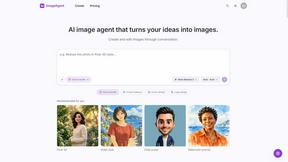
ImageAgent
Create and edit AI images through conversation, using text or reference images and refining results in chat.

GenX
All-in-one AI workspace to generate images, videos, and audio with multiple leading AI models.

Bloom
An adaptive AI tutor that turns topics or your materials into courses, lessons, and answers tailored to how you learn.

AppIconGenerator
Generate iOS and Android app icons from any image and export all platform sizes for free.

YIX
AI image and video generation, photo editing, restoration and free prompt tools in one browser studio.
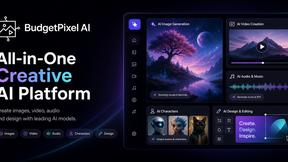
Budgetpixel AI
Create AI images, videos, music, and designs in one workspace with multiple models, powerful editing tools, and API access.

Nano AI
Create and edit AI images, generate videos, and compare models in one creative workbench.

CutNoodle
CutNoodle is a free, browser-based toolkit for creators. Edit videos, audio, and screenshots, explore your X analytics, and create shareable content.
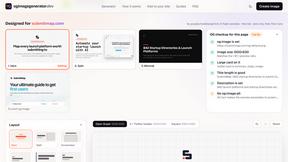
ogimagegenerator.dev
Paste a URL and AI designs on-brand Open Graph images from your page's colours, fonts and logo. Free, no sign-up.
Screen Issues
Free Online Screen Test Tool - Instantly diagnose dead pixels, lines, color issues, and flickering. Multiple test modes, no download needed.



Play Jean Phil
Play Jean Phil is a Jean Phil AI video generator. Upload one photo of a person or a pet and it plays Jean Philanthrope.

Gas Station Dance AI Generator
Browser-based AI generator that recreates the viral gas station dance video from 1–3 photos.

Unforgettable Car AI
Unforgettable Car AI generates the 15-second Unforgettable car trend video from a single selfie: hold up a red 2 and 4 that read 24.

Ozil Goal AI
Ozil Goal AI turns one photo into an AI remake of Mesut Özil's famous 2016 chip-and-dribble goal against Ludogorets

Tip Toe AI
Upload a Dancer photo and a Partner photo and get your own AI Tip Toe barn-dance video. Free 5s preview, 12s HD from $4.90. No subscription.

Ozil Goal AI
Turn one photo into the viral Özil goal meme video: you, your dog, a toy or a drawing scores. Free 5s preview, 10s 720p from $4.90. No subscription.
About Easymotion - AI Motion Graphic Generator Alternatives
In the rapidly evolving landscape of digital content creation, Easymotion - AI Motion Graphic Generator has carved out a distinct niche as a browser-based platform that empowers creators to transform static ideas, data, and visuals into polished animated videos without the steep learning curve of traditional timeline editing. It sits at the intersection of AI Assistants, Content Creation, Design Tools, and Video production, offering specialized capabilities for motion graphics like SaaS promos and animated charts, as well as map animations for geographic storytelling. Despite its utility, users often find themselves exploring alternatives due to a variety of practical considerations, including pricing models that may not scale with their volume of output, a desire for more granular control over animation physics, or the need for deeper integration with existing video editing ecosystems. Others might seek platforms that offer a broader library of 3D assets, more robust collaboration features for team workflows, or support for additional export codecs and frame rates beyond the standard MP4 and MOV formats. When evaluating alternatives to a tool like Easymotion, the discerning creator should prioritize a few key criteria to ensure the new platform aligns with their specific workflow. First, consider the breadth and depth of the animation engine, assessing whether it can handle both simple data visualizations and complex narrative sequences with equal fluidity. Second, examine the flexibility of the customization process, particularly whether the platform allows for direct manipulation of keyframes or relies solely on chat-based prompts, as this can dramatically affect creative control. Third, evaluate the output ecosystem, looking for platforms that offer versatile aspect ratios for cross-platform distribution, support for transparent backgrounds, and compatibility with common editing software like Adobe Premiere or DaVinci Resolve. Finally, consider the learning curve and community support, as a tool that promises speed but requires extensive onboarding may ultimately negate its primary value proposition for time-sensitive projects.
FAQs about Easymotion - AI Motion Graphic Generator Alternatives
What is Easymotion - AI Motion Graphic Generator?
Easymotion is an AI-powered motion graphics generator and map animation platform designed for content creators, editors, founders, and marketers. It enables users to turn ideas, files, and static visuals into polished animated videos directly in a web browser, eliminating the need for complex timeline editing software. The platform specializes in producing motion graphics for SaaS product promos, flowcharts, animated charts, and UI explainers, as well as map animations for flight routes, location pins, and geographic storytelling.
Who is Easymotion - AI Motion Graphic Generator for?
Easymotion is built for content creators, video editors, startup founders, and marketers who need to produce professional animated videos quickly without mastering traditional animation tools. It is particularly valuable for professionals creating social media content, product marketing materials, client presentations, and educational explainer videos. The platform's chat-based editing and template library also make it accessible to users with no prior motion graphics experience.
What are the main features of Easymotion - AI Motion Graphic Generator?
Key features include the ability to generate animations from text prompts, images, spreadsheets, and PDFs, as well as a premium template library for starting with proven layouts. Users can edit animations by chatting with AI to adjust colors, pacing, labels, layout, and visual style. The platform supports export as MP4 or MOV, including videos with transparent backgrounds, and offers output in multiple aspect ratios such as 16:9, 9:16, 1:1, and 4:5.
Is Easymotion - AI Motion Graphic Generator free?
The provided information does not specify whether Easymotion offers a free tier or pricing details. Users should visit the official Easymotion website to check for any free trials, freemium plans, or subscription options. Generally, AI motion graphic tools of this nature may offer limited free usage with paid plans for higher export quality, more templates, or increased project limits.