
Alternatives to ComicsMaker
Explore the best alternatives and competitors to ComicsMaker.
Explore 20 alternatives to ComicsMaker. Compare features, pricing, and find the best fit for your needs.

nanobanana 21
AI image studio powered by Nano Banana 2.1 for high-quality images, accurate details, readable text, and consistent characters.
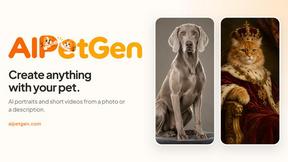
AIPetGen
AIPetGen turns a photo of your dog, cat, or other pet, or a written description, into a new picture or a short animation.

Hotel Lobby AI Video Generator
Turn two photos into a Hotel Lobby dance video in the orange A COLORS SHOW booth




Ideogram AI 4.5
AI image generation and editing with sharp typography, native 2K output, and precise localized edits with minimal visual drift.
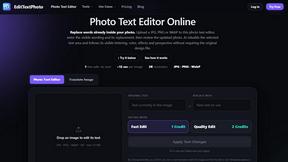
EditTextPhoto
AI-powered image text editor to edit, replace, fix, or translate text in images while preserving the original font, color, size, and style.

Genjutsu AI
Genjutsu AI turns your ideas into cinematic videos, product ads, social shorts, and high-quality images in minutes.
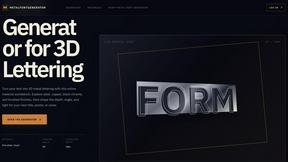
metalfontgenerator
A sleek online tool for creating bold 3D metal lettering with customizable finishes, depth, perspective, lighting, and spacing.

AI Album Cover Maker
Create release-ready album covers from a prompt or photo. Generate, refine, and export art for singles, EPs, mixtapes, and playlists.


Presentation Intelligence
AI-native presentation and visual content platform that turns prompts, documents, images, videos, and data into polished, shareable decks.


Lockimate - AI Live Wallpapers
Turn any photo into a real Apple Live Photo that animates when you wake your iPhone. Restyle it and choose the motion — customizable.

Vismuse
Create polished AI images and videos from prompts or references for social posts, ads, flyers, album covers, and campaigns.

Magic Eraser
AI photo editor for removing objects and backgrounds, enhancing images, and creating visual content.



About ComicsMaker Alternatives
ComicsMaker is an AI-powered comic maker and visual storytelling tool that belongs to the broader categories of content creation, design tools, and image generation software. It enables users to transform text prompts into comic strips, manga panels, storyboards, and export-ready visual drafts, making it a versatile resource for creators, educators, marketers, and teams who need to produce narrative visuals quickly. As a specialized tool within the generative AI space, it focuses on structured comic layouts, reading flow, and style direction rather than general image creation. Users commonly seek alternatives to ComicsMaker for a variety of practical reasons, including differences in pricing models, the need for more advanced manual illustration capabilities, platform compatibility issues, or a desire for different output formats like animated comics or longer-form graphic novels. Some may find that their workflow requires deeper integration with other design software, while others might be looking for a tool with a more generous free tier or a different approach to character consistency and panel sequencing. When choosing an alternative, it is important to evaluate the tool’s ability to handle specific comic genres, its support for export formats, the intuitiveness of its layout controls, and whether it offers the right balance between automated generation and manual customization for your particular project needs.
FAQs about ComicsMaker Alternatives
What is ComicsMaker?
ComicsMaker is an AI comic maker and comic strip maker designed to turn written prompts into comic panels, manga-style drafts, storyboards, and social-ready comic pages. It provides creators with clear control over layout, tone, reading flow, and style direction, allowing for structured visual storytelling without starting from a blank canvas. The tool functions as a text-to-comic generator, enabling rapid drafting of narrative visuals for a wide range of professional and personal projects.
Who is ComicsMaker for?
ComicsMaker is built for a diverse audience including creators, educators, marketers, and teams who need visual stories quickly and efficiently. It is particularly useful for drafting AI comic strips, prompt-to-panel scenes, character moments, explainer comics, classroom visuals, product storyboards, and campaign concepts. The tool is designed to help anyone move from an idea to a structured comic draft without requiring advanced artistic skills or a complex design background.
Is ComicsMaker free?
The provided content does not specify whether ComicsMaker offers a free tier or a free trial, so users should visit the official website to check the most current pricing and availability details. Typically, tools in this category offer limited free usage or a trial period to allow users to evaluate the core features before committing to a subscription. For specific information regarding free access, credits, or trial terms, it is best to consult the product's official pricing page directly.
What are the main features of ComicsMaker?
The main features of ComicsMaker include its ability to generate comic panels, manga-style drafts, storyboards, and social-ready comic pages from text prompts. It offers clear control over layout, tone, reading flow, and style direction, allowing users to customize the visual output to match their narrative needs. The workspace is designed to help users move from an idea to a structured comic draft without starting from a blank canvas, making it a comprehensive visual storytelling tool for rapid prototyping and content creation.