

The Ultimate Piano
A browser toolkit for MIDI piano practice, with real time chord names, staff notation and tools for lessons, streams and lead sheets.
About The Ultimate Piano
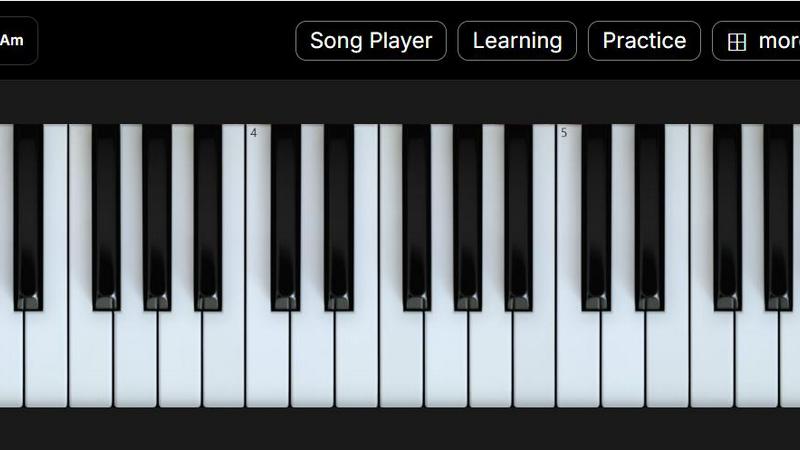
The Ultimate Piano combines a live keyboard view with a broad selection of music tools. Connect a MIDI keyboard to see keys light up, chord names appear and notes written on a staff; mouse input is supported too. Players can practice notes, chords, scales and ear training at rising levels. For scales and arpeggios, the site describes feedback on accuracy and timing, with timing, speed and evenness after a run.
Different users can build different workflows around the same browser toolkit. Teachers can share the tab in online lessons and make chord diagrams for students. Streamers can put keys and chord names on screen, and writers can turn progressions into printable lead sheets. The browser version needs no download, and no account is required to try it. Desktop programs and DAW plugins for Windows and Mac are also listed for users seeking those formats.
Features of The Ultimate Piano
- Chord detection and staff notation from live keyboard input.
- Practice levels for notes and chords, with scale and arpeggio feedback.
- Music tools include MIDI and audio players, PDF score reading and theory utilities.
- Lead sheet editor, diagram generator and MIDI recording.
Use Cases of The Ultimate Piano
- Practice fundamentals and see played notes and chords immediately.
- Demonstrate keys in online instruction and prepare chord diagram homework.
- Create lead sheets from progressions for printing.
- Add keyboard visuals and chord names to a stream or video.
Frequently Asked Questions
Does it support mouse input?
Yes. The site says chord detection works with a MIDI keyboard or the mouse.
What information does practice feedback include?
For scales and arpeggios, the site mentions accuracy, timing, speed and evenness.
Is there an option for desktop or DAW use?
Yes. Desktop programs and DAW plugins for Windows and Mac are listed.
Explore more in this category:
Similar to The Ultimate Piano

AI Rap Video
Make a shareable rap clip from one photo, with original lyrics, sound and themed vertical video scenes.

DeckCraft
DeckCraft is a free, open-source slide editor with native desktop apps and a browser version for building and presenting everyday decks.

GenX.art
GenX.art is a multi-model workspace for AI images, videos, and audio, with workflow-specific inputs and credit estimates before each run.

Dot & Dash
Type Morse into any Mac app with a menu bar key, live tape display, and a configurable keyboard or USB key input.

Bloom
Bloom is an AI tutor that turns a learning goal into an outline, focused lessons, passage-level help, and an end-of-course assessment.

LiveGameShow
LiveGameShow runs group quiz games on a shared screen, using players' phones as buzzers and tracking scores for the host.

LivePartyGames
LivePartyGames lets a host show party prompts on a TV while guests vote from their phones, with secret ballots and no app to install.

LivePoll
LivePoll makes free QR code polls with live results for classrooms, meetings and events, with no app required for voters.