
FilexHost vs Phishly
Side-by-side comparison to help you choose the right tool.

FilexHost
FilexHost instantly creates shareable web pages from any file you upload.
Last updated: February 28, 2026

Phishly
Phishly uses AI to detect phishing emails instantly, enhancing your Gmail security with a simple Chrome extension.
Visual Comparison
FilexHost

Phishly
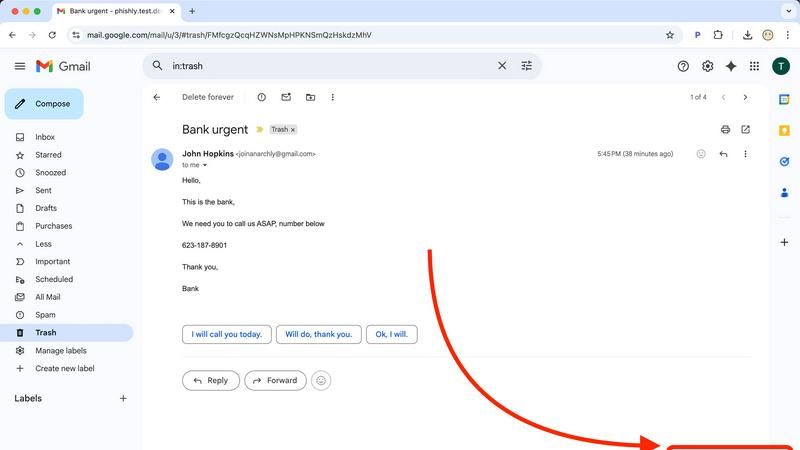
Feature Comparison
FilexHost
Universal File Support & Smart Rendering
FilexHost accepts an extensive range of file types including PDFs, images (JPG, PNG, WEBP, HEIC, TIFF), spreadsheets (XLSX, CSV), media (MP4, MP3), code files (JSON, HTML), and archives (ZIP). Its intelligent rendering engine automatically displays each file in the optimal format. HTML files become live, interactive websites; spreadsheets transform into searchable, in-browser tables; documents appear in clean readers; and media files play with lightweight built-in players. This eliminates the need for recipients to have specific software, ensuring the content is experienced exactly as intended.
Instant, Zero-Configuration Hosting
The platform generates instant subdomains (e.g., your-file.filex.host) with absolutely no setup required from the user. There is no command line, no Git, and no DNS configuration needed. This feature is powered by a global Content Delivery Network (CDN), ensuring that every hosted file is delivered with blazing fast speed and low latency to viewers anywhere in the world. Every link is also secured with free, automatic SSL encryption by default, guaranteeing safe and private connections for all file transfers.
Advanced Sharing Controls
Beyond simple links, FilexHost provides granular control over how content is shared and accessed. Users can set passwords to protect sensitive files, configure expiry dates from 24 hours to permanent hosting, and choose between view modes—such as a direct render or a dedicated download page. For archives, the platform even allows for selective file downloads from within a ZIP. These features offer professional-grade management for sharing confidential documents, time-sensitive materials, or curated asset packages.
Simple Drag-and-Drop Interface
The entire user experience is built around unparalleled simplicity. The core workflow involves dragging a file directly into the FilexHost web interface or using the upload button. The system handles all the backend complexity, from processing and optimization to hosting and link generation. This intuitive approach makes powerful file hosting accessible to everyone, regardless of their technical expertise, turning a process that typically requires IT knowledge into a matter of seconds.
Phishly
AI-Powered Scanning
Phishly employs state-of-the-art AI technology to thoroughly scan emails for phishing indicators. This feature analyzes various elements, such as the email's source and language, to detect potential threats effectively.
Instant Risk Assessment
Upon scanning, Phishly provides users with an immediate risk assessment, categorizing emails as Safe, Medium Risk, or High Risk. This feature helps users quickly gauge the legitimacy of their emails and act accordingly.
User-Friendly Interface
Designed with simplicity in mind, Phishly features an intuitive interface that requires no technical knowledge. Users can effortlessly navigate the tool and perform scans, making it ideal for individuals and small businesses alike.
Privacy-Focused Analysis
Phishly ensures user privacy by analyzing only the specific emails that users choose to scan. This commitment to privacy means that sensitive information remains secure and confidential throughout the scanning process.
Use Cases
FilexHost
Professional Client Reporting & Deliverables
Professionals such as consultants, designers, and marketers can use FilexHost to deliver polished reports, presentations, and project deliverables. Instead of relying on bulky email attachments or confusing cloud storage links that require permissions, they can upload a PDF or PowerPoint file, get a clean link, and send it directly. The client sees a beautifully rendered document in their browser immediately, without any login hurdles, creating a seamless and professional impression.
Developer Prototyping & Demo Hosting
Developers and engineers can instantly host static websites, landing page prototypes, JSON mock APIs, or documentation for testing and client review. By simply uploading an HTML file or a ZIP archive of their project, they receive a live, public URL in seconds. This is ideal for rapid prototyping, sharing progress with stakeholders, or creating demo versions without the overhead of configuring a full web server or domain.
Digital Product Distribution
Creators, educators, and small businesses can distribute digital products like e-books, software, audio files, video courses, or asset packs. FilexHost allows them to set passwords for customer-only access, use expiry links for limited-time offers, or provide permanent download pages. The built-in viewers also let customers preview certain content (like image galleries or document samples) directly before downloading, enhancing the user experience.
Team Collaboration & Asset Sharing
Teams working on projects can use FilexHost as a quick and efficient hub for sharing large media files, design assets, data exports, or presentation decks. The ability to preview images, videos, and spreadsheets directly in the browser streamlines review processes. With features like ZIP preview and selective download, team members can quickly access the specific files they need from a large archive without having to download everything.
Phishly
Personal Email Security
Individuals can use Phishly to safeguard their personal email accounts from phishing attacks. By scanning suspicious emails, users can protect themselves from potential scams and identity theft.
Small Business Protection
Small businesses can benefit from Phishly by integrating it into their email practices. Employees can utilize the tool to verify the legitimacy of emails, reducing the risk of falling victim to phishing schemes.
Educational Use
Educators and students can use Phishly as a teaching tool to understand phishing threats better. By analyzing real emails, users can learn how to identify red flags and avoid malicious attacks.
Remote Work Security
With the rise of remote work, Phishly serves as a valuable resource for remote employees. It enables them to scan emails from various sources, ensuring that they can work securely and confidently from any location.
Overview
About FilexHost
FilexHost is a revolutionary, universal file hosting and sharing platform designed to eliminate the traditional complexities of digital file distribution. It provides a seamless "Drop & Share" workflow that empowers individuals and professionals to instantly publish and share any file type with a global audience. The core value proposition lies in its remarkable simplicity and powerful, built-in rendering capabilities. Users can drag and drop a file—be it a document, spreadsheet, image, video, or even an entire static website—and within seconds receive a secure, shareable URL. Recipients require no logins, no special software, and no technical knowledge; they experience the content beautifully rendered directly in their web browser. FilexHost serves a broad spectrum of users, from professionals sharing client reports and developers hosting project demos to creators distributing digital products and teams collaborating on assets. By removing barriers like attachment limits, "request access" emails, and complex server configurations, FilexHost redefines friction-free file delivery, prioritizing an elegant and immediate viewer experience above all else.
About Phishly
Phishly is a cutting-edge AI-powered phishing detection platform designed to enhance email security for individuals and small businesses. Available as a convenient Chrome extension for Gmail and as a web tool, Phishly empowers users to effortlessly scan their emails for potential phishing threats. By simply clicking "Scan with Phishly" on any email in Gmail or pasting suspicious email content directly on the website, users receive immediate analysis of the email’s legitimacy. The platform utilizes advanced AI algorithms to identify various phishing indicators such as suspicious domains, alarming language, spoofed sender addresses, and common social engineering tactics. Each analysis results in a clear risk assessment categorized as Safe, Medium Risk, or High Risk, accompanied by detailed explanations to help users understand the risks involved. Phishly stands out by offering a straightforward solution that requires no technical expertise, making it accessible for everyone. Furthermore, user privacy is a priority, as Phishly only analyzes emails that users explicitly choose to scan. This approach ensures that individuals and small businesses can enjoy robust phishing protection without the complexities often associated with enterprise-level solutions.
Frequently Asked Questions
FilexHost FAQ
What is FilexHost?
FilexHost is a universal file hosting and sharing service that allows you to instantly upload any file type and generate a secure, shareable web link. It stands out by automatically rendering files in an optimal, interactive format within the browser—such as turning HTML into a live website or a spreadsheet into a viewable table—so recipients can view content without needing specific software or logins.
Is it really free?
Yes, FilexHost offers a fully functional free plan designed for quick sharing and testing. This plan includes hosting for up to 1,000 files, with a maximum file size of 25MB and total storage of 1GB. Files expire after 7 days, and the experience includes ads and a watermark. For permanent, high-traffic, and professional use, a Pro plan with enhanced limits and features is available.
What file types are supported?
FilexHost supports a vast array of file types, organized for optimal viewing. This includes documents (PDF, TXT), data files (XLSX, CSV, JSON), images (JPG, PNG, WEBP, HEIC, TIFF), media (MP4, MP3), archives (ZIP), and code/text files (HTML, JSON). The platform's smart rendering engine detects the file type and presents it with an appropriate, built-in viewer for the best possible experience.
How do I update my hosted file or site?
To update a file or static website hosted on FilexHost, you simply need to upload the new version of the file. The platform will generate a new, unique URL for the updated upload. For managing and overwriting existing content seamlessly, especially for projects where the link must remain constant, users typically utilize the Pro plan features or would look forward to future updates like custom domain integration for more direct control.
Phishly FAQ
How does Phishly detect phishing emails?
Phishly utilizes advanced AI algorithms to analyze various elements of an email, including the sender's address, language used, and domain reputation, to identify potential phishing threats.
Is Phishly free to use?
Yes, Phishly is free to use, allowing individuals and small businesses to protect themselves against phishing attacks without any financial burden.
Do I need technical skills to use Phishly?
No, Phishly is designed to be user-friendly and accessible for everyone. No technical knowledge is required to perform scans or interpret the results.
How does Phishly protect my privacy?
Phishly prioritizes user privacy by only analyzing the emails that users explicitly choose to scan. This means that no personal information is collected or analyzed without user consent.