
Alternatives to Opal
Explore the best alternatives and competitors to Opal.
Explore 20 alternatives to Opal. Compare features, pricing, and find the best fit for your needs.

JevModel
Bilingual Jev decision workbench with original guides for structured, AI-assisted decisions.
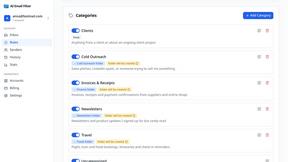
AI Email Filter
AI Email Filter sorts incoming mail into folders using plain-language prompts you write. Works with any IMAP mailbox; bring your own LLM if you want.
Egmatic
No-code 2D game editor: visual node logic, drag-and-drop scenes, live preview. Exports to Windows, macOS, Linux, Android, iOS, Web.
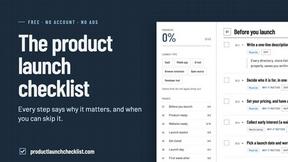
Product Launch Checklist
A free launch checklist for SaaS, apps, AI tools and more. Every step says why it matters and when you can skip it.
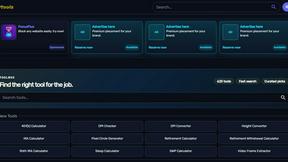
Kody Tools
Free collection of online developer utilities, code formatters, and digital converters designed to streamline your daily workflow.
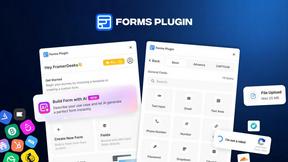
Forms Plugin
The #1 Native Form Builder Plugin for Framer - No Code, No Embeds, No External Platforms.




PerPageFax
PerPageFax lets you send a fax online from any browser for a flat $0.50 per page — no account, no subscription, no fax machine.

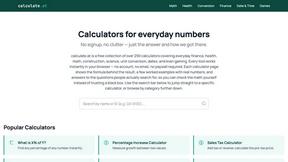
calculate.at
calculate.at is a free online calculator hub — 290+ tools for finance, health, math, and conversions, no signup needed.
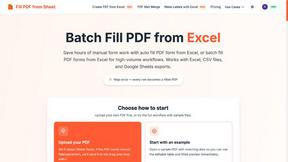
Fill PDF from Sheet
Fill PDF from Sheet automates the process of populating PDF forms from data in Excel, CSV, or Google Sheets.


Glanced
Follow news, blogs, newsletters, and podcasts in a free RSS reader, with AI summaries, top stories, full-text search, saved searches, and a catalog.


Create PDF from Excel
Create PDF from Excel online and preview every page before downloading. Fit wide sheets, repeat headers, and combine workbooks privately.


About Opal Alternatives
Opal is a cutting-edge visual workspace that revolutionizes the way individuals and teams manage their projects and notes. As part of the productivity and management category, Opal caters to those who prefer a spatial approach to organizing information. It allows users to create an infinite digital canvas where they can visually arrange their ideas, documents, and tasks. This unique methodology enhances memory recall, making it easy to retrieve information without the frustration of searching through complex folders. Users often seek alternatives to Opal for a variety of reasons, such as budget constraints, specific feature requirements, or compatibility with their existing tools and platforms. When exploring alternatives, it’s crucial to consider aspects like ease of use, the ability to visually organize information, collaborative features, and integration capabilities with other software. Additionally, understanding the specific needs of your workflow will help ensure that the alternative you choose can fulfill your organization and management goals effectively, allowing you to maintain productivity and focus.
FAQs about Opal Alternatives
What is Opal?
Opal is a visual workspace designed to help users organize their projects and notes in an intuitive way. By providing an infinite digital canvas, Opal allows individuals to drag and drop various elements like notes, documents, and links for easy access and organization. This unique approach caters to those who think spatially, making retrieval of information instant and frustration-free.
Who is Opal for?
Opal is ideal for solopreneurs, consultants, agency owners, writers, and anyone who needs to manage multiple projects and details simultaneously. It is particularly beneficial for individuals whose work relies heavily on conversations, details, and creative ideas. By keeping all relevant information visible and organized, Opal empowers users to focus on their tasks without the distraction of searching.
Is Opal free?
Opal offers a range of pricing options, including free trials or tiers, allowing users to explore its features before committing to a paid plan. While specific pricing details may vary, the platform is designed to provide value for those looking to enhance their productivity and project management. It’s best to check the official Opal website for the most current pricing information.
What are the main features of Opal?
Opal's key features include a visually organized digital workspace that allows for drag-and-drop functionality, enabling users to arrange their notes, documents, and files easily. The platform supports an infinite canvas, which means users can expand their workspace to suit their needs. Additionally, Opal focuses on spatial memory techniques, helping users remember the location of their information rather than just relying on traditional search methods.