
Alternatives to BlueHumanizer
Explore the best alternatives and competitors to BlueHumanizer.
Explore 20 alternatives to BlueHumanizer. Compare features, pricing, and find the best fit for your needs.
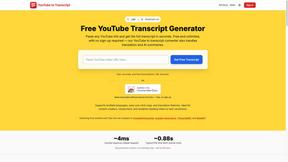
GetYouTubeTranscript
Free YouTube transcripts on the web, a Chrome extension, and an API + MCP server so AI assistants can read YouTube.





benchmark.directory
A working index of AI tools. We record what each one costs, what it connects to, and exactly where it stops being useful.

saasgrow.ai
No sponsored slots, no paid placement. Just SaaS growth tools that passed screening, sorted into categories you can browse.

Tools Network
Tools Network is a curated directory that brings the internet's best AI tools together in one organized, easy-to-navigate place.


Built2Win AI Indexing
AI‑ready websites, WebAgentScan SaaS, and Indexing Pack. MCP, A2A, llms.txt — hand‑coded PHP, complete ownership, flat‑fee, free quote.

SnapPChart
SnapPChart grades a trading chart screenshot A+ to F, with an entry, stop, targets, and risk/reward. Works on stocks, forex, crypto, futures.




ContextBolt
MCP servers that give your AI agent the context it can't reach: bookmarks, live SEO data and competitor moves, right inside Claude or Cursor.

Luffy
AI employee in Slack that connects your tools and gets work done using your workspace context.

ConnectMachine
AI-powered digital business cards with QR sharing, card scanning, and smart contact management.

VideoAny BR
Create AI videos from text or images, generate images and audio in one online studio.

VideoAny BE
Create AI videos from text or images, generate images and audio in one online studio.
About BlueHumanizer Alternatives
BlueHumanizer is an AI humanizer tool that rewrites machine-generated text into clear, natural-sounding prose while preserving the original meaning and tone. It belongs to the broad category of AI writing assistants, specifically focusing on the growing need to refine content produced by large language models like ChatGPT, Claude, and Gemini. Users often seek alternatives to such tools for a variety of reasons, including the desire for different pricing structures, the need for specialized features like bulk processing or API integration, or simply to find a platform that better aligns with their specific workflow or language requirements. When evaluating any alternative to a tool like BlueHumanizer, it is essential to consider the core performance metrics of the humanization process. The most critical factor is whether the alternative can effectively restructure sentences and restore natural rhythm without altering the intended meaning, rather than merely swapping words with synonyms. Additionally, look for support for multiple languages, adjustable levels of humanization, and the ability to preserve quotes and citations. The best choice will depend on your specific use case, whether that is academic writing, marketing copy, or professional correspondence, and whether the platform offers a free or affordable tier that meets your volume needs without compromising on quality.
FAQs about BlueHumanizer Alternatives
What is BlueHumanizer?
BlueHumanizer is an AI humanizer tool designed to transform text generated by AI writers into clear, natural-sounding prose with one click. It goes beyond basic synonym swapping by reshaping sentence structure and restoring the natural rhythm of writing, ensuring the output reads as if it were written by a human. The tool supports over 50 languages and offers adjustable humanization levels and tone controls to fit various writing needs.
Who is BlueHumanizer for?
BlueHumanizer is built for a wide range of users including students, researchers, marketers, and anyone who writes with the assistance of AI. It is particularly useful for refining essays, polishing research papers, creating on-brand marketing copy, or warming up everyday emails and reports. The tool is designed to help professionals and academics produce ready-to-publish content that maintains their intended meaning and tone.
Is BlueHumanizer free?
Yes, BlueHumanizer is free to start and does not require a credit card to begin using the service. This allows users to test its core humanization features without any upfront financial commitment. The free tier provides access to the basic rewriting capabilities, making it accessible for individuals who need to humanize AI text occasionally.
What are the main features of BlueHumanizer?
The main features of BlueHumanizer include one-click transformation of AI text into natural, human-sounding prose with improved flow and sharper phrasing. It reshapes sentence structure to restore natural rhythm while keeping the original meaning, tone, and key points intact, and it ensures that quotes and citations remain untouched. Additionally, it supports over 50 languages, offers adjustable humanization levels, and provides tone controls for different writing contexts.