

poseup
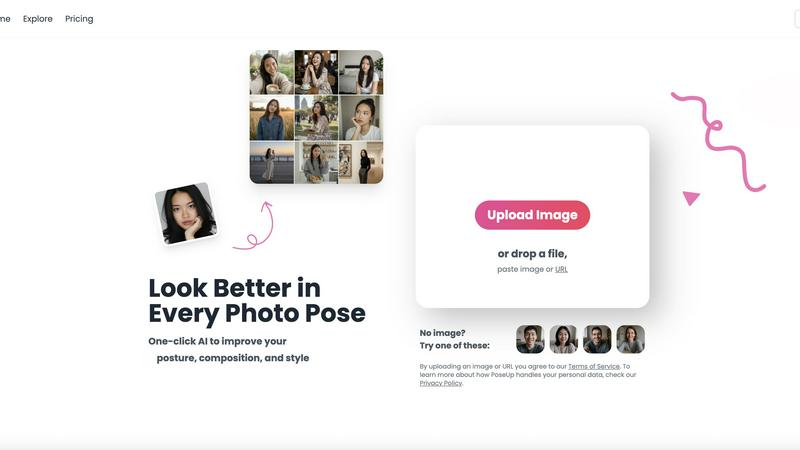
PoseUp enhances your photos with AI, optimizing posture and composition for stunning results in just one click.
About poseup
PoseUp is an innovative AI-powered photo enhancement tool tailored to elevate the quality of photographs effortlessly. With a simple click, it enhances photo poses, corrects posture, and optimizes composition, making it an essential asset for a broad audience, including social media influencers, amateur photographers, and anyone eager to improve their photo quality without the need for professional training. The main value proposition of PoseUp lies in its ability to transform ordinary images into visually stunning photographs, correcting unflattering poses and optimizing compositions. Whether users are capturing selfies, family portraits, or professional headshots, PoseUp ensures they appear their best in every shot. By harnessing advanced AI technology, it intelligently analyzes images for posture and composition, providing enhancements that can elevate even the simplest photos to a professional standard. Additionally, PoseUp offers a free AI pose enhancer, allowing users to explore and experiment with their photography style, making high-quality visual content accessible to all.
Features of poseup
One-Click Photo Enhancement
PoseUp's one-click enhancement feature empowers users to transform their photos instantly. By analyzing the uploaded images, the tool automatically adjusts posture, composition, and overall visual appeal, making it easy for anyone to achieve professional-level results without any prior photography skills.
Advanced AI Analysis
The core of PoseUp's functionality is its advanced AI analysis. This technology evaluates each photo for posture and composition, suggesting intelligent improvements that enhance the overall aesthetic. Users benefit from automatic corrections, which help produce images that stand out on social media and in personal collections.
Support for Multiple Formats
PoseUp supports a variety of image formats, including JPG, PNG, WEBP, and HEIC, catering to diverse user needs. With a file size limit of 5MB per image, users can upload high-quality photos without worrying about compatibility issues, ensuring a seamless experience for everyone.
Free AI Pose Enhancer
One of the standout features of PoseUp is its free AI pose enhancer, which allows users to experiment with different poses and styles. This feature encourages creativity and exploration, making it perfect for those who want to refine their photography skills or simply have fun with their images.
Use Cases of poseup
Enhancing Selfies
PoseUp is ideal for individuals looking to improve their selfies. With its one-click enhancements, users can correct their posture and achieve flattering angles that make their selfies look polished and professional, perfect for sharing on social media.
Family Portraits
Families can benefit from PoseUp when capturing special moments together. The tool helps adjust poses and compositions to ensure that everyone looks their best, creating cherished memories that are beautifully presented.
Professional Headshots
For professionals in need of a standout headshot, PoseUp can significantly improve the quality of their images. By optimizing posture and composition, users can create impressive portraits that convey confidence and professionalism, essential for networking and career advancement.
Creative Photography Projects
Amateur photographers working on creative projects can utilize PoseUp to enhance their images. The free AI pose enhancer allows them to experiment with various poses and styles, fostering creativity and enabling them to produce visually striking results.
Frequently Asked Questions
How does PoseUp improve my photos?
PoseUp uses advanced AI technology to analyze your photos for posture, composition, and lighting. It then automatically suggests and applies enhancements to help you achieve a more professional look in your images.
Is PoseUp easy to use?
Yes, PoseUp is designed for users of all skill levels. Its one-click enhancement feature allows anyone to improve their photos without needing extensive knowledge of photography techniques, making it accessible for everyone.
What image formats does PoseUp support?
PoseUp supports several image formats, including JPG, PNG, WEBP, and HEIC. This ensures that users can upload their preferred images without compatibility issues, simplifying the enhancement process.
Can I try PoseUp for free?
Yes, PoseUp offers a free AI pose enhancer that allows users to experiment with their photography styles. This feature encourages creativity and lets users explore various poses without any cost before committing to the full service.
Explore more in this category:
Similar to poseup

Lockimate - AI Live Wallpapers
Turn any photo into a real Apple Live Photo that animates when you wake your iPhone. Restyle it and choose the motion — customizable.

Magic Eraser
AI photo editor for removing objects and backgrounds, enhancing images, and creating visual content.

UGCad AI
AI UGC video ad Generator which Turn a URL, prompt, or template into a ready video ads

NodeStory
One-click UGC videos, product photo sets, and reusable AI workflows, with 30+ image and video models in one studio.

IsThisAIImage
Free AI image checker: upload a photo for AI-generated and deepfake scores, a clear verdict, and optional generator hints.


Blur & Unblur AI
Free online face blur and unblur tool with local browser processing.

Best Face Swap
Best Face Swap delivers precise AI face replacement for both photos and videos with dedicated workflows for free, NSFW, and multi-face editing.