

AnyToURL
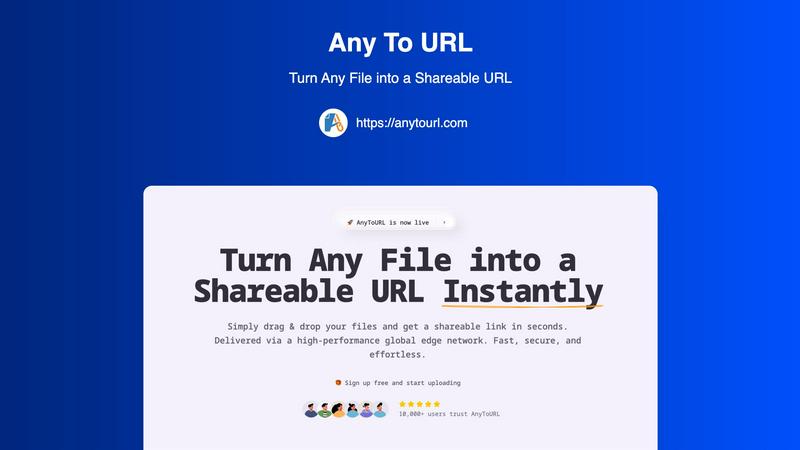
AnyToURL effortlessly converts your files into secure shareable links in seconds for easy global distribution.
About AnyToURL
In today's fast-paced digital environment, the ability to share files efficiently and securely is essential for all. AnyToURL emerges as a versatile solution designed to transform the tedious process of file sharing into an efficient, user-friendly experience. This innovative platform enables users to convert various file types—including images, videos, PDFs, and more—into direct, shareable web links within seconds. With a focus on accessibility, AnyToURL caters to a diverse audience, from creative professionals and marketing teams to everyday users seeking hassle-free file transfers. Its primary value proposition is built around seamlessly integrating advanced technology with a user-centric design, ensuring rapid global access through a high-performance edge CDN. Coupled with features like smart previews and optional password protection, AnyToURL prioritizes both convenience and security, eliminating the need for cumbersome logins and bulky attachments. In essence, this tool empowers users to collaborate and distribute content effortlessly, making it an indispensable asset in the realm of digital communication.
Features of AnyToURL
Effortless Drag & Drop Upload
AnyToURL simplifies the file upload process with its intuitive drag and drop interface. Users can effortlessly drag their files onto the designated area on the webpage, eliminating any complicated steps or forms. This feature is designed for ease of use, making it ideal for individuals who want to share files without any technical hurdles.
Instant Shareable Links
Once a file is uploaded, AnyToURL generates a short and shareable URL immediately. This feature allows users to copy the link with a single click and share it across various platforms, whether through email, chat applications, or social media. The instant URL generation streamlines the sharing process, ensuring accessibility for both the sender and the recipient.
Smart File Preview
With AnyToURL, users benefit from the smart file preview feature that allows recipients to view images, PDFs, and documents directly in their browser without the need to download them. This functionality enhances user experience, enabling quick access to content and facilitating seamless collaboration without unnecessary delays.
Global Edge CDN
AnyToURL employs a high-performance global edge network powered by Cloudflare, ensuring that files are delivered with lightning-fast access worldwide. This feature guarantees that users enjoy rapid file sharing and retrieval, no matter their location, thereby supporting a truly global audience and enhancing overall efficiency.
Use Cases of AnyToURL
Creative Collaboration for Designers
Graphic designers and creative professionals can use AnyToURL to share design mockups and wireframes with clients and team members instantly. The smart preview feature allows clients to provide feedback in real-time without needing to download multiple files, streamlining the review process and enhancing collaboration.
Marketing Asset Distribution
Marketing teams can leverage AnyToURL to distribute campaign assets, brand materials, and media files to their colleagues and stakeholders. By sharing files through quick links, team members can access and preview essential documents without delays, leading to more efficient project execution.
Documentation Sharing for Product Managers
Product managers can utilize AnyToURL to share product specifications, documentation, and resources with distributed teams. The platform's secure file handling and global access capabilities ensure that all team members can retrieve necessary information swiftly, facilitating better project management and communication.
Personal Use for Everyday Individuals
Anyone needing to share personal files, whether photos, videos, or important documents, can benefit from AnyToURL's streamlined service. Users can easily generate shareable links to send to friends and family, ensuring that sharing memories or important information is both secure and hassle-free.
Frequently Asked Questions
How secure is AnyToURL?
AnyToURL prioritizes security through features like password protection and strict file isolation. The platform ensures that files are handled securely and that malware is strictly prohibited, providing users with peace of mind when sharing sensitive information.
What types of files can I upload?
AnyToURL supports a wide range of file types, including images, PDFs, documents, and more. Users can upload files up to 50MB in size on the free tier, making it a versatile tool for various sharing needs.
Is there a limit on how long files are available?
Yes, for free users, uploaded files expire after 24 hours. However, users can upgrade to paid plans for permanent storage, allowing them to keep their files accessible indefinitely.
How do I add password protection to my files?
When uploading a file, AnyToURL provides the option to set a password for added security. This feature ensures that only individuals with the password can access and download the shared content, making it ideal for sensitive files.
Explore more in this category:
Similar to AnyToURL

AI Email Filter
AI Email Filter sorts incoming mail into folders using plain-language prompts you write. Works with any IMAP mailbox; bring your own LLM if you want.

Egmatic
No-code 2D game editor: visual node logic, drag-and-drop scenes, live preview. Exports to Windows, macOS, Linux, Android, iOS, Web.

Product Launch Checklist
A free launch checklist for SaaS, apps, AI tools and more. Every step says why it matters and when you can skip it.

Kody Tools
Free collection of online developer utilities, code formatters, and digital converters designed to streamline your daily workflow.

Forms Plugin
The #1 Native Form Builder Plugin for Framer - No Code, No Embeds, No External Platforms.


