
Hush Touch | Voice-to-Text for MacOS vs SVG to 3D
Side-by-side comparison to help you choose the right tool.

Hush Touch | Voice-to-Text for MacOS
Hush Touch is an offline voice-to-text app for macOS that learns your vocabulary and improves accuracy with every use.
Last updated: February 28, 2026

SVG to 3D
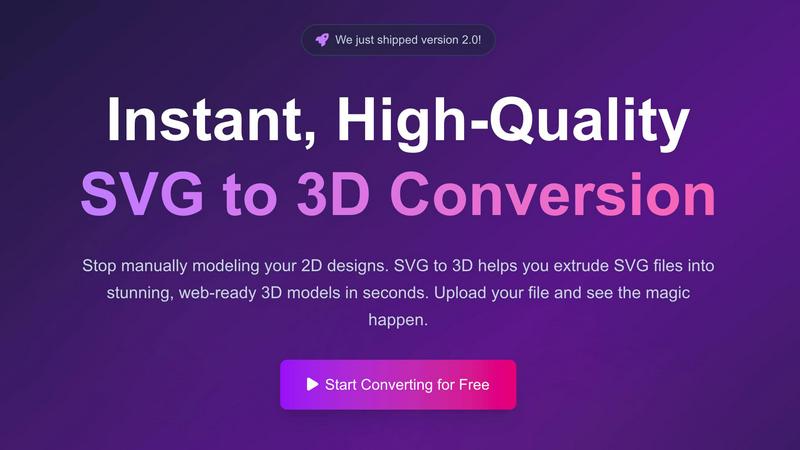
Transform your 2D SVG designs into stunning, web-ready 3D models in seconds with SVG to 3D's advanced conversion tool.
Last updated: February 28, 2026
Visual Comparison
Hush Touch | Voice-to-Text for MacOS

SVG to 3D
Feature Comparison
Hush Touch | Voice-to-Text for MacOS
Dual-Engine Recognition
Hush Touch employs a dual-engine recognition system that combines the strengths of DictationTranscriber and SFSpeechRecognizer. This innovative approach ensures that natural speech flow and accurate punctuation are maintained while also accommodating a custom vocabulary tailored to the user’s specific needs. The final touch of Apple Intelligence further refines the output, delivering superior transcription results.
Custom Vocabulary
The app features a robust custom vocabulary capability that allows users to add up to 500 specific terms tailored to their unique needs. This includes technical jargon, brand names, and other specialized language. Hush Touch learns and adapts to corrections made by the user, ensuring that it becomes increasingly accurate in recognizing and transcribing the user's preferred vocabulary over time.
Smart Text Processing
Hush Touch offers smart text processing features that significantly enhance the dictation experience. It automatically removes filler words, corrects common mistakes, and formats text with ease, including numbered lists and voice snippets for frequently used phrases. This real-time processing occurs entirely on-device, allowing for a streamlined and efficient dictation experience without the need for internet connectivity.
Context Modes & Hands-Free Dictation
The app includes multiple context modes, such as General, Email, Code, and Notes, which adapt the dictation experience to suit different writing scenarios. Users can initiate hands-free dictation by simply saying "Hey Siri, start touch," allowing for an uninterrupted workflow. Automatic text insertion occurs after two seconds of silence, and users can even send messages by voice using customizable commands, enhancing overall convenience.
SVG to 3D
One-Click to GLB for the Web
This feature allows users to export their 3D models as GLB files, optimized specifically for web applications. Developers can seamlessly integrate these models into Three.js or React Three Fiber projects, enhancing their websites with immersive 3D elements in just one click.
3D-Print Ready
SVG to 3D supports direct STL exports, ensuring that your 3D models are ready for 3D printing. This means users can take their designs from the screen to the physical world without needing complex CAD software, streamlining the fabrication process.
Advanced Material System
The tool offers a sophisticated material system that allows users to apply realistic PBR materials, custom textures, and professional lighting effects to their 3D models. This feature ensures that creations not only look great but also maintain a professional quality that stands out.
Lightning-Fast Processing
With optimized algorithms, SVG to 3D converts your SVG files into 3D models within seconds. This speed is crucial for users who require quick turnaround times, allowing them to focus on creativity rather than waiting for lengthy rendering processes.
Use Cases
Hush Touch | Voice-to-Text for MacOS
Professional Communication
Professionals can leverage Hush Touch to draft and send emails or messages quickly, enhancing productivity and allowing for a more fluid communication style. The ability to dictate accurately without relying on cloud services ensures that sensitive information remains private.
Academic Note-Taking
Students can benefit significantly from Hush Touch while attending lectures or studying. Dictating notes allows for a hands-free approach, enabling students to focus fully on the material being presented. The custom vocabulary feature is particularly advantageous for those studying specialized subjects.
Content Creation
Writers and content creators can utilize Hush Touch to brainstorm ideas, draft blog posts, or create outlines. The app’s ability to process text with minimal interruptions allows for a more natural flow of creativity, reducing the friction often associated with typing.
Medical Documentation
Healthcare professionals, such as physicians and nurses, can depend on Hush Touch to efficiently document patient notes and medical terminology. The app’s adaptive learning capabilities ensure that it accurately captures medical jargon, streamlining the documentation process while improving accuracy.
SVG to 3D
Create Interactive 3D Logos and Icons for Web
Web developers can leverage SVG to 3D to transform 2D logos and icons into engaging 3D models. This capability enhances the visual appeal of websites and can lead to improved user interactions, making brands more memorable.
From Digital Design to Physical Object
Designers can use this tool to convert their 2D designs into STL files that are ready for 3D printing. This use case is perfect for creating prototypes, custom parts, or artistic pieces without the hassle of traditional modeling software.
Enhance Your UI/UX Designs
UI/UX designers can elevate their presentations by adding depth to their mockups. By converting SVG assets into 3D models, they can create more engaging and visually appealing designs, impressing clients and stakeholders alike.
Rapid Prototyping for Product Development
SVG to 3D allows product developers to quickly create prototypes from their digital designs. This feature accelerates the iteration process, enabling teams to test and refine their concepts efficiently before moving to production.
Overview
About Hush Touch | Voice-to-Text for MacOS
Hush Touch is an innovative voice-to-text application designed specifically for macOS, enabling users to dictate text effortlessly and privately. By utilizing advanced on-device processing, Hush Touch operates without requiring an internet connection, ensuring user data remains secure and confidential. The app combines two powerful Apple transcription engines along with an Apple Intelligence final pass to enhance transcription accuracy and clarity. This makes it ideal for individuals across various fields, including professionals, students, and writers, who seek a reliable and efficient dictation tool. With its lightweight 5.5 MB footprint, Hush Touch integrates seamlessly into everyday writing workflows, allowing users to draft emails, notes, documents, and more, all while maintaining a natural speaking rhythm. The app's unique features, like customizable command phrases and adaptive learning capabilities, make dictation not only easier but also smarter over time. For just $20, users can access a lifetime license, eliminating the need for recurring subscription fees.
About SVG to 3D
SVG to 3D is an innovative online tool designed to effortlessly convert 2D SVG vector graphics into stunning 3D models. The product aims to address a common challenge faced by designers, developers, and 3D printing enthusiasts: the need for a quick, user-friendly solution to transform flat designs into dynamic three-dimensional representations. With SVG to 3D, users can bypass the complexities of heavyweight software like Blender or Cinema 4D, making the design process more accessible and efficient. This tool is ideal for professionals looking to elevate their web projects with interactive 3D elements, create prototypes for 3D printing, or enhance UI/UX designs with depth. The primary value proposition lies in its ability to deliver high-quality outputs in seconds, all while providing advanced features that maintain the integrity and aesthetics of the original design.
Frequently Asked Questions
Hush Touch | Voice-to-Text for MacOS FAQ
Is Hush Touch available for Windows or other operating systems?
Currently, Hush Touch is designed exclusively for macOS, ensuring optimal performance and integration with Apple’s operating system.
How does Hush Touch ensure user privacy?
Hush Touch processes all voice data entirely on-device, meaning that no audio or transcription is sent to the cloud. This approach guarantees that user data remains private and secure.
Can I try Hush Touch before purchasing?
Yes, Hush Touch offers a 7-day free trial without the need for a credit card, allowing users to experience the app’s capabilities firsthand before committing to a purchase.
What happens if I need to update my vocabulary?
Hush Touch allows users to add up to 500 custom terms to its vocabulary. Additionally, the app learns from corrections made during dictation, automatically updating its vocabulary to improve future accuracy.
SVG to 3D FAQ
How do I convert my SVG file into a 3D model?
To convert your SVG file, simply upload it to the SVG to 3D platform, adjust the desired 3D settings such as thickness and bevels, and then download your finished model in your preferred format.
What file formats can I export my 3D models to?
SVG to 3D allows you to export your models in multiple formats, including GLB, GLTF, OBJ, and STL, ensuring compatibility with various applications and 3D printing workflows.
Is my data secure while using SVG to 3D?
Yes, SVG to 3D prioritizes user privacy and security. Files are processed locally in your browser whenever possible, meaning that your designs remain private and are not uploaded to external servers.
Can I use SVG to 3D for commercial projects?
Absolutely! SVG to 3D is designed for both personal and commercial use. You can create and sell products derived from your 3D models without any restrictions, making it a versatile tool for professionals.
Alternatives
Hush Touch | Voice-to-Text for MacOS Alternatives
Hush Touch | Voice-to-Text for MacOS is a specialized application designed to convert spoken language into written text, functioning entirely offline. As a tool in the AI Assistants category, it utilizes advanced on-device processing to ensure privacy and efficiency while catering to users who prefer dictation without relying on cloud services. Many users seek alternatives to Hush Touch due to varying needs such as pricing, desired features, or compatibility with different platforms. When exploring alternatives, it is essential to consider aspects like usability, transcription accuracy, language support, and the ability to integrate seamlessly into existing workflows, ensuring that the chosen solution meets individual requirements effectively.
SVG to 3D Alternatives
SVG to 3D is a transformative tool designed to convert 2D SVG vector graphics into high-quality 3D models, making it particularly beneficial for developers, designers, and 3D printing enthusiasts. As users explore this innovative solution, they often seek alternatives due to factors like pricing, specific feature sets, or compatibility with different platforms. The need for a streamlined, user-friendly experience is paramount, as many tools can be overly complex or resource-intensive, requiring users to consider their project requirements and the specific functionalities they value most. When searching for an alternative, it’s essential to evaluate aspects such as ease of use, export capabilities, and overall performance. Users should also look for solutions that align with their intended applications, whether that be web development, graphic design, or 3D printing. A good alternative should provide a balance of features and accessibility, ensuring a smooth workflow without unnecessary complexity.