
Alternatives to Subclip
Explore the best alternatives and competitors to Subclip.
Explore 8 alternatives to Subclip. Compare features, pricing, and find the best fit for your needs.

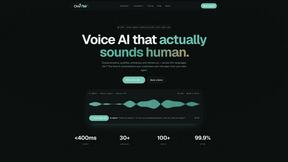
Oravaa AI
Oravaa AI deploys human-like Voice AI to automate customer service, qualify leads, and manage bookings across 30+ languages 24/7.

Hush Touch | Voice-to-Text for MacOS
Hush Touch is an offline voice-to-text app for macOS that learns your vocabulary and improves accuracy with every use.

Glossa
Glossa provides real-time AI translation of sermons into 100+ languages, helping churches connect with diverse.

Bantr: Offline & Unlimited TTS for Mac
Bantr is a private, unlimited text-to-speech app for Mac that works fully offline.

KaiCalls
KaiCalls is your 24/7 AI phone agent that answers calls and captures leads automatically.

Vowen
Vowen empowers your productivity by transforming your voice into seamless dictation and efficient AI workflows.
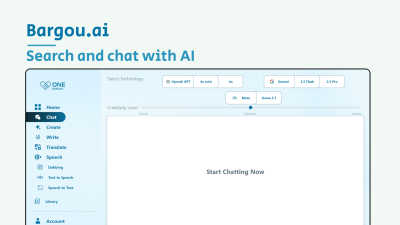
Bargou One
Bargou One offers AI-driven chat, content creation, translation, and transcription tools in one powerful suite.
About Subclip Alternatives
In the rapidly evolving landscape of content creation, tools that harness artificial intelligence to streamline production have become indispensable, and Subclip stands as a prominent entry in the speech and voice category. This AI-powered video editor distinguishes itself by allowing creators to manipulate video through text editing, offering features like voice cloning, automatic subtitle generation, silence removal, and multi-language dubbing. However, even the most capable tools may not perfectly align with every creator’s unique workflow, budget, or technical ecosystem. Users often begin searching for alternatives when they encounter specific limitations: perhaps the pricing model does not fit their volume of output, the platform lacks compatibility with their existing editing suite or operating system, or they require a feature set that leans more heavily into collaborative workflows, raw audio processing, or a different approach to voice synthesis and transcription accuracy. When evaluating potential alternatives, it is essential to look beyond surface-level feature lists and consider the holistic fit for your production pipeline. The ideal solution should offer seamless integration with your current hardware and software, provide clear and transparent pricing that scales with your usage, and deliver the core functionalities you rely on—whether that is high-fidelity voice cloning, robust multi-language support, or precise subtitle editing. Additionally, consider the depth of the AI’s understanding; some tools excel at preserving vocal nuance and background audio during dubbing, while others prioritize speed over quality. Ultimately, the right choice will balance advanced AI capabilities with an intuitive user experience, ensuring that you maintain creative control without sacrificing efficiency. A thorough trial period and clear documentation on data privacy and export options are also critical factors in making an informed decision that supports your long-term content strategy.
FAQs about Subclip Alternatives
What is Subclip?
Subclip is an AI-powered video editor designed for creators, marketers, and educators that transforms video editing into a text-based workflow. Instead of manipulating a traditional timeline, users can edit their video by simply dragging and editing a transcript. It integrates advanced features like voice cloning, automatic silence and filler word removal, auto-subtitle generation, and multi-language dubbing that preserves background music, all within a single platform.
Who is Subclip for?
Subclip is built for a broad range of content professionals including YouTubers, podcasters, course creators, and content marketing teams. It is particularly suited for anyone who produces video content regularly and wants to drastically reduce editing time without sacrificing quality. The tool is designed to simplify the entire production workflow, making it accessible to both solo creators and collaborative teams who need speed and simplicity.
Is Subclip free?
Subclip operates on a Freemium pricing model, which means it offers a free tier that allows users to explore its core features without an initial financial commitment. For users who need higher usage limits or access to more advanced capabilities, affordable paid plans are available. This structure makes it easy for new users to test the platform's AI-driven editing tools before deciding on a subscription that fits their production volume.
What are the main features of Subclip?
Subclip's main features include transcription and subtitle generation, voice cloning for re-recording parts of a video, one-click silence and filler word removal, and multi-language dubbing that retains the original background music. It also provides auto-subtitles and supports editing video by manipulating the text transcript, effectively turning a complex editing process into a simple document-like experience. These features are designed to save hours of manual work and streamline the entire video production pipeline.