
Alternatives to QuickTextTools
Explore the best alternatives and competitors to QuickTextTools.
Explore 20 alternatives to QuickTextTools. Compare features, pricing, and find the best fit for your needs.

JevModel
Bilingual Jev decision workbench with original guides for structured, AI-assisted decisions.
AI Email Filter
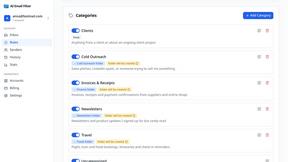
AI Email Filter sorts incoming mail into folders using plain-language prompts you write. Works with any IMAP mailbox; bring your own LLM if you want.

Egmatic
No-code 2D game editor: visual node logic, drag-and-drop scenes, live preview. Exports to Windows, macOS, Linux, Android, iOS, Web.

Product Launch Checklist
A free launch checklist for SaaS, apps, AI tools and more. Every step says why it matters and when you can skip it.

Kody Tools
Free collection of online developer utilities, code formatters, and digital converters designed to streamline your daily workflow.
Forms Plugin
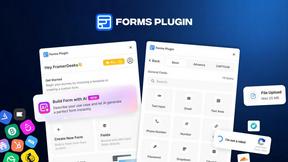
The #1 Native Form Builder Plugin for Framer - No Code, No Embeds, No External Platforms.




PerPageFax
PerPageFax lets you send a fax online from any browser for a flat $0.50 per page — no account, no subscription, no fax machine.


calculate.at
calculate.at is a free online calculator hub — 290+ tools for finance, health, math, and conversions, no signup needed.
Fill PDF from Sheet
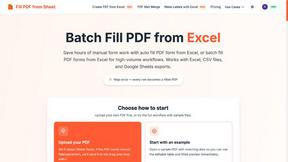
Fill PDF from Sheet automates the process of populating PDF forms from data in Excel, CSV, or Google Sheets.


Glanced
Follow news, blogs, newsletters, and podcasts in a free RSS reader, with AI summaries, top stories, full-text search, saved searches, and a catalog.

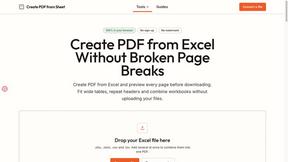
Create PDF from Excel
Create PDF from Excel online and preview every page before downloading. Fit wide sheets, repeat headers, and combine workbooks privately.


About QuickTextTools Alternatives
In the expansive landscape of digital productivity tools, QuickTextTools has established itself as a versatile, browser-based platform offering over 76 free utilities designed to streamline text management for writers, marketers, developers, and SEO professionals. It falls squarely within the Productivity & Management category, providing a comprehensive suite that ranges from text formatting and case conversion to keyword management and SEO analysis. While its zero-cost entry and privacy-focused, no-download approach are highly appealing, users often find themselves searching for alternatives due to evolving needs. These needs might include a desire for more advanced automation features, integration with other software ecosystems, mobile application support, or a more specialized focus on a single, deep functionality rather than a broad collection of utilities. When evaluating alternatives to a tool like QuickTextTools, it is crucial to consider several universal factors that align with your specific workflow. First, assess the breadth versus depth of the tool’s offerings—do you need a wide array of general utilities, or a single, powerful solution for a specific task like advanced text analysis or bulk data processing? Second, consider the platform’s accessibility and privacy policies; many users value browser-based tools for their convenience and security, while others may require desktop software with offline capabilities. Finally, evaluate the cost structure, the quality of user support, and the frequency of updates. The best alternative will not merely replicate QuickTextTools’ features but will fill the specific gaps in your productivity chain, offering a seamless, intuitive experience that respects your time and data just as diligently.
FAQs about QuickTextTools Alternatives
What is QuickTextTools?
QuickTextTools is a free, user-friendly online platform that features over 76 browser-based utilities designed to enhance productivity for writers, marketers, developers, students, SEO professionals, and content creators. It operates directly in your browser without requiring any software downloads or complex setups, offering a comprehensive toolkit for text formatting, SEO analysis, keyword management, and writing assistance. The platform is focused on providing fast, easy-to-use, and privacy-focused solutions that help users simplify their daily workflows and save time.
Who is QuickTextTools for?
QuickTextTools is designed for a broad range of users including writers, marketers, developers, students, SEO professionals, and content creators. It caters to anyone who regularly works with text and needs efficient tools for tasks like cleaning up keyword lists, analyzing SEO meta tags, converting text case formatting, or improving their overall writing process. The platform’s simplicity and breadth of utilities make it accessible for both beginners and experienced professionals looking to work smarter.
Is QuickTextTools free?
Yes, QuickTextTools is completely free to use. It offers over 76 online utilities without any subscription fees or hidden costs, making it an accessible resource for individuals and professionals on a budget. The platform’s free model is a core part of its value proposition, allowing users to enhance their productivity without financial commitment.
What are the main features of QuickTextTools?
The main features of QuickTextTools include a wide variety of text formatting tools, SEO analysis utilities, writing assistants, keyword management tools, and developer utilities. Specific examples include tools for cleaning up messy keyword lists, analyzing SEO meta tags, converting text case formatting (such as uppercase, lowercase, or title case), and improving the writing process. All tools are designed to be fast, easy to use, and operate directly in your browser for maximum convenience.