
Alternatives to AI Image Editor
Explore the best alternatives and competitors to AI Image Editor.
Explore 20 alternatives to AI Image Editor. Compare features, pricing, and find the best fit for your needs.
White Screen Checker
Check your screen display for dead pixels using White screen or black screen checkers.
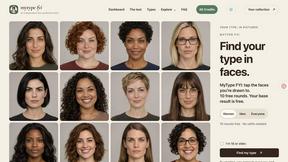
MyType FYI
Explore your visual type with ten free rounds of fictional faces, a base result and optional original portraits, posters or five-second videos.
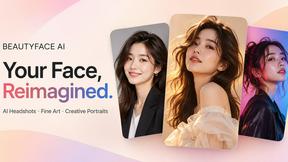
Beautyface
Beautyface AI is an AI Photoshoot Generator that turns your selfies into studio-quality photos, professional headshots, wedding portraits

Vikas Editor AI
AI photo and video creative studio for cinematic portraits, fashion edits, festive greetings, and visual concepts.
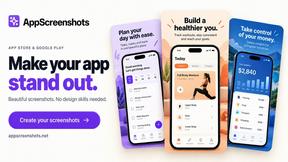
AppScreenshots
Create professional App Store and Google Play screenshots with 3D device frames, templates and batch export.
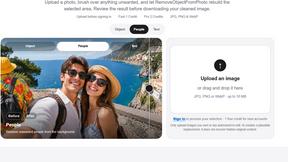
RemoveObjectFromPhoto
Remove unwanted objects, people, and text from photos with AI for clean, natural-looking results in seconds.

AI Object Remover
Browser-based AI photo cleanup: brush over people, objects, text or watermarks and AI rebuilds the background.
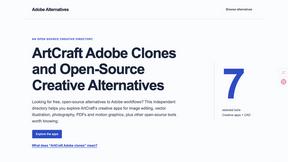
Adobe Alternatives
Explore open-source creative software by workflow, platform and development stage, with comparisons and official project links.

Qwen Image 2.1
Qwen Image 2.1 is an AI image-generation and editing studio for turning ideas into visuals. Create new images, refine references, explore transparent
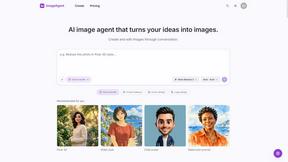
ImageAgent
Create and edit AI images through conversation, using text or reference images and refining results in chat.
GenX
All-in-one AI workspace to generate images, videos, and audio with multiple leading AI models.
AppIconGenerator
Generate iOS and Android app icons from any image and export all platform sizes for free.
FreeCreate
Create AI images from text or reference photos and turn prompts or still images into short videos with FreeCreate. Start free—no account needed.
YIX
AI image and video generation, photo editing, restoration and free prompt tools in one browser studio.
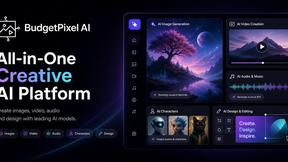
Budgetpixel AI
Create AI images, videos, music, and designs in one workspace with multiple models, powerful editing tools, and API access.
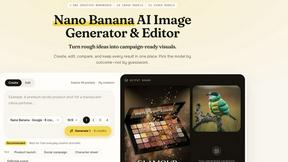
Nano AI
Create and edit AI images, generate videos, and compare models in one creative workbench.
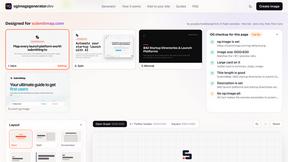
ogimagegenerator.dev
Paste a URL and AI designs on-brand Open Graph images from your page's colours, fonts and logo. Free, no sign-up.
Screen Issues
Free Online Screen Test Tool - Instantly diagnose dead pixels, lines, color issues, and flickering. Multiple test modes, no download needed.

Tip Toe AI
Upload a Dancer photo and a Partner photo and get your own AI Tip Toe barn-dance video. Free 5s preview, 12s HD from $4.90. No subscription.
About AI Image Editor Alternatives
AI Image Editor is a comprehensive, free platform within the content creation and digital design category. It utilizes artificial intelligence to provide a suite of professional-grade editing tools, making advanced image manipulation accessible to everyone from casual users to professionals without the need for complex software knowledge. Users often explore alternatives for a variety of reasons. While some may seek specialized features beyond a core set of tools, others might require offline functionality, integration with specific creative suites, or different commercial licensing terms. The search for the right tool is a natural part of finding the perfect fit for one's unique workflow and project demands. When evaluating alternatives, it is crucial to consider your primary use case, desired feature set, and budget. Key factors include the depth of AI capabilities, ease of use, output quality, file format support, and the overall value proposition, whether it is a one-time purchase, a subscription model, or a freemium service. The ideal choice balances powerful functionality with an intuitive interface that aligns with your creative goals.
FAQs about AI Image Editor Alternatives
What is AI Image Editor?
AI Image Editor is a free online platform that uses artificial intelligence to provide a suite of professional tools for instant image transformation, making advanced editing accessible to all.
Who is AI Image Editor for?
It is designed for a universal audience, including photographers, e-commerce entrepreneurs, social media creators, and professional designers seeking powerful, simple editing tools.
Is AI Image Editor free?
Yes, AI Image Editor offers all its AI-driven capabilities entirely free of charge, with no subscriptions or tiered plans.
What are the main features of AI Image Editor?
Its core features include AI Image Enhancement to improve clarity and detail, and an AI Watermark Remover to cleanly delete unwanted elements and reconstruct backgrounds.