

Ultimate Forms
Ultimate Forms is a no-code platform that empowers anyone to build powerful SharePoint business solutions with forms.
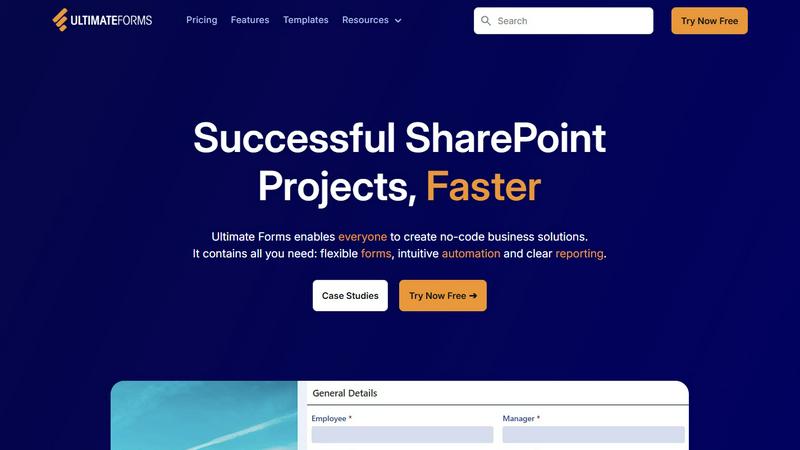
About Ultimate Forms
Ultimate Forms by Infowise is a comprehensive, no-code platform engineered to transform Microsoft SharePoint into a powerful engine for business process automation and data collection. It serves as a critical bridge between the robust data management capabilities of SharePoint and the everyday operational needs of an organization, enabling users to create sophisticated, responsive forms and automated workflows without writing a single line of code. Designed for business users, department heads, SharePoint administrators, and IT teams, its core value proposition lies in democratizing the creation of business applications. By providing an intuitive, drag-and-drop interface and a vast library of pre-built components, Ultimate Forms drastically reduces development time, eliminates technical bottlenecks, and empowers teams to build solutions tailored to their exact requirements—from simple data entry forms to complex, multi-stage approval systems. Its deep integration with the Microsoft 365 ecosystem, including SharePoint, Teams, Exchange, and SQL, ensures data remains centralized, secure, and actionable. With over two decades of specialization in SharePoint solutions, Ultimate Forms stands as a trusted, enterprise-grade tool that accelerates digital transformation, enhances data quality, and streamlines operations for thousands of organizations globally, making successful SharePoint projects faster and more accessible than ever before.
Features of Ultimate Forms
Flexible and Responsive Forms
Ultimate Forms provides a dynamic form builder that creates modern, responsive forms which work seamlessly on any device. These forms go beyond basic SharePoint lists, offering advanced features like tabs for organization, repeating sections for variable data, conditional logic to show or hide fields based on user input, and strict input validation. Crucially, it supports granular permissions at the section and column level, allowing for controlled data access, and includes electronic signature capabilities. All data is stored directly and securely within SharePoint, maintaining the integrity and governance of your existing data architecture while delivering an exceptional user experience that improves data accuracy.
Intuitive Automation with Actions
The platform replaces the complexity of traditional SharePoint Designer or Power Automate workflows with a simple, visual system called Actions. These pre-built automation blocks allow users to easily create and update records within SharePoint lists, send emails via Exchange, post notifications in Microsoft Teams, interact with SQL databases, and connect with many other integrated applications. This intuitive approach significantly lowers the learning curve, enabling a broader range of personnel to design and manage automated business processes. By democratizing automation, organizations can remove IT bottlenecks, accelerate process execution, and ensure consistency across all operational workflows without requiring deep technical expertise.
Clear Reporting and Dashboards
Ultimate Forms transforms raw SharePoint data into actionable business intelligence through its powerful reporting engine. Users can create detailed, shareable reports, interactive dashboards, key performance indicator (KPI) scorecards, calendar views, and various charts. This capability allows everyone in the organization, from executives to frontline staff, to visualize critical information in an accessible and understandable format. Improved data visibility leads to better, faster decision-making, enhanced accountability across teams, and the ability to quickly identify trends, bottlenecks, and opportunities within business processes, driving overall operational responsiveness.
Pre-built Solution Templates
To accelerate deployment, Ultimate Forms includes a vast library of pre-configured, industry-proven solution templates for common business scenarios. These templates, such as for Project Management, HR Recruitment, and Leave Requests, provide a complete, ready-to-use framework of forms, lists, and automations. Users can deploy these templates instantly or easily customize them to fit specific needs. Furthermore, the platform allows you to build your own custom templates, enabling a "build once, deploy everywhere" strategy across multiple sites and even tenants, saving immense time and effort while ensuring consistency and best practices in every solution rollout.
Use Cases of Ultimate Forms
HR and Recruitment Portal
Organizations can streamline the entire employee recruitment lifecycle using Ultimate Forms. A multi-stage portal can be built to manage job postings, collect applications, route candidate information through evaluation and interview scheduling, and facilitate hiring approvals. Automated workflows can notify HR personnel and hiring managers at each stage, collect feedback via structured forms, and maintain a centralized, auditable trail of all candidate interactions within SharePoint, significantly improving the efficiency and transparency of the hiring process.
Project and Task Management
Teams can implement a comprehensive project management solution to track customers, projects, tasks, and work hours. Ultimate Forms allows for the creation of dynamic forms for project initiation, task assignment, and time logging. Automation can trigger alerts for overdue tasks, update project statuses, and generate reports for resource allocation and project burn-down. This centralizes all project-related communication and documentation in SharePoint, providing clear visibility into progress and bottlenecks for managers and stakeholders.
Employee Leave and Absence Management
The process of managing employee leave requests, approvals, and balances can be fully automated. Employees can submit requests through a user-friendly form that automatically checks against company policy and remaining leave balances. The request is then routed to the appropriate manager for approval via an automated workflow. Upon approval, the system can update the employee's balance, notify the requester and relevant teams (like payroll), and even sync with a shared team calendar in SharePoint, eliminating manual tracking and reducing administrative overhead.
Asset Tracking and Inventory Control
Companies can create a robust system for tracking physical and IT assets throughout their lifecycle. Using forms with barcode or QR code scanning capabilities, users can easily check assets in and out, update maintenance records, and report issues. Automated alerts can be set for scheduled maintenance, warranty expirations, or when an asset is due for return. All data is stored in SharePoint, providing a single source of truth for asset location, condition, and history, which is crucial for auditing, cost control, and operational planning.
Frequently Asked Questions
Is Ultimate Forms a no-code tool?
Yes, Ultimate Forms is designed as a true no-code platform. It provides an intuitive, visual interface with drag-and-drop form designers, pre-built automation blocks (Actions), and template libraries. This empowers business users and SharePoint administrators to create complex forms, workflows, and business applications without any programming knowledge, making advanced SharePoint functionality accessible to a much wider audience within an organization.
How does Ultimate Forms integrate with Microsoft 365?
Ultimate Forms offers deep, native integration with the Microsoft 365 ecosystem. It stores all data directly within SharePoint lists and libraries. Its automation Actions can interact seamlessly with Microsoft Exchange for emails, Microsoft Teams for notifications and approvals, and can connect to other data sources like MS SQL Server. This ensures a cohesive experience where Ultimate Forms extends and enhances the capabilities of your existing Microsoft 365 investment without creating data silos.
Can I customize the pre-built templates?
Absolutely. The pre-built solution templates are designed as starting points to accelerate development. Users have full control to modify every aspect of a template—from the form layout and fields to the underlying automation workflows and reports. You can tailor the logic, branding, and permissions to match your organization's specific processes and policies perfectly, providing the ideal balance of speed-to-deployment and customization.
Where is the data entered into Ultimate Forms stored?
All data collected through Ultimate Forms is stored securely within your organization's own Microsoft SharePoint environment. It does not reside on external or third-party servers. This architecture leverages SharePoint's built-in security, compliance, and permission models, giving you complete control and governance over your business data while ensuring it benefits from Microsoft's enterprise-grade security and backup infrastructure.