

SpeedTestry
SpeedTestry is a fast, free, and independent tool that accurately measures your internet speed for reliable insights.
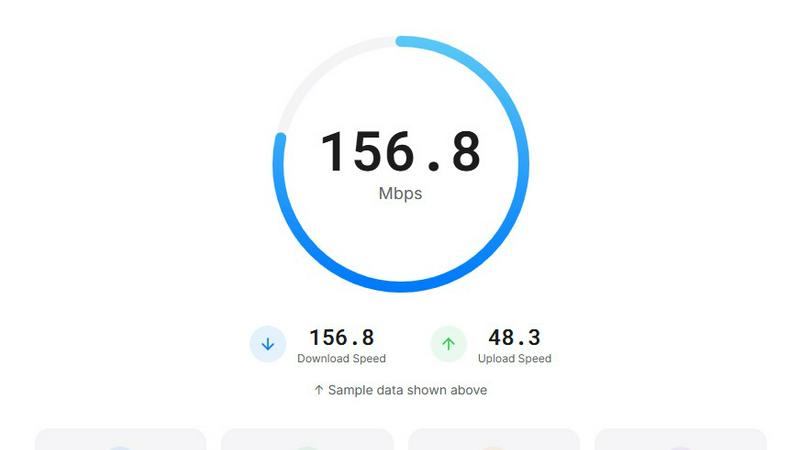
About SpeedTestry
SpeedTestry is a robust, user-friendly tool designed to provide an immediate and accurate assessment of your internet speed. As the demand for high-speed internet continues to rise due to streaming, gaming, and remote work, understanding your network performance has never been more essential. This free internet speed testing tool serves a diverse audience, from casual users curious about their connection to professionals seeking to troubleshoot slow speeds and ensure they are receiving the service they pay for. SpeedTestry measures critical metrics such as download speed, upload speed, ping, and jitter, delivering comprehensive results in under 30 seconds. With a commitment to privacy and independence, SpeedTestry stands out as a reliable choice for anyone looking for an unbiased evaluation of their internet connection's performance.
Features of SpeedTestry
Download Speed Test
The download speed test measures how quickly data is delivered to your device, which is crucial for activities such as streaming videos, downloading files, and browsing the internet. SpeedTestry provides precise measurements that help users understand their connection's efficiency and reliability.
Upload Speed Test
This feature evaluates the speed at which you can send data to the internet. It is particularly important for users engaged in video calls, cloud backups, and content creation. SpeedTestry accurately gauges your upload speed, allowing you to assess whether your connection meets your needs for sharing files and engaging in real-time communications.
Ping Speed Test
Ping speed test measures the response time between your device and various servers, providing insights into latency. This feature is especially beneficial for gamers and users who rely on real-time communication, as lower ping values indicate a more responsive connection, enhancing the overall user experience.
Jitter Speed Test
The jitter speed test assesses connection stability by measuring the variation in ping over time. High jitter can lead to choppy video calls and inconsistent streaming quality. By analyzing jitter, SpeedTestry ensures users have a seamless experience during online activities that require stable connections.
Use Cases of SpeedTestry
Troubleshooting Slow Connections
If you experience sluggish internet speeds, SpeedTestry helps identify whether the issue lies with your connection or your Internet Service Provider. By providing accurate speed measurements, users can take action to resolve connectivity problems.
Verifying ISP Claims
Consumers often wonder if they are receiving the speeds promised by their Internet Service Provider. SpeedTestry serves as an independent tool to validate those claims, giving users peace of mind that they are getting the service they pay for.
Preparing for Online Activities
Before engaging in activities like streaming a live event, gaming, or participating in video conferences, users can run SpeedTestry to ensure their internet connection is optimal for a smooth experience, allowing for necessary adjustments if speeds are inadequate.
Comparing Speed Test Results
SpeedTestry acts as an excellent alternative to ISP-provided speed tests, especially for customers seeking a second opinion on their internet performance. By comparing results from different tests, users can better understand their connection and make informed decisions about potential upgrades or changes.
Frequently Asked Questions
How accurate is this speed test?
SpeedTestry is designed to deliver highly accurate results by using adaptive algorithms that adjust to your connection's capabilities. This means users can trust the data generated during the test, making it an excellent tool for evaluating internet performance.
Why is my speed test result slower than what I'm paying for?
Several factors can contribute to slower-than-expected speed test results, including network congestion, the distance from the router, or issues with your ISP. Running multiple tests at different times can help determine if the problem is consistent or temporary.
What is a good speed test result?
A good speed test result typically depends on your internet usage. For general browsing and streaming, a download speed of at least 25 Mbps is recommended. However, users with higher demands, such as gamers or those streaming in high definition, may require speeds of 100 Mbps or more for optimal performance.
What's the difference between download and upload speed test?
Download speed measures how quickly data is transferred from the internet to your device, while upload speed assesses how fast you can send data from your device to the internet. Both are crucial for different online activities, influencing everything from streaming quality to file sharing and video conferencing.