
TrafficClaw vs URL to Any
Side-by-side comparison to help you choose the right tool.

TrafficClaw
TrafficClaw transforms your SEO and analytics data into actionable insights through intuitive conversations, empowering you to grow your traffic.
Last updated: April 13, 2026

URL to Any
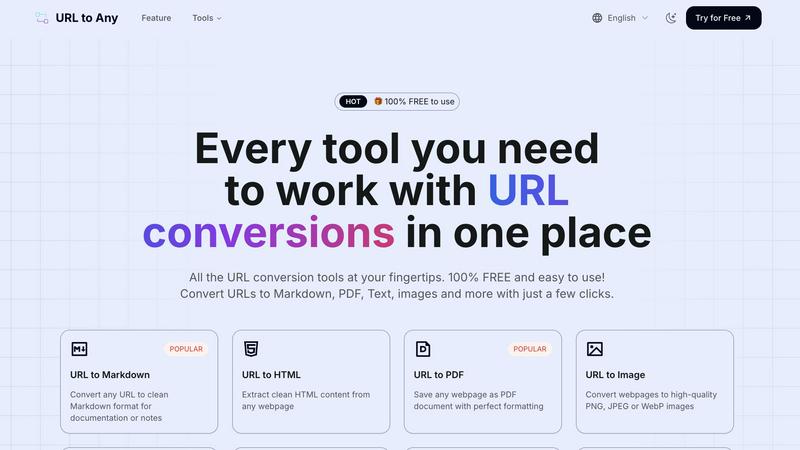
URL to Any is your all-in-one free toolkit to instantly convert any URL into Markdown, PDF, images, and dozens of other.
Last updated: February 28, 2026
Visual Comparison
TrafficClaw

URL to Any
Feature Comparison
TrafficClaw
AI Chat
The AI Chat feature allows users to interact with their analytics through natural language queries. Users can ask specific questions about their traffic and receive instant, data-driven answers along with visual charts and actionable insights. This eliminates the need for time-consuming data interpretation and empowers users to make informed decisions quickly.
SEO Intelligence
TrafficClaw's SEO Intelligence feature analyzes a website's performance to uncover keyword gaps, content decay alerts, and issues of keyword cannibalization. Additionally, it includes an Advanced SEO Optimization (AEO) engine that helps users optimize their content for AI-driven search engines, ensuring that they stay ahead in the competitive landscape of online visibility.
Analytics Dashboard
The Analytics Dashboard serves as a comprehensive overview of real-time visitors, traffic trends, bounce rates, and conversion funnels. This centralized view allows users to monitor their website's performance at a glance, making it easier to identify patterns, track progress, and implement strategies for improvement without juggling multiple tools.
Site Audit
TrafficClaw offers a detailed Site Audit feature that conducts in-depth page-level examinations of a website's health. It provides performance scores based on Core Web Vitals and automatically suggests fixes for any identified issues. This proactive approach to site health allows users to maintain optimal performance and enhance user experience.
URL to Any
Multi-Format Conversion Engine
At the heart of URL to Any is its robust conversion engine, capable of processing a URL into a wide selection of practical formats. This includes clean Markdown for documentation, perfectly formatted PDFs for archiving, high-quality PNG/JPEG images for visual capture, and structured data formats like JSON and XML for developers. The platform also supports extraction to plain text, generation of QR codes, and even conversion to MP3 audio, providing a truly comprehensive solution for any content repurposing need, all achievable with just a few clicks.
Advanced Content Extraction Tools
Beyond basic conversion, URL to Any offers specialized tools for deep web content analysis and data mining. The AI Summarizer leverages advanced artificial intelligence to distill lengthy articles into concise summaries. The URL Meta Tags and Heading Extractors allow for detailed SEO and structural analysis of webpages, with export capabilities to CSV. Furthermore, the URL Extractor tool can crawl a site and compile a complete list of all URLs into organized TXT or CSV files, invaluable for audits and digital projects.
Integrated Encoding & Decoding Suite
This feature provides a powerful utility belt for developers and technical users by supporting encoding and decoding across eight-plus formats within a single interface. Users can seamlessly convert text to and from URL encoding, Base64, HTML entities, JWT tokens, Hex, Unicode, Binary, and ROT13. This eliminates the need to visit multiple specialized websites, consolidating essential web development and data manipulation tasks into one efficient, easy-to-use platform.
Secure, Cloud-Based Processing
URL to Any operates entirely in the cloud, requiring no software installation, downloads, or user registration. This ensures global access from any device with a browser. The processing is lightning-fast, delivering results in seconds. Critically, the service is built with privacy in mind; user data and the submitted URLs are processed securely and are never stored on the servers, ensuring that conversions are both quick and completely confidential.
Use Cases
TrafficClaw
Identifying Traffic Drops
Users experiencing unexpected drops in website traffic can leverage TrafficClaw to quickly diagnose the issue. By asking the AI directly, they receive targeted insights that could point to technical issues, content problems, or changes in search engine algorithms, allowing for swift corrective action.
Optimizing SEO Strategies
Digital marketers can utilize TrafficClaw's SEO Intelligence to refine their content strategies. By revealing keyword gaps and content performance issues, users can create targeted content that fills these gaps and improves their rankings, ultimately driving more organic traffic to their site.
Monitoring Website Health
Website owners can regularly use the Site Audit feature to ensure their site remains in top condition. By receiving automated performance scores and suggestions for improvement, they can proactively address issues before they affect user experience or search rankings.
Enhancing Content Creation
Content creators can harness the power of TrafficClaw’s content tools to generate SEO-optimized blog posts, create schema markup, and refine internal linking strategies. This feature simplifies the content creation process while ensuring that the output is aligned with best SEO practices, helping to attract more visitors.
URL to Any
Academic Research and Study
Students and researchers can efficiently gather and organize information from online journals, articles, and reference sites. Converting key webpages to well-formatted PDFs creates a permanent, offline archive. Extracting clean text or Markdown allows for easy quoting and integration into notes or papers without carrying over web page clutter, advertisements, or distracting elements, leading to more focused and organized study sessions.
Content Creation and Documentation
Bloggers, technical writers, and content creators can use the tool to capture inspiration, draft posts, or create reference guides. Converting a source webpage to Markdown provides a perfect starting point for a new blog post or documentation page, preserving links and basic formatting. Saving competitor analyses or design inspirations as images (PNG/JPEG) helps in creating visual mood boards or presentation materials quickly.
Web Development and SEO Analysis
Developers can extract clean HTML from live sites for debugging or learning purposes. The conversion to JSON or XML is invaluable for prototyping APIs or data feeds. SEO specialists and digital marketers can utilize the Meta Tags and Heading Extractor to audit the on-page SEO of their own site or competitors', exporting the data to CSV for further analysis and reporting in a structured manner.
Professional Reporting and Sharing
Professionals who need to share web-based information in meetings or reports can instantly generate a high-fidelity PDF snapshot of a dashboard, article, or data visualization, ensuring the recipient sees exactly the intended content. Similarly, generating a QR code for a lengthy URL simplifies sharing on printed materials or presentations, making links more accessible and engaging for audiences.
Overview
About TrafficClaw
TrafficClaw is an innovative AI-driven tool designed specifically for website owners, digital marketers, and SEO professionals who are frustrated by sudden drops in website traffic. In a landscape where data analysis often leads to confusion rather than clarity, TrafficClaw stands out by transforming complex analytics into straightforward answers. By seamlessly integrating with Google Analytics 4 (GA4) and Search Console, it allows users to engage in natural conversations about their traffic performance. Instead of sifting through generic advice found in blog posts, users can directly ask questions like "Why did my traffic drop?" and receive data-backed insights that illuminate the underlying issues. TrafficClaw not only identifies problems but also provides actionable solutions, enabling users to implement fixes and grow their traffic effectively. With its intuitive interface and real-time analytics, TrafficClaw democratizes data insights, making it accessible to anyone looking to improve their online presence and traffic metrics.
About URL to Any
In the modern digital landscape, information is abundant but often trapped within the confines of a web browser. URL to Any emerges as a definitive solution, a comprehensive and powerful web content conversion platform designed to liberate and repurpose online information with unprecedented ease. It is an all-in-one toolkit that transforms any webpage into a versatile array of formats, effectively bridging the gap between dynamic web content and static, usable assets. The tool is engineered for a universal audience, from content creators and developers needing clean code for projects, to researchers archiving sources, students compiling notes, marketers sharing reports, and professionals seeking to eliminate distractions from reference material. Its core value proposition is a powerful trifecta: absolute simplicity through an intuitive, registration-free interface; remarkable versatility with support for over ten distinct output formats; and a commitment to accessibility, being entirely free to use. By placing a suite of advanced conversion capabilities into a straightforward, cloud-based tool, URL to Any empowers users to streamline their workflow, enhance productivity, and manage web content on their own terms, making it an indispensable utility for anyone who regularly interacts with the vast information repository of the internet.
Frequently Asked Questions
TrafficClaw FAQ
How does TrafficClaw analyze my data?
TrafficClaw connects directly to your Google Analytics 4 and Search Console accounts, automatically loading your data. The AI then analyzes this data in real time, allowing for immediate insights and recommendations based on your specific traffic patterns.
Is my data secure with TrafficClaw?
Yes, your data is completely secure. TrafficClaw uses Google OAuth for authentication, ensuring that your information remains private and accessible only to you. Additionally, the platform does not store your data beyond its analysis.
How quickly can I set up TrafficClaw?
Setting up TrafficClaw is incredibly quick and user-friendly. With a simple sign-in using your Google account, the auto-detection feature recognizes your GA4 properties and Search Console sites, making the setup process typically take less than 30 seconds.
Can I use TrafficClaw for multiple websites?
Absolutely. TrafficClaw allows users to connect multiple Google Analytics and Search Console accounts, making it ideal for agencies or individuals managing several websites. You can easily switch between accounts to monitor performance and gain insights across all your projects.
URL to Any FAQ
Is URL to Any really free to use?
Yes, URL to Any is completely free to use. There are no hidden fees, subscription plans, or premium tiers. Every tool and conversion format listed on the platform is available at no cost and does not require user registration or account creation, making it immediately accessible to everyone.
What formats can I convert a URL to?
URL to Any supports a wide array of output formats to suit various needs. Popular formats include Markdown, PDF, HTML, and high-quality images (PNG, JPEG, WebP). You can also convert to plain Text, structured data formats like JSON and XML, audio (MP3), and generate QR codes. Additionally, the platform offers specialized tools for encoding/decoding and URL extraction.
How does URL to Any handle privacy and data security?
Privacy is a fundamental principle of URL to Any. The service processes all conversion requests securely in the cloud. Crucially, the submitted URLs and any extracted content are never stored on our servers after the conversion is complete and delivered to you. Your data is not tracked, sold, or retained, ensuring a private and secure conversion experience.
Do I need to install any software or browser extension?
No software installation is required to use the core tools on the URL to Any website; everything runs directly in your web browser. However, for added convenience, the platform offers an optional browser extension. Installing this extension can provide quicker access to the conversion tools directly from your browser's toolbar, streamlining your workflow even further.
Alternatives
TrafficClaw Alternatives
TrafficClaw is an innovative tool designed to bridge the gap between users and their SEO and analytics data, allowing for intuitive interaction with complex datasets. As a part of the AI Assistants and Analytics & Data categories, TrafficClaw enables users to ask straightforward questions regarding their web traffic, such as the reasons behind fluctuations, and receive actionable insights. This conversational approach transforms the often overwhelming world of SEO into a more accessible experience. Users often seek alternatives to TrafficClaw for a variety of reasons, including pricing concerns, specific feature requirements, or compatibility with particular platforms. The pursuit of alternatives can stem from the need for enhanced functionality, more robust integrations, or simply a desire to explore different user experiences. When considering an alternative, it is essential to evaluate factors such as ease of use, the breadth of features, customer support, and the ability to adapt to evolving analytics needs.
URL to Any Alternatives
URL to Any is a versatile web content conversion tool that falls under the broader category of AI Assistants and productivity utilities. It simplifies the process of transforming any webpage into various formats like PDF, Markdown, HTML, and images, all from a single, free platform. Its core appeal lies in its straightforward, no-registration-required approach to a common digital task. Users often explore alternatives to such tools for a variety of reasons. While some may seek advanced features like batch processing, API access, or deeper customization options, others might prioritize platform-specific needs, such as a dedicated browser extension or a desktop application for offline use. The desire for different pricing models, including premium tiers with enhanced support, or concerns about data privacy and security can also drive the search for other solutions. When evaluating potential alternatives, it is crucial to consider your specific workflow requirements. Key factors include the range of output formats supported, the ease of use and integration into your existing processes, the tool's reliability and conversion accuracy, and its policies regarding data handling and cost. The ideal alternative should not only match the core functionality but also align with your broader operational and security needs.