
SupaSidebar vs SureThing.io
Side-by-side comparison to help you choose the right tool.

SupaSidebar
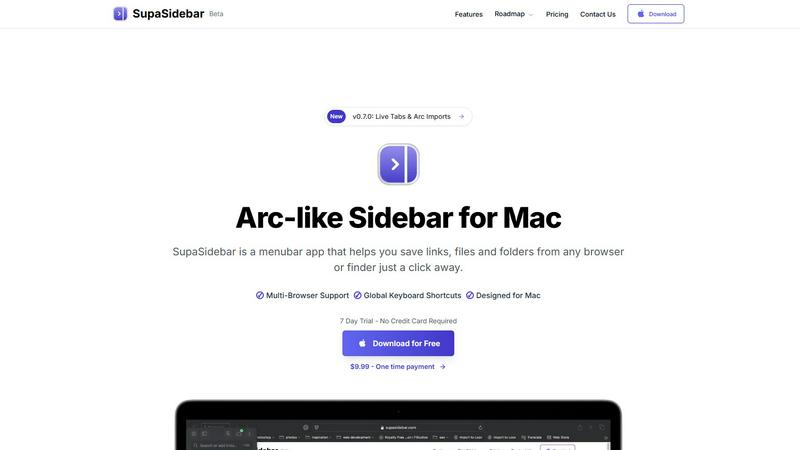
SupaSidebar is a Mac menubar app that saves and organizes your links, files, and folders for instant access anywhere.
Last updated: February 28, 2026

SureThing.io
SureThing.io is your trusted autonomous business partner, seamlessly managing tasks and remembering your unique preferences while you rest.
Last updated: March 19, 2026
Visual Comparison
SupaSidebar
SureThing.io

Feature Comparison
SupaSidebar
Instant Access
SupaSidebar allows users to save links, files, and folders from any browser or Finder with just a click. This feature eliminates the need to switch between multiple applications, providing a streamlined experience for managing digital resources.
Global Keyboard Shortcuts
The app includes customizable global keyboard shortcuts that enable users to quickly save or copy URLs and find any file, folder, website, or app instantly. This feature enhances productivity by allowing for rapid navigation without disrupting the workflow.
Recent Tracking
With a built-in recent tracking feature, SupaSidebar monitors every website you've accessed in the last 48 hours. This ensures that users can quickly revisit their recent activities without the hassle of searching through browser history.
Pinned Favorites
SupaSidebar allows users to pin their favorite links, files, and folders at the top of the sidebar for quick access. This feature is particularly beneficial for those who frequently use certain resources, reducing the time spent searching for them.
SureThing.io
Autonomous Operation
SureThing is designed to operate independently, actively managing your tasks without the need for constant input. This feature allows you to focus on high-priority projects while SureThing handles the routine aspects of your work life.
State-of-the-Art Agentic Memory
With its advanced memory capabilities, SureThing keeps track of your goals, preferences, and communication style over weeks and months. This means that as you continue to work with SureThing, it requires less explanation and can anticipate your needs more effectively.
Integrated Project Management
SureThing not only monitors your schedule but also tracks ongoing projects across various platforms. It serves as a central hub for your tasks, ensuring nothing falls through the cracks and that you are always aware of your project statuses.
Secure and Compliant Architecture
Built with enterprise-level security in mind, SureThing is SOC 2 certified and Google CASA Tier 2 compliant. This commitment to security ensures that your sensitive information is protected, allowing you to trust SureThing with your most critical tasks.
Use Cases
SupaSidebar
Streamlining Research
Researchers can utilize SupaSidebar to collect and organize links to academic papers, articles, and multimedia resources, all in one accessible location. This centralization aids in efficient information retrieval during the research process.
Enhancing Creative Workflows
Creators can benefit from SupaSidebar by saving links to inspiration sources, project files, and apps they use frequently. The ability to pin essential resources allows for a more focused and productive creative environment.
Managing Personal Projects
Individuals managing personal projects can use SupaSidebar to keep track of essential documents, to-do lists, and web resources. The sidebar serves as a visual reminder of ongoing tasks and important deadlines.
Improving Team Collaboration
For teams collaborating on projects, SupaSidebar can facilitate easy sharing of links and resources. Team members can quickly access shared files and important websites, enhancing communication and productivity.
SureThing.io
Streamlined Communication
For busy professionals, SureThing can handle email correspondence by drafting replies that reflect your voice and style. This means you can maintain effective communication without being tied to your inbox.
Efficient Scheduling
SureThing takes the hassle out of scheduling by managing your calendar, finding optimal meeting times, and sending invites. This allows you to spend more time on important tasks rather than back-and-forth scheduling.
Project Tracking for Entrepreneurs
Solo founders can rely on SureThing to track their go-to-market launches and ongoing projects. By managing various components of these processes, SureThing enables entrepreneurs to focus on execution rather than administration.
Continuous Learning and Adaptation
SureThing's memory feature means that it learns from your interactions over time, which enhances its performance and efficiency. This continuous learning process allows it to become an increasingly valuable asset in your daily operations.
Overview
About SupaSidebar
SupaSidebar is a revolutionary productivity application designed exclusively for macOS users. It serves as an elegantly crafted Arc-inspired sidebar that integrates seamlessly into your menu bar, allowing for instant, organized access to your most vital links, files, folders, and applications. In an age where digital resources are often scattered across numerous browsers and applications, SupaSidebar addresses the issue of digital fragmentation by consolidating everything into a single, cohesive hub. It is tailored for professionals, researchers, creators, and anyone who juggles multiple tasks on their Mac, enabling them to minimize context-switching and enhance their focus. The primary value proposition of SupaSidebar lies in its ability to provide a frictionless experience for saving, finding, and opening digital items through intelligent organization, universal search, and smooth multi-browser support. It maintains a lightweight, native macOS feel that ensures it stays out of your way until you need it, ultimately helping users stay organized, navigate faster, and sustain deep work flow.
About SureThing.io
SureThing.io is an innovative autonomous AI agent designed to enhance productivity by working on your behalf around the clock. Unlike traditional AI chatbots that rely on user prompts, SureThing operates proactively, seamlessly integrating into your daily routine. It monitors your inbox, drafts replies in your unique voice, manages your calendar, tracks ongoing projects, and interacts with connected applications, allowing you to maintain focus on more critical tasks. The key differentiator of SureThing is its state-of-the-art memory system, which retains your preferences, patterns, contacts, and goals, ensuring it remembers context from one session to the next. This persistent memory enables SureThing to adapt to your working style, reducing the need for constant re-explanation. Built with a focus on reliability, SureThing is SOC 2 certified and Google CASA Tier 2 compliant, making it a trusted partner for users demanding high security and performance. Its early adopters include tech leaders and solo entrepreneurs who appreciate the efficiencies it brings to their workflows, earning it a reputation as "the Mac of AI agents."
Frequently Asked Questions
SupaSidebar FAQ
Is SupaSidebar a browser extension?
No, SupaSidebar is a standalone menubar application designed for macOS. It works independently of browsers while supporting all major browsers for seamless integration.
Which browsers does SupaSidebar work with?
SupaSidebar supports all major browsers, including Safari, Chrome, Firefox, and Arc. This ensures that users can save and access links regardless of their preferred browsing environment.
What macOS version do I need?
SupaSidebar requires macOS 13 or higher to function properly. Users should ensure their operating system is updated to meet this requirement before installation.
Where is my data stored?
All data handled by SupaSidebar remains on your Mac. The application does not store any personal information on external servers, ensuring user privacy and data security.
SureThing.io FAQ
How does SureThing.io ensure my data privacy?
SureThing is SOC 2 certified and Google CASA Tier 2 compliant, which means it adheres to strict security protocols to protect your data. Your information is managed with the highest standards of privacy and security.
Can I customize SureThing's responses?
Yes, SureThing adapts to your unique communication style and preferences. The more you interact with it, the better it learns to draft responses that truly reflect your voice.
Is SureThing suitable for team collaboration?
Absolutely! While SureThing is excellent for individual users, it can also be integrated into team workflows to enhance collaboration, streamline communication, and manage group projects effectively.
What types of tasks can SureThing manage?
SureThing can handle a variety of tasks including email management, scheduling, project tracking, and even interfacing with other applications to ensure your workflow remains efficient and uninterrupted.
Alternatives
SupaSidebar Alternatives
SupaSidebar is a universal Mac menubar application designed to enhance productivity by centralizing access to links, files, folders, and applications. It falls within the productivity and management category, catering to professionals, researchers, and anyone who values efficiency and streamlined workflows on macOS. Users often seek alternatives to SupaSidebar due to various reasons such as pricing concerns, specific feature requirements, or compatibility with different platforms or operating systems. When searching for alternatives, it’s important to consider several factors. Look for applications that provide intuitive organization and quick access to essential items, as well as robust search capabilities. Additionally, ensure that the software offers seamless integration with your preferred tools and browsers, and evaluate the user interface to find a solution that enhances your workflow without adding complexity.
SureThing.io Alternatives
SureThing.io is a fully autonomous business management tool that leverages advanced AI technology to serve users 24/7. Designed to enhance productivity, SureThing operates proactively, managing emails, scheduling, and project tracking while adapting to individual user preferences. As a trusted agent, it stands out by continuously learning and maintaining context across interactions, providing a reliable solution for busy professionals. Users often seek alternatives to SureThing.io for various reasons, including pricing, feature sets, or specific platform compatibility. When evaluating alternatives, it is essential to consider factors such as reliability, the ability to integrate with existing workflows, and the level of support provided. A good alternative should offer similar functionalities while aligning with the unique needs and preferences of the user.