
StatPecker vs TrafficClaw
Side-by-side comparison to help you choose the right tool.

StatPecker
StatPecker transforms your data into secure, stunning visuals for instant business insights and content.
Last updated: March 1, 2026

TrafficClaw
TrafficClaw transforms your SEO and analytics data into actionable insights through intuitive conversations, empowering you to grow your traffic.
Last updated: April 13, 2026
Visual Comparison
StatPecker
TrafficClaw
Feature Comparison
StatPecker
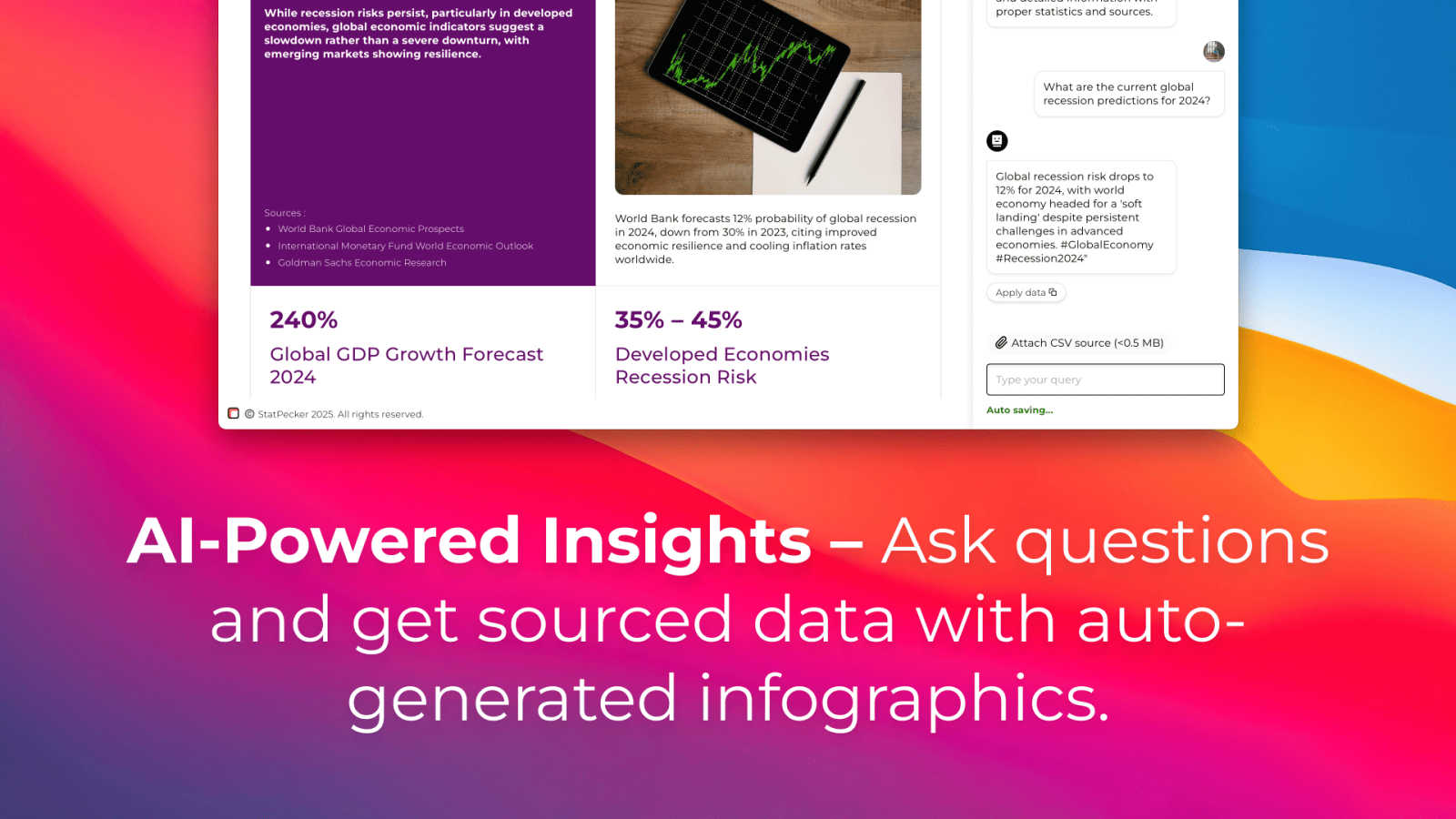
AI-Powered Query Insights
Simply ask a question in plain language, and StatPecker's AI engine will generate instant insights by pulling from validated data sources. This feature removes the complexity of traditional data analysis tools, allowing users to get credible answers and visualizations without needing to write code or navigate complicated software interfaces. It's designed for speed and simplicity, turning curiosity into clear, publishable visuals.
Local SQL Agent for Private CSV Analysis
This groundbreaking feature ensures complete data privacy and security. Users can upload CSV files up to 50 MB, and StatPecker's local agent processes everything directly on their device. It enables deep, private exploration of proprietary data through natural language questions, generating SQL queries and insights locally. The results are then presented as ready-to-share charts, all without the data ever leaving the user's computer.
Publish & Embed Interactive Visuals
StatPecker doesn't just create static images; it produces interactive infographics that can be seamlessly integrated into any digital content. Users can embed these dynamic visuals directly into blogs, articles, websites, or internal wikis. This feature enhances reader engagement by allowing audiences to interact with the data, and it maintains a professional, cohesive look across all publishing platforms.
Download & Export for Universal Use
For offline reports, presentations, or printed materials, StatPecker provides robust export capabilities. Users can download their created infographics as high-quality image files (like PNG or JPG) for use in slide decks, reports, social media, or marketing collateral. This ensures that the powerful visuals created within the platform can be utilized anywhere, maintaining flexibility across all communication mediums.
TrafficClaw
AI Chat
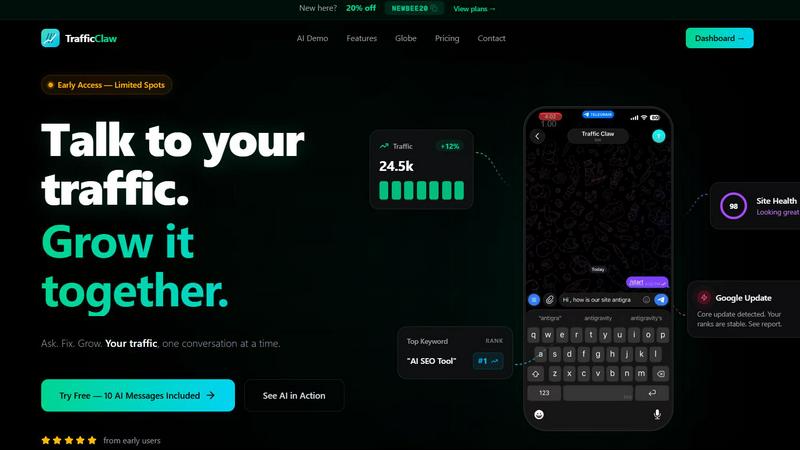
The AI Chat feature allows users to interact with their analytics through natural language queries. Users can ask specific questions about their traffic and receive instant, data-driven answers along with visual charts and actionable insights. This eliminates the need for time-consuming data interpretation and empowers users to make informed decisions quickly.
SEO Intelligence
TrafficClaw's SEO Intelligence feature analyzes a website's performance to uncover keyword gaps, content decay alerts, and issues of keyword cannibalization. Additionally, it includes an Advanced SEO Optimization (AEO) engine that helps users optimize their content for AI-driven search engines, ensuring that they stay ahead in the competitive landscape of online visibility.
Analytics Dashboard
The Analytics Dashboard serves as a comprehensive overview of real-time visitors, traffic trends, bounce rates, and conversion funnels. This centralized view allows users to monitor their website's performance at a glance, making it easier to identify patterns, track progress, and implement strategies for improvement without juggling multiple tools.
Site Audit
TrafficClaw offers a detailed Site Audit feature that conducts in-depth page-level examinations of a website's health. It provides performance scores based on Core Web Vitals and automatically suggests fixes for any identified issues. This proactive approach to site health allows users to maintain optimal performance and enhance user experience.
Use Cases
StatPecker
Content Creation & Blogging
Bloggers, journalists, and digital content creators use StatPecker to quickly find and visualize data that supports their narratives. Instead of using generic or outdated charts, they can generate unique, interactive infographics that boost SEO, increase reader engagement, and establish authority by backing up claims with compelling, easy-to-understand visual evidence directly within their articles.
Business Intelligence & Reporting
Analysts and managers leverage the Local SQL Agent to analyze internal sales, marketing, or operational data stored in CSVs. They can ask specific questions like "Which regions drove the most revenue last quarter?" and instantly receive a professional chart for stakeholder presentations or internal reports, streamlining the weekly or monthly reporting cycle without compromising data security.
Marketing & Social Media Campaigns
Marketing teams utilize StatPecker to create eye-catching visuals for campaign reports, social media posts, and client dashboards. The ability to transform campaign metrics (engagement rates, conversion data) into stunning infographics helps in telling a success story more effectively, making performance reviews impactful and shareable across teams and with clients.
Education & Academic Instruction
Educators and trainers employ StatPecker to explain complex statistical concepts, historical trends, or scientific data to students. By transforming abstract numbers into interactive visual stories, it enhances comprehension and retention. Students can also use the tool to visualize their research data for projects and theses, making their findings more accessible and persuasive.
TrafficClaw
Identifying Traffic Drops
Users experiencing unexpected drops in website traffic can leverage TrafficClaw to quickly diagnose the issue. By asking the AI directly, they receive targeted insights that could point to technical issues, content problems, or changes in search engine algorithms, allowing for swift corrective action.
Optimizing SEO Strategies
Digital marketers can utilize TrafficClaw's SEO Intelligence to refine their content strategies. By revealing keyword gaps and content performance issues, users can create targeted content that fills these gaps and improves their rankings, ultimately driving more organic traffic to their site.
Monitoring Website Health
Website owners can regularly use the Site Audit feature to ensure their site remains in top condition. By receiving automated performance scores and suggestions for improvement, they can proactively address issues before they affect user experience or search rankings.
Enhancing Content Creation
Content creators can harness the power of TrafficClaw’s content tools to generate SEO-optimized blog posts, create schema markup, and refine internal linking strategies. This feature simplifies the content creation process while ensuring that the output is aligned with best SEO practices, helping to attract more visitors.
Overview
About StatPecker
StatPecker is a transformative AI-powered platform that fundamentally redefines the art and science of data visualization. It serves as a bridge between raw, complex data and compelling, actionable insights, automating the entire process of data storytelling. The tool is engineered to convert numerical information into stunning, interactive infographics and charts within seconds, eliminating the traditional barriers of technical expertise, expensive design software, and significant time investment. Its core value proposition lies in democratizing data communication, making it accessible and effective for a vast spectrum of users. From content creators seeking to enrich their blogs, to marketers crafting campaign reports, analysts presenting findings, and educators explaining complex trends, StatPecker empowers all to convey their message with clarity and impact. By handling the heavy lifting of design and analysis, it allows professionals to focus on strategic interpretation and creative narrative, thereby enhancing decision-making and engagement across any field. With its commitment to both powerful functionality and user-friendly operation, StatPecker stands as the ultimate solution for anyone aiming to make their data not just seen, but understood and remembered.
About TrafficClaw
TrafficClaw is an innovative AI-driven tool designed specifically for website owners, digital marketers, and SEO professionals who are frustrated by sudden drops in website traffic. In a landscape where data analysis often leads to confusion rather than clarity, TrafficClaw stands out by transforming complex analytics into straightforward answers. By seamlessly integrating with Google Analytics 4 (GA4) and Search Console, it allows users to engage in natural conversations about their traffic performance. Instead of sifting through generic advice found in blog posts, users can directly ask questions like "Why did my traffic drop?" and receive data-backed insights that illuminate the underlying issues. TrafficClaw not only identifies problems but also provides actionable solutions, enabling users to implement fixes and grow their traffic effectively. With its intuitive interface and real-time analytics, TrafficClaw democratizes data insights, making it accessible to anyone looking to improve their online presence and traffic metrics.
Frequently Asked Questions
StatPecker FAQ
How does StatPecker ensure the privacy of my uploaded CSV data?
StatPecker prioritizes data privacy through its Local SQL Agent feature. When you upload a CSV file, the entire analysis process—from data preparation and query generation to insight calculation—occurs locally on your own device. Your raw data never leaves your computer to be sent to external servers, ensuring that sensitive business or personal information remains completely private and secure by default.
What is included in the Free Tier?
The Free Tier offers a robust starting point with unlimited projects and the ability to create unlimited embeds (with manual edits). It includes 25 AI queries to ask questions and generate insights from public data, and allows for 10 CSV uploads to analyze private data using the Local SQL Agent. This plan is designed to let users fully explore the platform's core capabilities at no cost.
What does "Lifetime Access" mean for the paid plan?
The Lifetime Access plan is a one-time payment of $150 (often offered at a discount) that grants permanent access to StatPecker's full suite of features. This includes unlimited AI queries, unlimited CSV uploads, unlimited projects and embeds, and priority support for feature requests. It is not a subscription, so there are no recurring fees, and it comes with a 10-day money-back guarantee.
Can I edit the infographics after StatPecker generates them?
Yes, StatPecker provides flexibility for customization. While the AI generates the initial visual based on your query or data, the platform allows for manual edits on the embeds. You can adjust elements like colors, labels, and titles to better align with your brand guidelines or specific presentation needs before publishing or downloading the final graphic.
TrafficClaw FAQ
How does TrafficClaw analyze my data?
TrafficClaw connects directly to your Google Analytics 4 and Search Console accounts, automatically loading your data. The AI then analyzes this data in real time, allowing for immediate insights and recommendations based on your specific traffic patterns.
Is my data secure with TrafficClaw?
Yes, your data is completely secure. TrafficClaw uses Google OAuth for authentication, ensuring that your information remains private and accessible only to you. Additionally, the platform does not store your data beyond its analysis.
How quickly can I set up TrafficClaw?
Setting up TrafficClaw is incredibly quick and user-friendly. With a simple sign-in using your Google account, the auto-detection feature recognizes your GA4 properties and Search Console sites, making the setup process typically take less than 30 seconds.
Can I use TrafficClaw for multiple websites?
Absolutely. TrafficClaw allows users to connect multiple Google Analytics and Search Console accounts, making it ideal for agencies or individuals managing several websites. You can easily switch between accounts to monitor performance and gain insights across all your projects.
Alternatives
StatPecker Alternatives
StatPecker is a powerful AI-driven analytics and data visualization platform designed to transform complex datasets into compelling, interactive infographics with remarkable speed. It belongs to the modern category of tools that prioritize accessibility, allowing users from various backgrounds to generate insights and tell stories with data without needing deep technical expertise. Users often explore alternatives to a single solution for a variety of reasons. These can include specific budget constraints, the need for integrations with other business platforms, or requirements for more advanced or specialized analytical features not covered by a generalist tool. The search for the right fit is a natural part of selecting technology that aligns perfectly with an organization's evolving workflow and strategic goals. When evaluating alternatives in the data visualization and analytics space, key considerations should include the tool's ease of use, the depth of its analytical capabilities, collaboration features, and the flexibility of output formats. Security protocols for handling sensitive data and the overall value proposition relative to cost are also paramount. The ideal platform should not only visualize data but also integrate seamlessly into your existing ecosystem to empower informed decision-making.
TrafficClaw Alternatives
TrafficClaw is an innovative tool designed to bridge the gap between users and their SEO and analytics data, allowing for intuitive interaction with complex datasets. As a part of the AI Assistants and Analytics & Data categories, TrafficClaw enables users to ask straightforward questions regarding their web traffic, such as the reasons behind fluctuations, and receive actionable insights. This conversational approach transforms the often overwhelming world of SEO into a more accessible experience. Users often seek alternatives to TrafficClaw for a variety of reasons, including pricing concerns, specific feature requirements, or compatibility with particular platforms. The pursuit of alternatives can stem from the need for enhanced functionality, more robust integrations, or simply a desire to explore different user experiences. When considering an alternative, it is essential to evaluate factors such as ease of use, the breadth of features, customer support, and the ability to adapt to evolving analytics needs.