
Nabbed vs SupaSidebar
Side-by-side comparison to help you choose the right tool.

Nabbed is your career CRM that tracks jobs and contacts while using AI to enhance your job search and autofill ATS applications.
Last updated: April 13, 2026

SupaSidebar
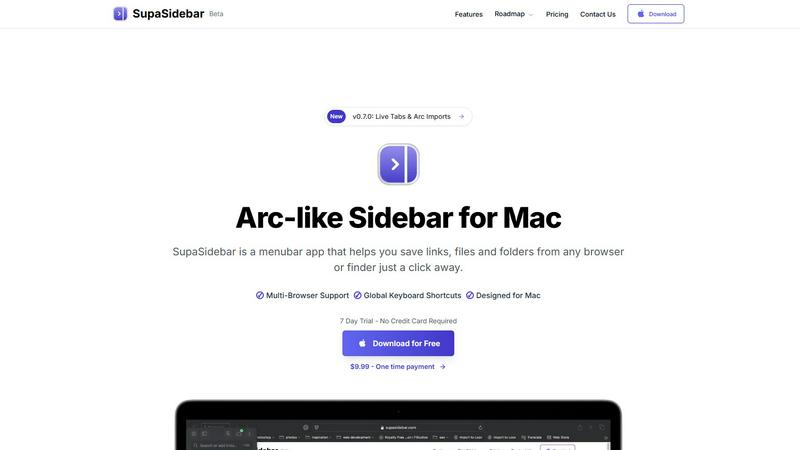
SupaSidebar is a Mac menubar app that saves and organizes your links, files, and folders for instant access anywhere.
Last updated: February 28, 2026
Visual Comparison
Nabbed

SupaSidebar
Feature Comparison
Nabbed
Target Account Dashboard
The Target Account Dashboard allows users to identify and name their dream companies, enabling them to track every role, contact, and hiring signal from their chosen firms. This feature mimics a territory plan, making it easy for users to visualize and manage their job search as they would their sales territory.
Dual Sales Pipelines
Nabbed offers dual sales pipelines modeled after HubSpot-style Kanban boards for both job opportunities and networking efforts. This feature facilitates drag-and-drop management of applications and connections, complemented by momentum tracking and velocity analytics, allowing users to analyze their job search like a high-stakes sales pipeline.
AI Career Suite
The AI Career Suite includes four powerful tools designed to streamline the job application process. Users can generate tailored cover letters, optimize resumes for specific roles, and prepare for interviews with AI coaching. This suite helps professionals present themselves effectively, ensuring they stand out in a competitive job market.
Chrome Extension
The Chrome Extension is a game-changer for job seekers, enabling users to capture job postings from various platforms with a single click. It also supports autofilling applications across more than 25 ATS systems, tracks email interactions, and seamlessly integrates with users' existing workflows, making job searching efficient and less time-consuming.
SupaSidebar
Instant Access
SupaSidebar allows users to save links, files, and folders from any browser or Finder with just a click. This feature eliminates the need to switch between multiple applications, providing a streamlined experience for managing digital resources.
Global Keyboard Shortcuts
The app includes customizable global keyboard shortcuts that enable users to quickly save or copy URLs and find any file, folder, website, or app instantly. This feature enhances productivity by allowing for rapid navigation without disrupting the workflow.
Recent Tracking
With a built-in recent tracking feature, SupaSidebar monitors every website you've accessed in the last 48 hours. This ensures that users can quickly revisit their recent activities without the hassle of searching through browser history.
Pinned Favorites
SupaSidebar allows users to pin their favorite links, files, and folders at the top of the sidebar for quick access. This feature is particularly beneficial for those who frequently use certain resources, reducing the time spent searching for them.
Use Cases
Nabbed
Streamlined Job Applications
Professionals can use Nabbed to streamline their job applications by saving job postings from various platforms into a centralized dashboard. This organization ensures that users can easily track their progress, follow up on applications, and manage deadlines effectively.
Enhanced Networking
Nabbed's contact and network CRM allows users to maintain and nurture professional relationships. By logging activities and tracking follow-ups, users can strategically engage with their network, ensuring that they leverage their connections during their job search.
AI-Powered Interview Preparation
Job seekers can utilize Nabbed's AI Career Suite to prepare for interviews. With access to tailored coaching and resources, candidates can improve their performance and increase their chances of landing job offers, making the interview process less daunting.
Targeted Company Research
With the AI-powered company intelligence feature, users can gain insights into their target companies without extensive research. This information helps professionals tailor their applications and approach, ensuring they align their skills and experience with the company's needs and culture.
SupaSidebar
Streamlining Research
Researchers can utilize SupaSidebar to collect and organize links to academic papers, articles, and multimedia resources, all in one accessible location. This centralization aids in efficient information retrieval during the research process.
Enhancing Creative Workflows
Creators can benefit from SupaSidebar by saving links to inspiration sources, project files, and apps they use frequently. The ability to pin essential resources allows for a more focused and productive creative environment.
Managing Personal Projects
Individuals managing personal projects can use SupaSidebar to keep track of essential documents, to-do lists, and web resources. The sidebar serves as a visual reminder of ongoing tasks and important deadlines.
Improving Team Collaboration
For teams collaborating on projects, SupaSidebar can facilitate easy sharing of links and resources. Team members can quickly access shared files and important websites, enhancing communication and productivity.
Overview
About Nabbed
Nabbed is a revolutionary Customer Relationship Management (CRM) tool specifically designed for sales and revenue professionals who are navigating their career paths. It transforms the job search process into a strategic endeavor by allowing users to track job applications through a visual pipeline, ensuring that every opportunity is organized and accessible. With features like a comprehensive contact CRM that includes warm path mapping, users can maintain relationships with influential contacts and potential employers. The platform is further enhanced by AI-powered company intelligence, which provides crucial insights such as funding status, employee headcount, and company ratings from Glassdoor. Moreover, Nabbed’s Chrome extension simplifies the application process by autofilling details on over 60 Applicant Tracking Systems (ATS). By combining these elements, Nabbed empowers users to manage their career transitions with the same precision and strategy they apply in sales, making it an invaluable tool for professionals striving for their next big opportunity.
About SupaSidebar
SupaSidebar is a revolutionary productivity application designed exclusively for macOS users. It serves as an elegantly crafted Arc-inspired sidebar that integrates seamlessly into your menu bar, allowing for instant, organized access to your most vital links, files, folders, and applications. In an age where digital resources are often scattered across numerous browsers and applications, SupaSidebar addresses the issue of digital fragmentation by consolidating everything into a single, cohesive hub. It is tailored for professionals, researchers, creators, and anyone who juggles multiple tasks on their Mac, enabling them to minimize context-switching and enhance their focus. The primary value proposition of SupaSidebar lies in its ability to provide a frictionless experience for saving, finding, and opening digital items through intelligent organization, universal search, and smooth multi-browser support. It maintains a lightweight, native macOS feel that ensures it stays out of your way until you need it, ultimately helping users stay organized, navigate faster, and sustain deep work flow.
Frequently Asked Questions
Nabbed FAQ
What types of professionals can benefit from using Nabbed?
Nabbed is tailored specifically for sales and revenue professionals seeking to manage their careers more effectively. However, anyone engaged in a job search can benefit from its features, including those in marketing, operations, and other fields.
How does the Chrome extension enhance the job search process?
The Chrome extension allows users to capture job postings directly from job boards, autofill application fields across various ATS platforms, and track email interactions. This functionality makes the job search process more efficient and less fragmented.
Is there a free version of Nabbed available?
Yes, Nabbed offers a free tier that includes essential features such as job capture and basic autofill. Users can upgrade to the Core plan for additional capabilities like Gmail tracking and AI email templates.
How does Nabbed's AI Career Suite work?
The AI Career Suite includes tools for generating cover letters, tailoring resumes, and preparing for interviews. These tools use artificial intelligence to create content that matches the user's style and the job requirements, making applications more effective and personalized.
SupaSidebar FAQ
Is SupaSidebar a browser extension?
No, SupaSidebar is a standalone menubar application designed for macOS. It works independently of browsers while supporting all major browsers for seamless integration.
Which browsers does SupaSidebar work with?
SupaSidebar supports all major browsers, including Safari, Chrome, Firefox, and Arc. This ensures that users can save and access links regardless of their preferred browsing environment.
What macOS version do I need?
SupaSidebar requires macOS 13 or higher to function properly. Users should ensure their operating system is updated to meet this requirement before installation.
Where is my data stored?
All data handled by SupaSidebar remains on your Mac. The application does not store any personal information on external servers, ensuring user privacy and data security.
Alternatives
Nabbed Alternatives
Nabbed is an innovative CRM designed specifically for sales and revenue professionals who are actively managing their careers. It empowers users to track job applications through a visual pipeline, build a comprehensive contact CRM, and gain valuable insights powered by AI. With features like autofilling applications on numerous ATS platforms and Gmail auto-sync, Nabbed is positioned within the Productivity & Management category, making it an essential tool for those seeking to enhance their job search and networking efforts. However, users may find themselves exploring alternatives to Nabbed for various reasons, such as budget constraints, specific feature requirements, or compatibility with preferred platforms. When selecting an alternative, it is crucial to consider factors such as pricing structures, ease of use, the comprehensiveness of features, and the ability to integrate with existing systems. A well-rounded alternative should meet the user's unique needs while providing a seamless experience in managing their career.
SupaSidebar Alternatives
SupaSidebar is a universal Mac menubar application designed to enhance productivity by centralizing access to links, files, folders, and applications. It falls within the productivity and management category, catering to professionals, researchers, and anyone who values efficiency and streamlined workflows on macOS. Users often seek alternatives to SupaSidebar due to various reasons such as pricing concerns, specific feature requirements, or compatibility with different platforms or operating systems. When searching for alternatives, it’s important to consider several factors. Look for applications that provide intuitive organization and quick access to essential items, as well as robust search capabilities. Additionally, ensure that the software offers seamless integration with your preferred tools and browsers, and evaluate the user interface to find a solution that enhances your workflow without adding complexity.