
Email List Cleaner vs securememo.app
Side-by-side comparison to help you choose the right tool.

Email List Cleaner
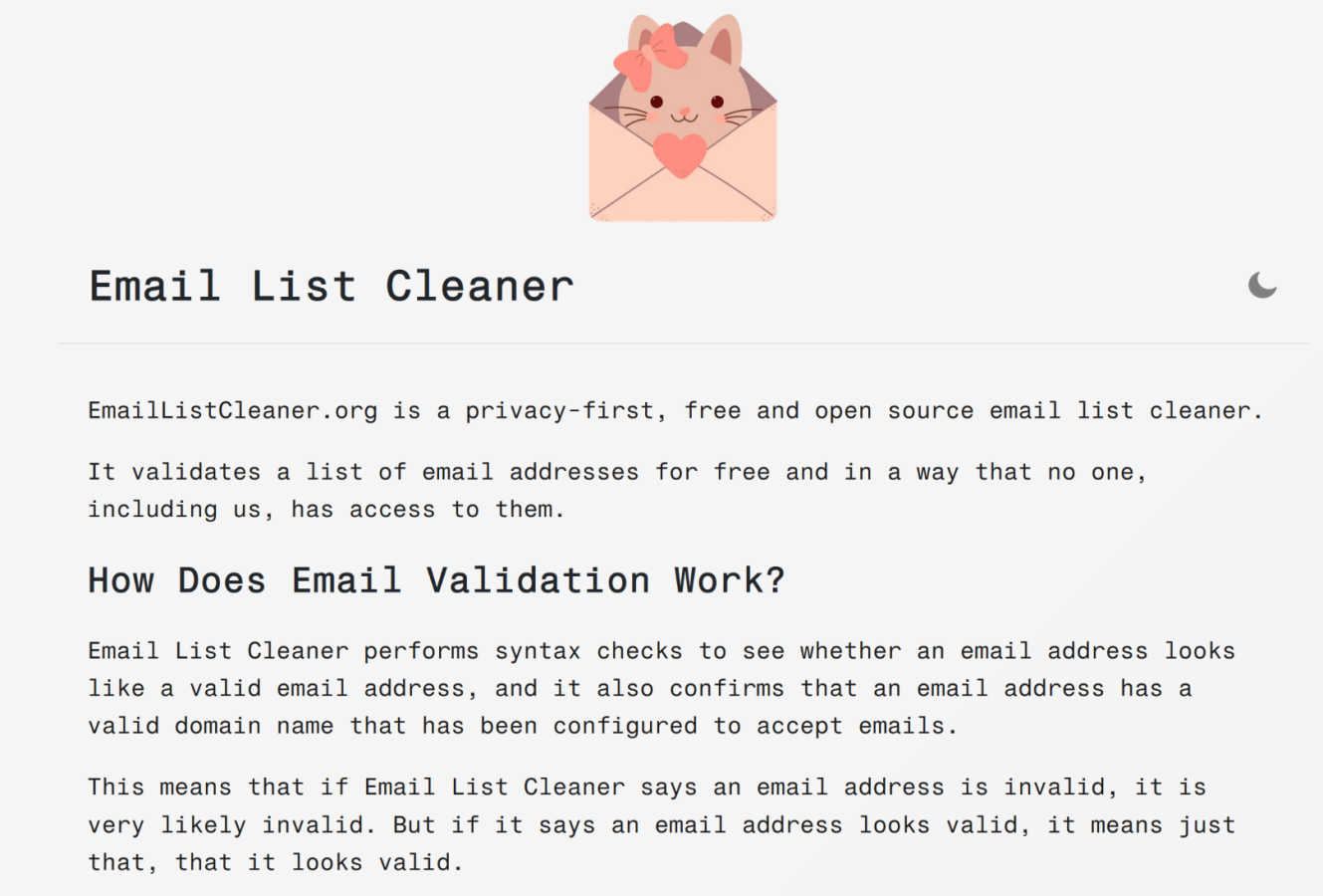
Email List Cleaner is a free, privacy-first tool that securely validates your email addresses directly in your browser.
Last updated: March 1, 2026
securememo.app
Securememo.app offers a privacy-focused memo service with client-side encryption, ensuring your notes remain truly se...
Visual Comparison
Email List Cleaner
securememo.app
Feature Comparison
Email List Cleaner
Privacy-First, Client-Side Validation
The defining feature of Email List Cleaner is its robust privacy architecture. Unlike many cloud-based services, almost the entire validation process is executed locally within your web browser. Your raw email list data is never uploaded to the tool's servers. The only external data exchange is the domain portion of an address being sent to a public DNS service (like Google's) to verify domain existence and mail server records. This ensures complete confidentiality, making it an ideal choice for validating sensitive or proprietary contact lists without any risk of data exposure or misuse.
Comprehensive Validity & Syntax Checking
The tool performs a thorough, multi-point check on each email address to determine its likelihood of being valid. It begins with a stringent syntax analysis to ensure the address conforms to internet email standards (e.g., proper use of "@" and "."). Subsequently, it performs a domain verification by querying the Domain Name System (DNS) to confirm the domain is registered and has the necessary MX (Mail Exchange) records configured to receive email. This two-tiered approach effectively filters out addresses with typos, malformed structures, or non-existent domains.
Advanced Disposable & Role-Based Email Detection
Beyond basic validity, Email List Cleaner includes sophisticated detection mechanisms for specific types of addresses that can harm campaign metrics. It can identify and flag disposable email addresses (DEAs) from known temporary mail services, which are often used for single sign-ups and then abandoned. Furthermore, it can detect role-based addresses like "info@" or "support@", which are associated with a function rather than an individual and typically have lower engagement rates. Users can choose to allow or filter these categories based on their specific needs.
Intelligent Duplicate Removal & Format Flexibility
The tool offers smart duplicate removal that understands modern email provider behaviors. It recognizes that services like Gmail ignore dots in the local part (so "[email protected]" equals "[email protected]") and also supports the stripping of tags (like "+work" in "[email protected]") to identify true duplicates. It also provides flexible input, accepting email addresses in both simple format ("[email protected]") and standard name/email format ("Name [email protected]"), streamlining the cleaning process for lists exported from various sources.
securememo.app
Client-Side Encryption
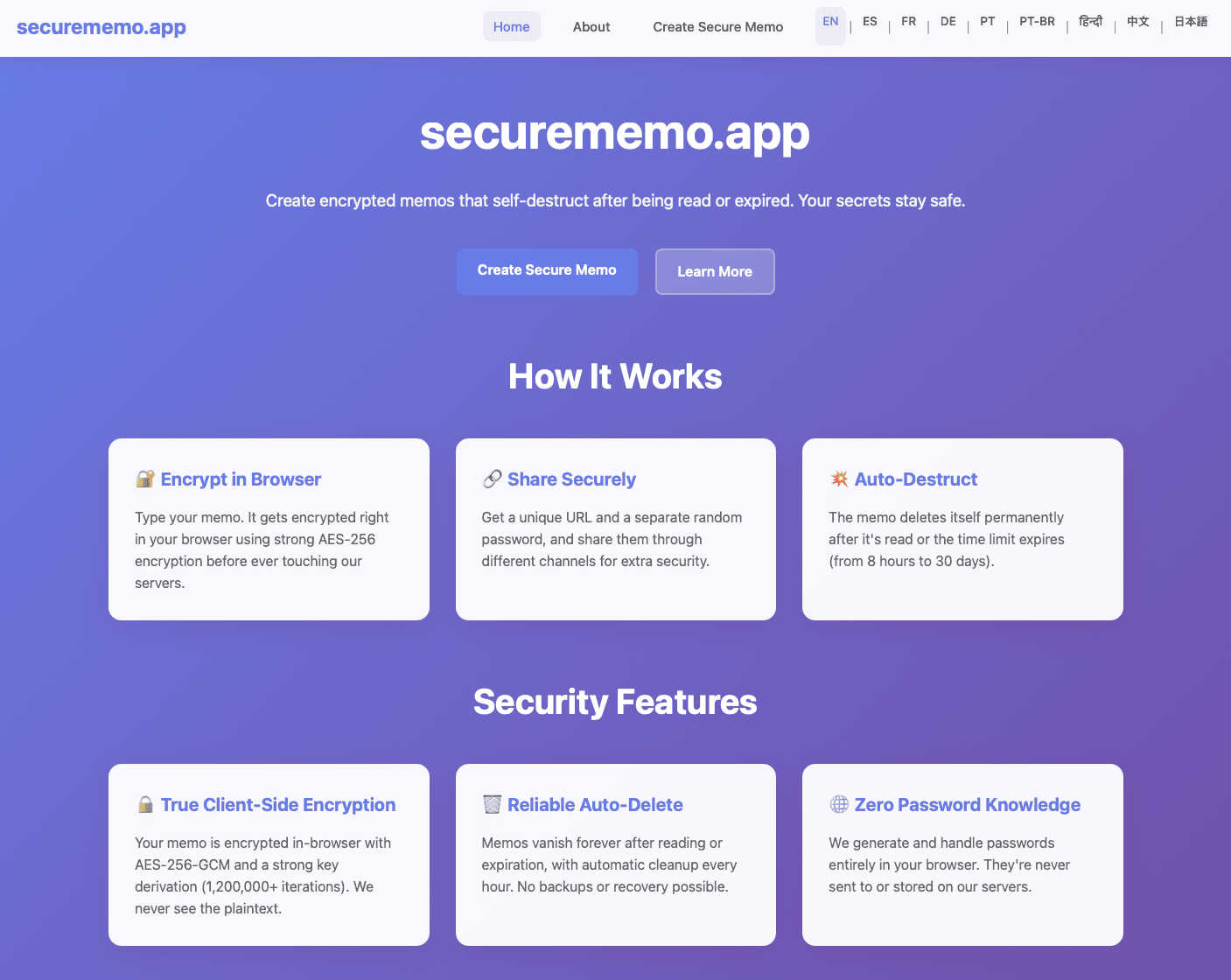
Securememo.app utilizes client-side encryption to protect your notes before they leave your browser. This means that only you can access your data, as it is encrypted on your device, ensuring that even the service provider cannot read your content.
Self-Destructing Notes
The self-destructing notes feature allows users to create memos that automatically delete themselves after being viewed. This ensures that sensitive information does not linger longer than necessary, minimizing the risk of unauthorized access.
Unique Link and Password Generation
When sharing a memo, users can generate a unique link paired with a strong, randomly created password. This adds an extra layer of security, as the password is generated on your device and never transmitted to Securememo.app, maintaining complete confidentiality.
No Account Required
Securememo.app does not require users to create an account, prioritizing user anonymity and simplifying the process. This feature makes it incredibly easy for anyone to start using the service without the burden of remembering login credentials.
Use Cases
Email List Cleaner
Optimizing Email Marketing Campaigns
For digital marketers and business owners, maintaining a clean email list is critical for campaign success. Using Email List Cleaner before a major send allows marketers to purge invalid, disposable, and role-based addresses. This directly improves deliverability and open rates, lowers bounce rates to protect domain sender reputation, and ensures marketing resources are focused on reaching genuinely interested, real people, thereby increasing ROI on email marketing efforts.
Onboarding and Application Data Hygiene
Software developers and product managers can integrate the principles of Email List Cleaner into user registration flows or data management panels. By validating email addresses at the point of entry or during database audits, they can ensure the quality of user data, reduce fraud from fake sign-ups using disposable emails, and improve the overall integrity of their user database, leading to more reliable communication and user analytics.
Maintaining CRM and Mailing List Integrity
Administrators, sales teams, and community managers often manage large contact databases in CRMs or mailing list software. Periodically cleaning these lists with Email List Cleaner helps remove outdated and invalid contacts that accumulate over time. This prevents wasted effort on dead leads, keeps contact counts accurate for reporting, and ensures that important newsletters, updates, or sales outreach are not automatically routed to spam folders due to high bounce rates.
Academic and Non-Profit Outreach Management
Educational institutions, researchers, and non-profit organizations frequently manage lists for alumni, donors, volunteers, or study participants. These lists are often compiled from various sources and can become outdated. Using this free, privacy-respecting tool allows these organizations to validate their lists without budgetary concerns or compromising the confidentiality of their constituents' contact information, ensuring their vital communications are effectively delivered.
securememo.app
Sharing Sensitive Information
Individuals can use Securememo.app to share sensitive information, such as financial records or personal details, without the fear of interception. The self-destructing feature ensures that shared data is only accessible for a limited time.
Business Communication
Businesses can utilize Securememo.app to communicate confidential strategies or proprietary information among team members. The secure sharing of notes helps protect intellectual property from potential leaks.
Temporary Note Storage
For users who need a temporary storage solution for notes, Securememo.app provides a way to jot down ideas or reminders that are not meant to be stored long-term. This is especially useful for brainstorming sessions or project planning.
Secure Password Sharing
Users can securely share passwords and login information with colleagues or friends. By utilizing the unique link and password generation feature, they can ensure that access is tightly controlled and monitored.
Overview
About Email List Cleaner
Email List Cleaner, accessible at EmailListCleaner.org, represents a paradigm shift in digital list hygiene by offering a powerful, privacy-centric solution for email validation. At its core, it is a free and open-source tool engineered to help individuals, businesses, and developers efficiently clean and validate their email address lists. Its primary and most compelling value proposition is an unwavering commitment to user privacy; the tool is architected so that the sensitive email data processed never leaves the user's control or is accessible to any third party, including the tool's own developers. This is achieved by performing the vast majority of validation logic directly within the user's web browser. The tool conducts a comprehensive, multi-layered analysis of each submitted address, checking for proper syntax, verifying the existence and mail configuration of the domain, and identifying problematic entries like disposable or role-based addresses. By serving a diverse audience from solo entrepreneurs and marketing teams to software engineers integrating validation into applications, Email List Cleaner empowers users to significantly enhance their email deliverability rates, protect their sender reputation, reduce bounce rates, and ensure their communications reach genuine, engaged recipients. It transforms list maintenance from a risky, opaque process into a transparent, secure, and user-empowering task.
About securememo.app
Securememo.app is a cutting-edge memo service designed with a strong emphasis on privacy and security for individuals and organizations seeking to protect their sensitive information. By enabling users to create and share encrypted, self-destructing notes directly from any web browser, Securememo.app prioritizes confidentiality in an increasingly digital world. The platform employs client-side encryption, ensuring that all data is encrypted within the user's browser before it ever reaches the servers, making it completely inaccessible to unauthorized parties. Ideal for anyone needing to share private information—such as passwords, personal notes, or confidential work-related data—Securememo.app offers a seamless experience without the need for user accounts, enhancing anonymity and ease of use. With support for over 20 languages, it caters to a diverse global audience, allowing users to communicate securely in their preferred language. This combination of advanced security features and user-friendly design establishes Securememo.app as a vital tool for anyone concerned about data privacy.
Frequently Asked Questions
Email List Cleaner FAQ
How does Email List Cleaner protect my privacy?
Email List Cleaner is designed with a privacy-first architecture. The validation process occurs almost entirely within your own web browser. Your full email addresses are never sent to or stored on our servers. The only information that leaves your browser is the domain name (e.g., "domain.com") from an email address, which is sent to a public DNS service to verify its existence. You can independently verify this by reviewing the tool's open-source code available on its website.
Can the tool guarantee 100% that an email address is valid?
No, and no third-party validation service can. Email List Cleaner provides a highly accurate assessment of whether an email address appears valid by checking its syntax and confirming its domain is set up to receive mail. However, it cannot peer into a remote inbox to see if the address is actively used or if the mailbox is full. A "valid" result means the address is properly formed and its domain is real, but ultimate deliverability can depend on other factors like recipient server filters.
What are "unlikely valid" email addresses?
This category includes email addresses that pass the technical syntax and domain checks but have local parts (the part before the "@") that are commonly used for spam or placeholder purposes, such as "[email protected]", "[email protected]", or "[email protected]". While these could technically be active addresses, they are often associated with low engagement. The tool allows you to filter them out as an optional, stricter cleaning criterion.
Is Email List Cleaner really free to use with no limits?
Yes, Email List Cleaner is completely free and open-source software. There are no hidden fees, subscription plans, or limits on the number of email addresses you can validate per session. The project is sustained by its principles and community, offering a powerful tool without monetizing user data or imposing usage restrictions, making it accessible to everyone from individuals to large organizations.
securememo.app FAQ
How does Securememo.app ensure the privacy of my notes?
Securememo.app ensures privacy through client-side encryption, meaning your notes are encrypted on your device before they reach the servers, making them inaccessible to anyone but you.
Can I recover my notes after they self-destruct?
No, once a note self-destructs, it cannot be recovered. This feature is designed to enhance security by ensuring that sensitive information does not remain available after it has been viewed.
Is there a limit to how many notes I can create?
Securememo.app does not impose specific limits on the number of notes you can create. Users can generate as many notes as necessary, provided they adhere to the service's privacy and security guidelines.
Can I share notes with multiple users?
Yes, you can share notes with multiple users by generating unique links and passwords for each recipient. This feature allows you to control who has access to your sensitive information.