
Dokta vs invoice Sonic
Side-by-side comparison to help you choose the right tool.

Dokta automates document management for SMBs and freelancers, simplifying invoicing, cash flow, and payment tracking in one powerful tool.
Last updated: April 4, 2026

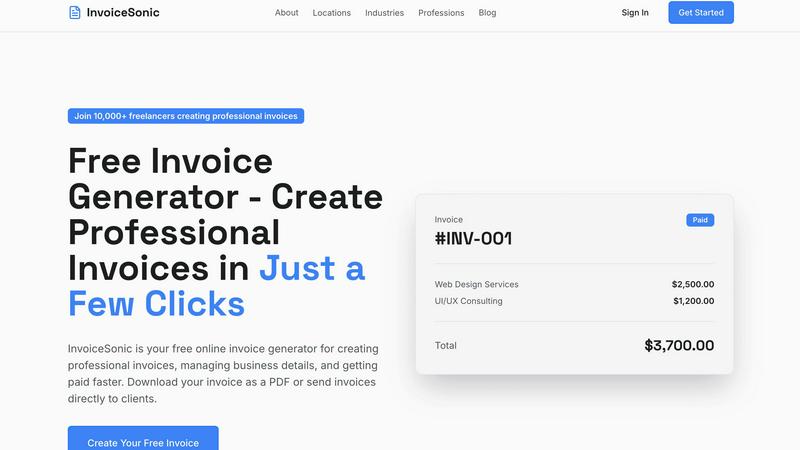
InvoiceSonic instantly creates professional, free invoices for freelancers and small businesses.
Last updated: February 28, 2026
Visual Comparison
Dokta

invoice Sonic
Feature Comparison
Dokta
Automated Invoice Management
Dokta simplifies invoice management through an automated process that allows users to upload documents in various formats such as photos, scans, or PDFs. The platform's AI swiftly analyzes the document, extracting critical details like amounts, deadlines, and client information in under a minute. This efficiency reduces administrative burdens and enhances productivity.
Professional Invoicing and Contract Creation
With Dokta, users can create professional invoices and quotes with just a few clicks. The platform also supports the generation of contracts with monthly billing options, making it easier for freelancers and entrepreneurs to maintain a steady cash flow while ensuring their documentation meets professional standards.
Real-Time Financial Tracking
Dokta provides users with a real-time overview of their financial health, showcasing billed and collected revenue, outstanding amounts, and VAT information. The intuitive dashboard allows users to visualize their financial situation over the past 12 months, enabling better decision-making and financial planning.
Enhanced Client and Supplier Management
The platform enriches client and supplier information automatically, including SIRET number validation and payment scoring. This feature helps users maintain a complete historical record for each entity, ensuring they are well-informed about client relationships and payment behaviors.
invoice Sonic
Generous Free Tier & Instant Access
Invoice Sonic operates on a fundamentally accessible model, offering users the ability to create up to five professional invoices per month completely free of charge, with no requirement for a credit card or account sign-up. This feature eliminates the initial friction and financial risk for new users, allowing freelancers and small businesses to evaluate the platform's full capabilities and integrate it into their workflow without any upfront investment. The instant access via the web browser ensures that creating a critical invoice is never delayed by downloads, installations, or lengthy registration processes.
Library of Professional, Customizable Templates
The platform provides a diverse collection of beautifully designed, modern invoice templates tailored to various industries and professional needs. Users can select from standard professional invoices, proforma invoices for quotes, and blank templates, all of which serve as a perfect starting point. Each template is fully customizable, allowing for the incorporation of business logos, specific color schemes, and personalized branding elements to ensure every invoice consistently reflects the sender's professional identity and attention to detail.
Intelligent Automated Calculations & Fields
Invoice Sonic streamlines the invoicing process by automating all complex calculations, significantly reducing human error and saving valuable time. The system automatically computes subtotals, applies specified tax or GST rates, adds discounts, and displays the final total instantly as line items are entered. Furthermore, it auto-generates sequential invoice numbers and provides easy-to-select fields for issue and due dates, creating a complete and accurate financial document with minimal manual input required from the user.
Instant PDF Generation and Download
Upon finalizing an invoice, users can convert their document into a universally accepted PDF format with a single click. This feature ensures that the invoice's formatting remains intact regardless of the device or software used to view it, presenting a perfectly polished and professional document ready for delivery. The instant download capability means invoices can be created and sent to clients within minutes, facilitating faster billing cycles and improving overall cash flow management for the business.
Use Cases
Dokta
Freelance IT and Consulting
For freelance IT professionals and consultants, Dokta streamlines contract management and invoicing by automating the billing process. Users can set up contracts with automatic monthly invoicing, allowing them to focus on their projects while Dokta handles the administrative tasks.
Creative Freelancers
Creative freelancers can utilize Dokta to manage their projects seamlessly from the first quote to the final payment. With the ability to send quotes with acceptance links and convert quotes into invoices in one click, the platform simplifies the workflow for creatives and ensures timely payments.
Auto-Entrepreneurs
For auto-entrepreneurs, Dokta offers a straightforward solution for generating compliant invoices and tracking payments. Users receive alerts for important URSSAF deadlines, allowing them to stay organized and compliant without unnecessary stress.
Small to Medium-Sized Businesses
SMBs can leverage Dokta to centralize their document management and financial tracking. The platform's capabilities in automating reminders for unpaid invoices and providing real-time financial insights help businesses maintain a healthy cash flow and improve overall efficiency.
invoice Sonic
Freelancers & Independent Contractors
For freelancers such as writers, designers, developers, and consultants, Invoice Sonic provides a quick and professional way to bill multiple clients for project-based or hourly work. They can easily itemize services, set clear payment terms, and brand their invoices, which helps establish credibility and ensures they get paid promptly for their work without the overhead of expensive accounting software.
Small Business Owners & Startups
Small businesses and early-stage startups can utilize Invoice Sonic to manage their client billing without dedicating resources to complex financial systems. It allows them to maintain a consistent professional image from day one, manage recurring invoices for retainers, and efficiently handle billing for a growing client base, all while keeping operational costs minimal during critical growth phases.
Service-Based Professionals
Professionals like coaches, tutors, photographers, and repair technicians can leverage the platform to create clear, detailed invoices for services rendered. The ability to add descriptions, quantities, and rates for various services, along with tax calculations, makes it ideal for industries where billing can be variable and needs to be clearly communicated to the customer.
Consultants & Agencies
Consultants and small agencies can use Invoice Sonic to issue detailed invoices for retainer agreements, project milestones, or comprehensive service packages. The professional templates and ability to include a business logo help reinforce their brand authority, while features for managing multiple clients and invoices support their scalable operational needs.
Overview
About Dokta
Dokta is a revolutionary AI-powered document management platform designed specifically for freelancers, solo entrepreneurs, auto-entrepreneurs, and small to medium-sized businesses (SMBs). This user-friendly tool streamlines the management of various document types, including invoices, quotes, and contracts, by utilizing advanced AI technology to read, classify, and extract essential data in less than 60 seconds. Dokta supports the complete document lifecycle, allowing users to create professional invoices and quotes effortlessly, track payments, automate reminders for unpaid invoices, manage contracts and deadlines, and even generate tasks directly from their documents. By centralizing document management, Dokta eliminates the hassle of lost files and missed deadlines, giving users more time to focus on their core business activities. With features that build a comprehensive client database and track cash flow in real time, Dokta makes financial management simple and effective. Whether you are a freelance developer, a consultant, a trades contractor, or a growing SMB, Dokta places your documents at the center of your operations, all managed by intelligent AI technology.
About invoice Sonic
Invoice Sonic is a comprehensive, web-based invoicing platform engineered to democratize professional financial documentation for the modern independent professional and small business. It transcends the limitations of manual spreadsheets and complex accounting software by offering an intuitive, instant solution for creating, customizing, and distributing polished invoices. The platform is meticulously designed for a global audience of freelancers, consultants, startups, and small business owners across all industries who prioritize efficiency, professionalism, and cost-effectiveness. Its core value proposition lies in removing the traditional barriers to professional invoicing—cost, complexity, and time—through a seamless, template-driven generator. Users can produce invoices that not only meet but exceed client expectations in terms of design and clarity, thereby enhancing brand perception and accelerating payment cycles. With a steadfast commitment to accessibility, Invoice Sonic operates on a generous free model, allowing significant usage without financial commitment, making it an indispensable tool for anyone seeking to streamline their billing operations with sophistication and ease.
Frequently Asked Questions
Dokta FAQ
What types of documents can I upload to Dokta?
Dokta supports a variety of document formats, including photos, scans, and PDFs. Users can upload invoices, quotes, contracts, and more, allowing for comprehensive document management.
How quickly can Dokta analyze a document?
Dokta's advanced AI engine can read and analyze documents in less than 60 seconds, extracting critical data such as amounts, deadlines, and client details efficiently.
Is Dokta compliant with data protection regulations?
Yes, Dokta is fully compliant with GDPR regulations, ensuring that all user data is securely managed and hosted in Europe (AWS).
What is the cost to use Dokta?
Dokta offers a free tier that allows users to manage up to 15 documents per month. Paid plans start at €9 per month, providing additional features and higher document limits tailored to freelancers and SMBs.
invoice Sonic FAQ
Is Invoice Sonic really free to use?
Yes, Invoice Sonic offers a genuinely free tier that allows users to create and download up to five invoices per month without any cost, hidden fees, or the need to provide credit card information. This makes it an excellent risk-free solution for individuals and businesses to manage their basic invoicing needs. For users requiring more than five invoices monthly, the platform offers the option to create a free account for additional features and capacity.
What kind of invoice templates are available?
Invoice Sonic provides a versatile library of professionally designed templates suitable for a wide array of businesses and professions. This includes standard professional invoice templates, proforma invoices (often used for estimates or quotes), and blank invoice formats. These templates are crafted to be clean, modern, and fully customizable, allowing you to adapt them to your specific industry and brand aesthetic.
Can I add my company logo and branding to the invoices?
Absolutely. A key feature of Invoice Sonic is the ability to fully customize your invoices to reflect your brand identity. You can easily upload your company logo, adjust colors if the template allows, and ensure all your business details (name, address, contact information) are permanently integrated. This creates a consistent and professional appearance across all documents you send to clients.
How do I send the invoices I create to my clients?
Once you have created and previewed your invoice using Invoice Sonic's generator, you can instantly download it as a PDF file. This PDF is a finalized, polished document ready for distribution. You can then send this PDF invoice to your clients via your preferred method, such as email, a client portal, or any other digital communication channel you typically use for business correspondence.
Alternatives
Dokta Alternatives
Dokta is an AI-powered document management platform tailored for freelancers, solo entrepreneurs, auto-entrepreneurs, and small to medium-sized businesses (SMBs). It streamlines the management of various documents such as invoices, quotes, and contracts by automatically reading, classifying, and extracting crucial data in under a minute. As users become increasingly reliant on technology for efficiency, they often seek alternatives to Dokta for reasons such as pricing, specific feature sets, or integration with other platforms that better suit their business needs. When searching for alternatives to Dokta, users should consider factors such as the platform's pricing structure, the range of features offered, ease of use, and compatibility with existing systems. Additionally, it is essential to evaluate the level of customer support provided, as well as any potential for customization that aligns with individual business workflows. A suitable alternative should not only meet immediate document management needs but also support future growth and operational efficiency.
invoice Sonic Alternatives
Invoice Sonic is a popular online invoice generator in the productivity and management software category. It is designed to help freelancers and small businesses create professional-looking invoices quickly and without cost, using a simple, user-friendly interface. Users often explore alternatives for various reasons. Some may require more advanced features like recurring billing, client portals, or deeper accounting integrations that go beyond basic invoice creation. Others might need a higher volume of free invoices, seek a mobile app, or require a platform that scales with their growing business needs, prompting a search for different solutions. When evaluating an alternative, consider your core requirements. Key factors include the pricing model and any limits on free usage, the depth of features for your specific workflow, the quality of customer support, and the overall ease of use. The goal is to find a tool that not only creates invoices but also seamlessly fits into your broader business operations.