

Quickfix AI
Quickfix AI provides instant, clear diagnostics of your computer's performance and health for easy troubleshooting.
About Quickfix AI
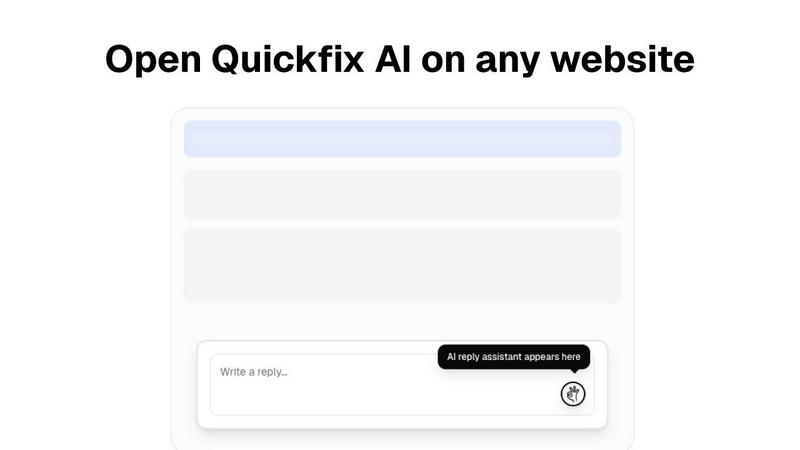
Quickfix AI is an innovative, dual-purpose platform designed to streamline digital interactions and enhance system management for users across various backgrounds. At its core, it offers an intelligent browser extension that generates context-aware replies on any website, significantly reducing the time spent on manual typing and copy-pasting. This feature is particularly beneficial for professionals grappling with overflowing emails, support tickets, and social media messages, allowing them to respond swiftly and effectively. Additionally, Quickfix AI includes a powerful standalone system diagnostics tool that provides instant, understandable insights into computer performance and health. This combination of features caters to a wide audience, from everyday users seeking clarity in technical troubleshooting to experienced IT professionals needing detailed system analytics. The overarching value proposition of Quickfix AI is its ability to simplify complex tasks, save users precious hours weekly, and transform technical confusion into actionable insights, all facilitated through an intuitive, AI-driven interface.
Features of Quickfix AI
Intelligent Reply Generation
Quickfix AI's browser extension automatically crafts context-aware replies, enabling users to respond to communications without the hassle of manual typing. This feature is invaluable for busy professionals needing to manage multiple conversations efficiently.
Comprehensive System Diagnostics
The standalone diagnostics tool provides a complete analysis of system performance, covering aspects such as CPU usage, memory pressure, and disk health. Users can quickly assess their computer's status, making it easier to identify and address potential issues.
AI-Powered Insights
Quickfix AI's AI component breaks down complex technical data into plain English, making it accessible to users of all skill levels. This feature allows individuals to understand their system diagnostics without needing any prior technical knowledge.
Performance Monitoring and Reporting
The platform offers real-time monitoring of various system parameters, including security status and network connections. Users receive detailed reports that highlight critical areas, empowering them to take informed actions to optimize their system's performance.
Use Cases of Quickfix AI
Troubleshooting Computer Issues
When users encounter system slowdowns or crashes, Quickfix AI can diagnose the problem and provide clear explanations. Its user-friendly interface demystifies technical jargon, helping users understand what's wrong and how to fix it.
Enhancing Productivity for Professionals
Busy professionals can leverage Quickfix AI's intelligent reply feature to manage their communication more effectively. By generating quick responses, they can maintain productivity without getting bogged down in repetitive typing tasks.
Supporting IT Teams
IT support teams can use Quickfix AI to diagnose issues remotely. By sharing a link and obtaining a sharing code, technicians can instantly access system diagnostics, streamlining the troubleshooting process and improving response times.
Empowering Everyday Users
Whether a user is trying to understand why their laptop is running slowly or they want to check their system's health, Quickfix AI provides straightforward answers and actionable recommendations, empowering them to manage their technology confidently.
Frequently Asked Questions
Is Quickfix AI free?
Quickfix AI offers a free version that allows users to access essential features. For advanced functionality, users can explore premium options that provide additional benefits.
Is my data secure?
Yes, Quickfix AI prioritizes user privacy and data protection. The platform employs robust security measures to ensure that user data remains confidential and secure at all times.
Do I need technical knowledge to use Quickfix AI?
No, Quickfix AI is designed for users of all technical backgrounds. Its AI-driven explanations and user-friendly interface make it accessible for everyone, regardless of their tech expertise.
What information does Quickfix AI collect?
Quickfix AI collects necessary diagnostic data to provide insights into system performance and health. This information is used solely for enhancing user experience and is not shared with third parties without consent.
Explore more in this category:
Similar to Quickfix AI

Forms Plugin
The #1 Native Form Builder Plugin for Framer - No Code, No Embeds, No External Platforms.


PerPageFax
PerPageFax lets you send a fax online from any browser for a flat $0.50 per page — no account, no subscription, no fax machine.