

LunoKid
LunoKid turns chores into fun, rewarding tasks for kids while helping parents manage responsibilities effortlessly.
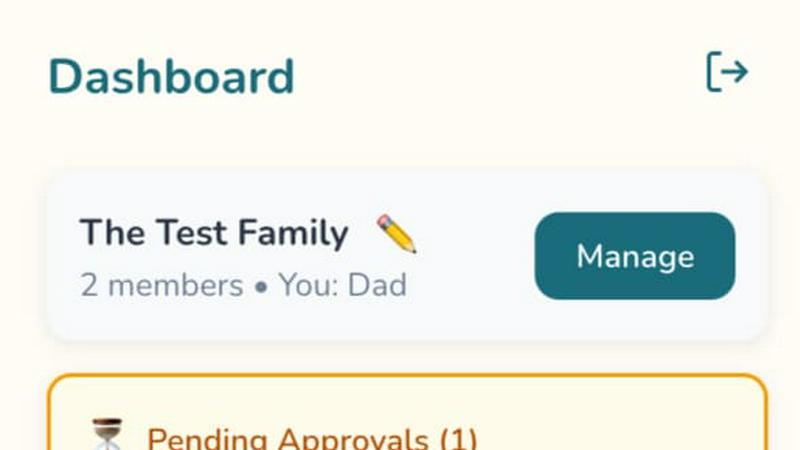
About LunoKid
LunoKid is an innovative chore management application tailored for families with children aged 5 to 12 years. This unique app turns the otherwise mundane task of completing household chores into an engaging and interactive adventure, transforming kids' attitudes towards responsibility and tasks. By utilizing gamification, LunoKid allows parents to assign specific chores, set point values, and define rewards, making the process enjoyable and motivating for children. Each child is paired with a virtual pet companion named Luno, who encourages them to complete their tasks. This approach not only helps in developing positive habits in children but also alleviates the stress that often accompanies reminders and nagging from parents. Designed for all family dynamics, including busy households and co-parenting situations, LunoKid promotes collaboration and consistency in daily responsibilities. Safety is a priority, with robust parental controls ensuring a secure environment for children. Additionally, the app features an AI-powered homework helper, making it a comprehensive solution that effectively bridges the needs of parents with the engagement of children.
Features of LunoKid
Gamified Chore Management
LunoKid’s gamified approach transforms chores into fun challenges. Parents can create tasks with clear instructions and assign point values, making it easy for kids to understand what is expected of them while they earn rewards along the way.
Virtual Pet Companion
The app features a charming virtual pet named Luno, who motivates children to complete their chores. This engaging companion not only encourages task completion but also grows as children earn points, adding a layer of excitement to the responsibility of chores.
AI Homework Helper
LunoKid includes an AI-powered homework helper, "Ask Luno," which assists children with their schoolwork. Instead of simply providing answers, Luno encourages problem-solving skills, fostering a deeper understanding of subjects and promoting academic growth.
Parental Control and Safety
Safety is paramount in LunoKid, which includes robust parental controls. Parents can monitor their children’s activities and set guidelines to ensure a secure and positive experience, allowing them to focus on teaching responsibility without compromising safety.
Use Cases of LunoKid
Encouraging Responsibility in Children
Parents can utilize LunoKid to teach their children responsibility in a fun manner. By gamifying chores, kids learn the importance of completing tasks while enjoying the process, helping them develop lifelong habits.
Managing Chores in Busy Households
For families with hectic schedules, LunoKid streamlines chore management. Parents can efficiently assign tasks, track progress, and reward completion, all from their smartphones, making daily life more manageable.
Supporting Multi-Child Households
In homes with multiple children, LunoKid ensures fairness and individual tracking. Each child can have their own set of tasks and rewards, fostering a sense of accountability while minimizing sibling rivalry.
Assisting Kids with Homework
LunoKid’s AI homework helper is perfect for children who may struggle with academic tasks. By providing guidance rather than outright answers, it encourages kids to think critically and enhances their understanding of school subjects.
Frequently Asked Questions
What age is LunoKid for?
LunoKid is specifically designed for children aged 5 to 12 years, making it ideal for families with young kids who are learning the value of responsibility and accountability.
Is LunoKid safe for kids?
Yes, LunoKid prioritizes safety with robust parental controls. Parents can monitor children's activities and set guidelines to create a secure environment for their kids while using the app.
How is LunoKid different from a sticker chart?
LunoKid offers a more interactive and engaging experience compared to traditional sticker charts. It gamifies chores and includes a virtual pet companion that motivates children, making the process enjoyable and rewarding.
Can multiple kids use one parent account?
Absolutely! LunoKid allows multiple children to be linked to a single parent account. This feature enables parents to manage chores efficiently while ensuring fair task distribution among siblings.
Explore more in this category:
Similar to LunoKid

ButterShare
Realtime peer-to-peer file transfer in the browser. Send files directly between devices, no account and no upload to a server.

Emailyy
Free email tools for signatures, subject lines, HTML previews, word counts, and email headers. Browser-based, simple to use, and no signup required.

Todowing
Chrome extension that nests Todoist sub-tasks inline in Today, Upcoming, Filters and Labels. Free tier, or $19.99 once for everything.

Uniclip
Clip pages, take full-page screenshots and batch-capture list data to Notion, Feishu, Obsidian, Markdown, CSV or JSON.

TroveKey
Search tabs, Chrome bookmarks and history, run browser commands, and save webpages and social posts locally—no account.

Foreman
See every app and what it's using in plain English, and end or slow down the one that's hogging your Mac.

Dot & Dash
Learn Morse code by keying it on a machine you can press. Write messages, turn Morse into text and back, and key Morse in any app on your Mac.

Typebar
Every key you press lights up on an on-screen keyboard, and each shortcut is named as you press it.