
Ironback vs SVG to 3D
Side-by-side comparison to help you choose the right tool.

Ironback
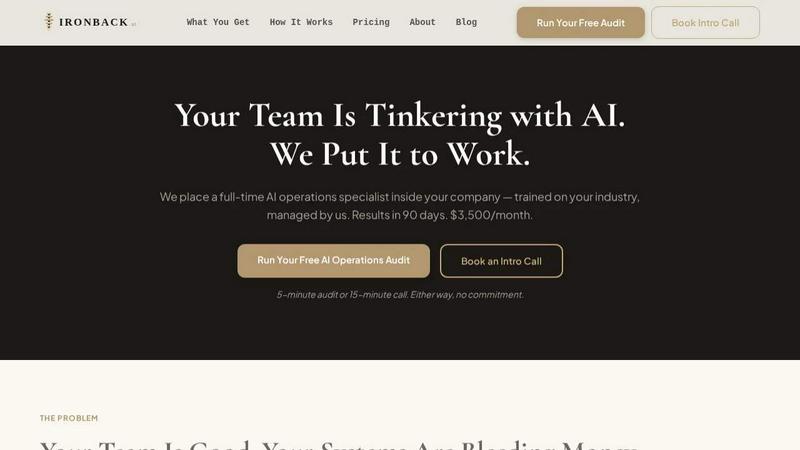
Transform your business efficiency with Ironback's expert AI operations specialist, delivering automated solutions and measurable results in 90 days.
Last updated: April 4, 2026
SVG to 3D
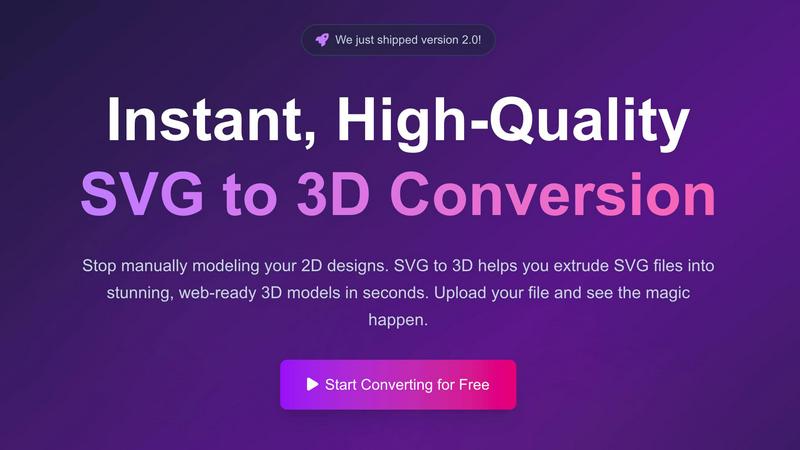
Transform your 2D SVG designs into stunning, web-ready 3D models in seconds with SVG to 3D's advanced conversion tool.
Last updated: February 28, 2026
Visual Comparison
Ironback
SVG to 3D
Feature Comparison
Ironback
Full-Time AI Operations Specialist
Ironback provides a full-time AI operations specialist who integrates seamlessly with your team, learning your business dynamics. This specialist is managed by Ironback, ensuring continuous training and adaptation to the latest AI advancements relevant to your industry.
Automated Call Handling
With advanced AI voice agents, Ironback ensures that every call is answered, including after-hours inquiries. Missed calls receive immediate text responses, and urgent jobs are triaged and dispatched promptly, reducing response times and enhancing customer satisfaction.
AI-Assisted Estimating
The estimating process is streamlined with AI-assisted takeoffs, which can cut estimating time by 50 to 70 percent. This feature utilizes photo-based workflows to simplify calculations, allowing estimators to focus on more strategic tasks rather than manual data entry.
Compliance and Documentation Automation
Ironback replaces traditional paper forms with digital job forms that auto-populate inspection reports and compliance paperwork. This ensures that OSHA, EPA, and other industry-specific regulations are met efficiently, reducing the risk of errors and improving record-keeping.
SVG to 3D
One-Click to GLB for the Web
This feature allows users to export their 3D models as GLB files, optimized specifically for web applications. Developers can seamlessly integrate these models into Three.js or React Three Fiber projects, enhancing their websites with immersive 3D elements in just one click.
3D-Print Ready
SVG to 3D supports direct STL exports, ensuring that your 3D models are ready for 3D printing. This means users can take their designs from the screen to the physical world without needing complex CAD software, streamlining the fabrication process.
Advanced Material System
The tool offers a sophisticated material system that allows users to apply realistic PBR materials, custom textures, and professional lighting effects to their 3D models. This feature ensures that creations not only look great but also maintain a professional quality that stands out.
Lightning-Fast Processing
With optimized algorithms, SVG to 3D converts your SVG files into 3D models within seconds. This speed is crucial for users who require quick turnaround times, allowing them to focus on creativity rather than waiting for lengthy rendering processes.
Use Cases
Ironback
Enhanced Customer Service
By utilizing Ironback’s automated call handling, service companies can ensure every customer interaction is addressed promptly. This leads to higher customer satisfaction rates and improved retention, as clients feel valued and supported.
Streamlined Estimation Processes
With AI-assisted estimating, companies can significantly reduce the time and resources spent on manual takeoffs. This allows teams to generate accurate quotes faster, leading to increased sales opportunities and a more agile response to client needs.
Efficient Compliance Management
Ironback’s documentation automation simplifies compliance management, ensuring that all necessary paperwork is processed correctly and timely. This not only reduces administrative burdens but also mitigates the risk of non-compliance penalties.
Optimized Follow-Up and Retention Strategies
Ironback automates follow-up communications for open quotes and customer feedback requests. This proactive approach helps maintain relationships with past customers, fostering loyalty and increasing the likelihood of repeat business.
SVG to 3D
Create Interactive 3D Logos and Icons for Web
Web developers can leverage SVG to 3D to transform 2D logos and icons into engaging 3D models. This capability enhances the visual appeal of websites and can lead to improved user interactions, making brands more memorable.
From Digital Design to Physical Object
Designers can use this tool to convert their 2D designs into STL files that are ready for 3D printing. This use case is perfect for creating prototypes, custom parts, or artistic pieces without the hassle of traditional modeling software.
Enhance Your UI/UX Designs
UI/UX designers can elevate their presentations by adding depth to their mockups. By converting SVG assets into 3D models, they can create more engaging and visually appealing designs, impressing clients and stakeholders alike.
Rapid Prototyping for Product Development
SVG to 3D allows product developers to quickly create prototypes from their digital designs. This feature accelerates the iteration process, enabling teams to test and refine their concepts efficiently before moving to production.
Overview
About Ironback
Ironback is an innovative AI operations solution specifically designed for service companies facing operational inefficiencies. By embedding a full-time AI operations specialist within your organization, Ironback addresses critical pain points such as call handling, estimating, scheduling, and compliance management. This dedicated specialist is not just a temporary support; they are trained in your specific industry and continuously managed by Ironback to ensure optimal performance. With guaranteed savings of over $50,000 following a two-week assessment, Ironback transforms how service companies operate, allowing teams to focus on their core competencies while automating tedious tasks. Ironback empowers organizations to eliminate wasteful processes, thereby enhancing productivity and profitability.
About SVG to 3D
SVG to 3D is an innovative online tool designed to effortlessly convert 2D SVG vector graphics into stunning 3D models. The product aims to address a common challenge faced by designers, developers, and 3D printing enthusiasts: the need for a quick, user-friendly solution to transform flat designs into dynamic three-dimensional representations. With SVG to 3D, users can bypass the complexities of heavyweight software like Blender or Cinema 4D, making the design process more accessible and efficient. This tool is ideal for professionals looking to elevate their web projects with interactive 3D elements, create prototypes for 3D printing, or enhance UI/UX designs with depth. The primary value proposition lies in its ability to deliver high-quality outputs in seconds, all while providing advanced features that maintain the integrity and aesthetics of the original design.
Frequently Asked Questions
Ironback FAQ
How does Ironback integrate with my existing systems?
Ironback specialists are trained to work with your current tools and systems, ensuring a seamless integration process that enhances operational efficiency without disrupting your existing workflows.
What kind of industries can benefit from Ironback?
Ironback is tailored for service companies across various industries, including construction, HVAC, plumbing, and electrical services. Any business that relies heavily on operational efficiency can benefit from Ironback’s solutions.
How quickly can I expect to see results with Ironback?
Most companies begin to see significant improvements in operational efficiency and cost savings within 90 days of embedding an Ironback AI operations specialist in their team.
Is there a trial period for Ironback's services?
Yes, Ironback offers a free audit and an introductory call where potential clients can learn more about how the service works and what specific benefits their company can expect, all without any commitment.
SVG to 3D FAQ
How do I convert my SVG file into a 3D model?
To convert your SVG file, simply upload it to the SVG to 3D platform, adjust the desired 3D settings such as thickness and bevels, and then download your finished model in your preferred format.
What file formats can I export my 3D models to?
SVG to 3D allows you to export your models in multiple formats, including GLB, GLTF, OBJ, and STL, ensuring compatibility with various applications and 3D printing workflows.
Is my data secure while using SVG to 3D?
Yes, SVG to 3D prioritizes user privacy and security. Files are processed locally in your browser whenever possible, meaning that your designs remain private and are not uploaded to external servers.
Can I use SVG to 3D for commercial projects?
Absolutely! SVG to 3D is designed for both personal and commercial use. You can create and sell products derived from your 3D models without any restrictions, making it a versatile tool for professionals.
Alternatives
Ironback Alternatives
Ironback is a cutting-edge solution designed for service companies, utilizing AI operations specialists to enhance efficiency in various business processes. This innovative service embeds a full-time expert within your organization to manage tasks such as calls, scheduling, estimating, and compliance. As businesses seek to optimize operations and reduce costs, many users start to explore alternatives to Ironback, driven by factors like pricing, specific feature requirements, or the need for integration with existing platforms. When searching for an alternative to Ironback, it's essential to consider the specific needs of your organization. Look for solutions that offer similar or enhanced functionality, a pricing structure that fits your budget, and the ability to seamlessly integrate with your current systems. Understanding the unique challenges your service company faces will help you select an option that not only meets your operational demands but also supports long-term growth.
SVG to 3D Alternatives
SVG to 3D is a transformative tool designed to convert 2D SVG vector graphics into high-quality 3D models, making it particularly beneficial for developers, designers, and 3D printing enthusiasts. As users explore this innovative solution, they often seek alternatives due to factors like pricing, specific feature sets, or compatibility with different platforms. The need for a streamlined, user-friendly experience is paramount, as many tools can be overly complex or resource-intensive, requiring users to consider their project requirements and the specific functionalities they value most. When searching for an alternative, it’s essential to evaluate aspects such as ease of use, export capabilities, and overall performance. Users should also look for solutions that align with their intended applications, whether that be web development, graphic design, or 3D printing. A good alternative should provide a balance of features and accessibility, ensuring a smooth workflow without unnecessary complexity.