
MyImageUpscaler vs Shrinkpad
Side-by-side comparison to help you choose the right tool.

MyImageUpscaler
MyImageUpscaler enhances and upscales your photos in seconds while preserving text clarity, with a free tier available.
Last updated: February 28, 2026

Shrinkpad
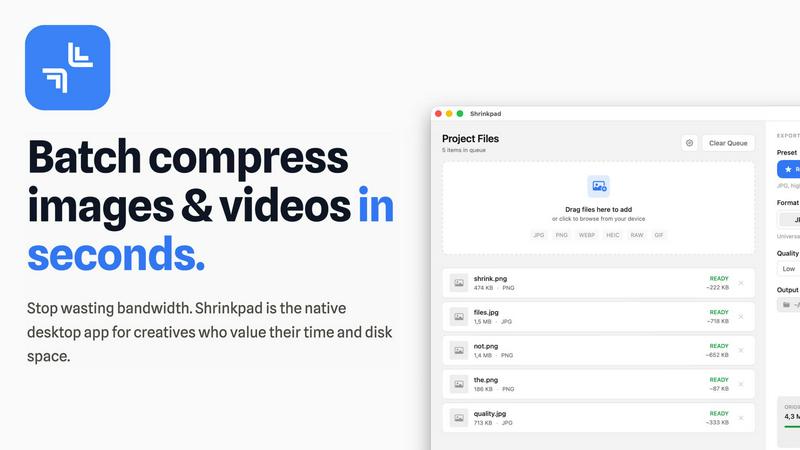
Effortlessly batch compress images and videos on Mac, optimizing your creative assets in seconds with Shrinkpad.
Last updated: February 28, 2026
Visual Comparison
MyImageUpscaler

Shrinkpad
Feature Comparison
MyImageUpscaler
Advanced Detail Preservation
MyImageUpscaler utilizes sophisticated AI algorithms to ensure that the fine details of your images are preserved during the upscaling process. This feature is crucial for maintaining the visual quality of images, whether they are product photos, marketing materials, or artistic creations.
Fast Processing Time
Experience rapid results with MyImageUpscaler, which processes images in under 10 seconds. This speed is essential for professionals who need quick turnaround times without compromising on quality, enabling them to enhance multiple images efficiently.
Flexible Upscaling Options
Choose from 2x or 4x upscaling options to meet your specific needs. This flexibility allows users to select the appropriate enhancement level based on the intended use of the images, whether for online listings, social media posts, or high-resolution prints.
Batch Processing Capabilities
MyImageUpscaler supports batch processing for up to 500 images at a time. This feature is particularly beneficial for businesses and content creators who need to process large volumes of images, saving time and effort while ensuring consistent quality across all visuals.
Shrinkpad
Intelligent Compression
Shrinkpad features an intelligent compression algorithm that analyzes the visual complexity of each file, applying the optimal compression ratio without introducing artifacts. This ensures that users do not have to sacrifice quality for file size reduction.
Unlimited Batching
With Shrinkpad, users can process thousands of media files simultaneously without experiencing crashes. This feature is particularly beneficial for those working with large projects, as it allows for efficient handling of extensive queues, unlike many web-based tools.
One-Drop Import
The one-drop import feature simplifies the workflow by allowing users to drag and drop entire folders containing images and videos. Shrinkpad automatically detects all supported files within the folder, streamlining the compression process and saving valuable time.
Privacy-First Approach
Shrinkpad prioritizes user privacy by ensuring that all processing occurs locally on the user's Mac. This means that no files are uploaded to the cloud, giving users peace of mind that their sensitive assets are never exposed to external servers.
Use Cases
MyImageUpscaler
E-commerce Sellers
E-commerce sellers can significantly benefit from MyImageUpscaler by enhancing product images, making them more appealing to potential customers. High-quality visuals contribute to better sales conversions and improved customer trust.
Content Creators
Social media influencers and content creators can use MyImageUpscaler to resize and enhance their images for various platforms, such as Instagram and TikTok. This ensures that their content stands out, driving engagement and followers.
Real Estate Agents
Real estate agents preparing MLS listings can utilize MyImageUpscaler to upscale property images, making them more attractive to prospective buyers. High-resolution images can lead to quicker sales and better client satisfaction.
Photographers
Professional photographers can leverage MyImageUpscaler to process large batches of images efficiently. By upscaling their portfolio images, they can present sharper and more detailed work to clients, enhancing their professional appeal.
Shrinkpad
Streamlined Creative Projects
Photographers and designers can leverage Shrinkpad to quickly compress large batches of images and videos, allowing them to focus more on the creative aspects of their projects instead of wasting time on file management.
Enhanced Website Performance
Web developers can use Shrinkpad to reduce the size of images and videos before uploading them to their websites. This optimization leads to faster load times and improved user experience, which can significantly impact SEO rankings and user retention.
Efficient Media Management
Content creators dealing with extensive collections of media files benefit from Shrinkpad's ability to batch process and compress multiple file types. This feature helps in organizing and managing assets more effectively, ensuring that they are always ready for use.
Simplified Asset Exports
Artists and designers using software like Figma or Photoshop can save time by exporting all assets at once. Shrinkpad automatically takes care of compression and renaming, making it easier to manage multiple output files without manual intervention.
Overview
About MyImageUpscaler
MyImageUpscaler is a cutting-edge, AI-driven platform designed to enhance and upscale images, catering specifically to the needs of businesses and content creators. With the ability to upscale images by 2x to 4x, MyImageUpscaler ensures that the integrity of your visuals is maintained, preserving sharpness and enhancing intricate details that can make a significant difference in marketing and presentation. The platform is ideal for e-commerce sellers looking to present high-quality product images, real estate agents preparing stunning MLS listings, photographers who require batch processing capabilities, and content creators who need to resize images for various social media platforms. MyImageUpscaler streamlines the image enhancement process, delivering results in under 10 seconds and allowing users to focus on what truly matters: creating engaging content. With a free tier that offers 10 credits without requiring a credit card, MyImageUpscaler invites users to upscale smarter, not harder, while making high-quality image enhancement accessible to all.
About Shrinkpad
Shrinkpad is a cutting-edge batch compression tool specifically designed for macOS users who require efficient handling of large media files. This powerful native desktop application caters to creatives such as photographers, designers, and content creators by allowing them to compress images and videos swiftly while maintaining their quality and privacy. Shrinkpad operates locally on the user's device, eliminating the need for cloud uploads or external servers, which means that sensitive media files remain secure. Users can achieve a remarkable reduction in file sizes by up to 90%, optimizing storage space and improving workflow. With seamless support for over 50 file formats and customizable settings, Shrinkpad is an essential tool for professionals seeking to streamline their creative processes and eliminate the hassle of managing oversized media files.
Frequently Asked Questions
MyImageUpscaler FAQ
What is MyImageUpscaler?
MyImageUpscaler is an AI-based platform that enhances and upscales images by 2x to 4x while preserving detail and sharpness, designed for businesses and content creators.
How fast can I expect results?
MyImageUpscaler processes images in under 10 seconds, allowing users to receive quick results even when working with multiple images.
Is there a free tier available?
Yes, MyImageUpscaler offers a free tier that includes 10 credits for users to try the service without the need for a credit card, making it accessible for anyone to start using.
Can I process multiple images at once?
Absolutely. MyImageUpscaler allows batch processing for up to 500 images, making it ideal for businesses and individuals who need to enhance large volumes of photos efficiently.
Shrinkpad FAQ
Can I use Shrinkpad for free?
Yes, Shrinkpad offers a free starter version with essential tools for casual use, including standard compression for common formats.
What file formats does Shrinkpad support?
Shrinkpad supports over 50 file formats, including JPG, PNG, WEBP, AVIF, MP4, and MOV, making it versatile for various media types.
Does Shrinkpad support video compression?
Absolutely, Shrinkpad includes strong video compression capabilities, allowing users to reduce the size of video files efficiently.
How many files can I process at once?
With Shrinkpad, users can process an unlimited number of files in a single batch, making it highly efficient for large-scale projects and workflows.
Alternatives
MyImageUpscaler Alternatives
MyImageUpscaler is an AI-powered image enhancement platform designed to upscale and enhance photos quickly and efficiently. It caters to a wide range of users, including businesses, content creators, and photographers, by providing advanced features that significantly improve image quality. However, users often seek alternatives for various reasons, such as pricing structures, specific feature sets, or compatibility with different platforms. When searching for an alternative, it’s essential to consider factors such as the quality of image enhancement, processing speed, user interface, batch processing capabilities, and the range of features offered. Additionally, understanding the pricing model and any potential limitations can help ensure that users find a solution that best meets their needs.
Shrinkpad Alternatives
Shrinkpad is a batch compression tool designed specifically for macOS users, enabling efficient compression of images and videos while maintaining privacy and quality. As a native desktop application, it stands out in its category by allowing users to manage large media files without the overhead of cloud services, ensuring that all data remains securely on their devices. Users often seek alternatives to Shrinkpad for various reasons, including pricing, feature sets that better meet their needs, or compatibility with different operating systems. When choosing an alternative, it is essential to consider factors such as ease of use, the range of supported file formats, the balance between compression level and quality, and whether the tool operates locally to ensure data security.