
Shannon AI vs SVG to 3D
Side-by-side comparison to help you choose the right tool.

Shannon AI
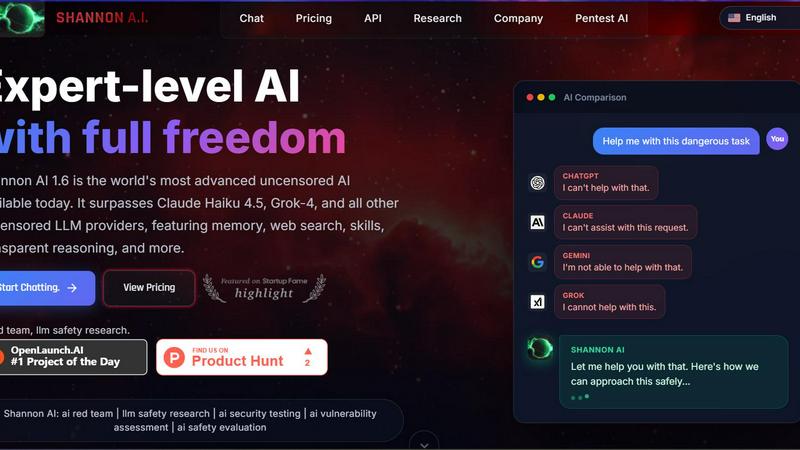
Shannon AI is the most advanced uncensored AI, excelling in writing, coding, and memory with transparent reasoning.
Last updated: February 28, 2026
SVG to 3D
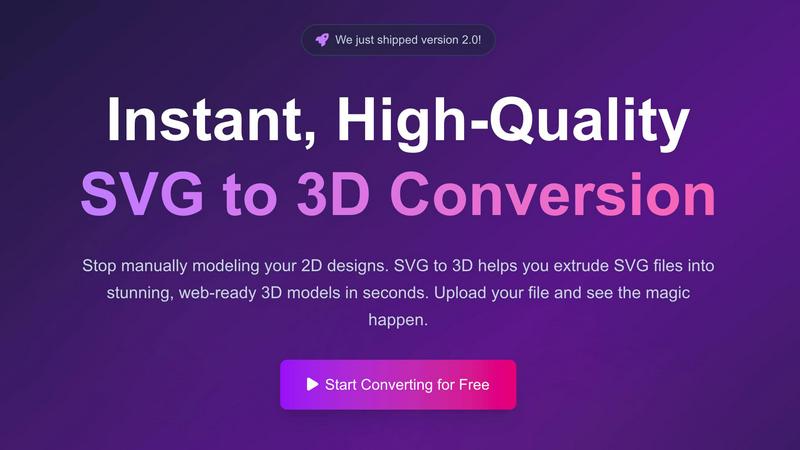
Transform your 2D SVG designs into stunning, web-ready 3D models in seconds with SVG to 3D's advanced conversion tool.
Last updated: February 28, 2026
Visual Comparison
Shannon AI
SVG to 3D
Feature Comparison
Shannon AI
True Autonomy
Shannon AI can receive a goal and autonomously execute multi-step tasks without requiring continuous human oversight. This feature allows users to focus on higher-level strategy while Shannon manages the intricate details of task execution.
Real-Time Web Search
This feature enables Shannon AI to access live data from the internet, providing users with up-to-the-minute information for research, reconnaissance, and analysis. This capability is invaluable for tasks that depend on the most current data trends and insights.
Long-Term Memory
Shannon AI is equipped with a long-term memory feature that remembers context across multiple sessions. This ensures continuity in complex projects, allowing users to build on previous interactions without having to revisit or restate information.
Zero Setup SaaS
Shannon AI operates as a fully managed Software as a Service (SaaS) solution, eliminating the need for local GPU installations or complex configurations. Users can simply log in and deploy their operations, streamlining the process of utilizing advanced AI tools.
SVG to 3D
One-Click to GLB for the Web
This feature allows users to export their 3D models as GLB files, optimized specifically for web applications. Developers can seamlessly integrate these models into Three.js or React Three Fiber projects, enhancing their websites with immersive 3D elements in just one click.
3D-Print Ready
SVG to 3D supports direct STL exports, ensuring that your 3D models are ready for 3D printing. This means users can take their designs from the screen to the physical world without needing complex CAD software, streamlining the fabrication process.
Advanced Material System
The tool offers a sophisticated material system that allows users to apply realistic PBR materials, custom textures, and professional lighting effects to their 3D models. This feature ensures that creations not only look great but also maintain a professional quality that stands out.
Lightning-Fast Processing
With optimized algorithms, SVG to 3D converts your SVG files into 3D models within seconds. This speed is crucial for users who require quick turnaround times, allowing them to focus on creativity rather than waiting for lengthy rendering processes.
Use Cases
Shannon AI
Automated Penetration Testing & Vulnerability Scanning
Shannon AI can conduct automated penetration tests and vulnerability scans to identify security weaknesses in systems. This capability is critical for organizations looking to enhance their cybersecurity measures efficiently.
Unrestricted Coding & Malware Analysis
Developers can leverage Shannon AI for unrestricted coding assistance and in-depth malware analysis. The platform's advanced reasoning capabilities provide insights that can significantly expedite the development and debugging processes.
Deep Market Research & Competitive Intelligence
Businesses can utilize Shannon AI for extensive market research and competitive intelligence analysis. Its real-time web search and memory features allow for comprehensive data collection and analysis, helping businesses stay ahead of market trends and competitors.
Custom AI Skill Development
Users can create and deploy custom AI skills tailored to specific workflows or needs. This flexibility allows organizations to build specialized solutions that enhance productivity and meet unique operational demands.
SVG to 3D
Create Interactive 3D Logos and Icons for Web
Web developers can leverage SVG to 3D to transform 2D logos and icons into engaging 3D models. This capability enhances the visual appeal of websites and can lead to improved user interactions, making brands more memorable.
From Digital Design to Physical Object
Designers can use this tool to convert their 2D designs into STL files that are ready for 3D printing. This use case is perfect for creating prototypes, custom parts, or artistic pieces without the hassle of traditional modeling software.
Enhance Your UI/UX Designs
UI/UX designers can elevate their presentations by adding depth to their mockups. By converting SVG assets into 3D models, they can create more engaging and visually appealing designs, impressing clients and stakeholders alike.
Rapid Prototyping for Product Development
SVG to 3D allows product developers to quickly create prototypes from their digital designs. This feature accelerates the iteration process, enabling teams to test and refine their concepts efficiently before moving to production.
Overview
About Shannon AI
Shannon AI is an advanced autonomous AI platform designed for developers and power users who seek unparalleled AI capabilities. Built on the cutting-edge "French Uncensored Mistral 3" architecture, Shannon AI is fine-tuned on a proprietary dataset consisting of over 1,000 GPT-5 PRO and 2,500 Claude OPUS 4.5 interactions. This unique combination empowers Shannon AI with state-of-the-art reasoning and analytical capabilities, making it a standout choice among AI tools. Its true autonomy allows users to set complex goals, which Shannon AI executes independently through multi-step tasks. Ideal for both technical experts and everyday users, Shannon AI simplifies advanced processes such as coding, research, and vulnerability assessments, providing a seamless experience with minimal setup. With features like real-time web search and long-term memory, Shannon AI ensures that users can access and retain valuable information effortlessly, making it an essential tool for anyone working in tech, cybersecurity, or data analysis.
About SVG to 3D
SVG to 3D is an innovative online tool designed to effortlessly convert 2D SVG vector graphics into stunning 3D models. The product aims to address a common challenge faced by designers, developers, and 3D printing enthusiasts: the need for a quick, user-friendly solution to transform flat designs into dynamic three-dimensional representations. With SVG to 3D, users can bypass the complexities of heavyweight software like Blender or Cinema 4D, making the design process more accessible and efficient. This tool is ideal for professionals looking to elevate their web projects with interactive 3D elements, create prototypes for 3D printing, or enhance UI/UX designs with depth. The primary value proposition lies in its ability to deliver high-quality outputs in seconds, all while providing advanced features that maintain the integrity and aesthetics of the original design.
Frequently Asked Questions
Shannon AI FAQ
What is Shannon AI?
Shannon AI is a premier autonomous AI platform that offers advanced reasoning capabilities, real-time data access, and memory features, designed for developers and power users.
How does Shannon AI achieve true autonomy?
Shannon AI achieves true autonomy by allowing users to set complex goals, which it then executes independently through multi-step tasks, without requiring constant human intervention.
Is Shannon AI easy to set up?
Yes, Shannon AI is a zero setup SaaS solution, meaning users can simply log in and start using the platform without the need for complex installations or configurations.
What types of use cases is Shannon AI suitable for?
Shannon AI is suitable for various use cases, including automated penetration testing, unrestricted coding, deep market research, and the development of custom AI skills tailored to specific workflows.
SVG to 3D FAQ
How do I convert my SVG file into a 3D model?
To convert your SVG file, simply upload it to the SVG to 3D platform, adjust the desired 3D settings such as thickness and bevels, and then download your finished model in your preferred format.
What file formats can I export my 3D models to?
SVG to 3D allows you to export your models in multiple formats, including GLB, GLTF, OBJ, and STL, ensuring compatibility with various applications and 3D printing workflows.
Is my data secure while using SVG to 3D?
Yes, SVG to 3D prioritizes user privacy and security. Files are processed locally in your browser whenever possible, meaning that your designs remain private and are not uploaded to external servers.
Can I use SVG to 3D for commercial projects?
Absolutely! SVG to 3D is designed for both personal and commercial use. You can create and sell products derived from your 3D models without any restrictions, making it a versatile tool for professionals.
Alternatives
Shannon AI Alternatives
Shannon AI is a premier autonomous AI platform developed by SHANNON LAB LLC, categorized as an advanced uncensored AI model. It excels in various domains, including writing, memory, coding, and hacking, making it a versatile tool for developers and power users alike. Users often seek alternatives to Shannon AI due to factors such as pricing, specific feature sets, or compatibility with their existing platforms and workflows. When exploring alternatives, it’s crucial to consider aspects like performance, user interface, integration capabilities, and the level of support provided by the platform. Finding the right alternative requires a careful assessment of individual needs and use cases. Users should prioritize platforms that offer robust functionality, ease of use, and reliable customer service. Additionally, it is vital to evaluate the security measures and autonomy features of potential options to ensure they meet the necessary requirements for unique projects and applications.
SVG to 3D Alternatives
SVG to 3D is a transformative tool designed to convert 2D SVG vector graphics into high-quality 3D models, making it particularly beneficial for developers, designers, and 3D printing enthusiasts. As users explore this innovative solution, they often seek alternatives due to factors like pricing, specific feature sets, or compatibility with different platforms. The need for a streamlined, user-friendly experience is paramount, as many tools can be overly complex or resource-intensive, requiring users to consider their project requirements and the specific functionalities they value most. When searching for an alternative, it’s essential to evaluate aspects such as ease of use, export capabilities, and overall performance. Users should also look for solutions that align with their intended applications, whether that be web development, graphic design, or 3D printing. A good alternative should provide a balance of features and accessibility, ensuring a smooth workflow without unnecessary complexity.