
NanoImg vs RemoveTexts
Side-by-side comparison to help you choose the right tool.
NanoImg effortlessly transforms your concepts into stunning, high-quality images in seconds with powerful AI tools.
Last updated: March 1, 2026

RemoveTexts
RemoveTexts is an AI tool that effortlessly removes text from images in seconds, making editing simple and accessible for everyone.
Last updated: March 11, 2026
Visual Comparison
NanoImg
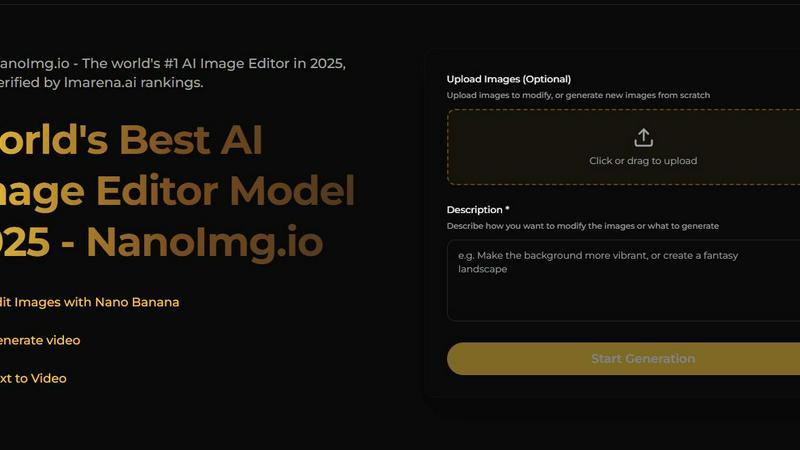
RemoveTexts

Feature Comparison
NanoImg
All-in-One AI Imaging Tools
NanoImg brings together the best AI models, such as Nano Banana Pro, Seedream, and Flux AI, in one comprehensive platform. This integration allows users to generate and edit images online for free, streamlining the creative workflow and providing everything needed for image generation and editing in one place.
Natural Language Editing
One of the standout features of NanoImg is its ability to understand and process natural language commands. This functionality allows users to make detailed modifications to images with simple phrases, making the editing process intuitive and user-friendly, even for those with no technical background.
Fast Image Generation
NanoImg boasts an impressive image generation speed, allowing users to create professional visuals in just seconds. This rapid turnaround is particularly advantageous for professionals in fast-paced environments, such as social media management and e-commerce, where time-sensitive content is essential.
Versatile Use Cases
The platform supports a wide range of creative applications, from generating compelling visuals for marketing campaigns to creating unique digital art and custom avatars. This versatility ensures that users can adapt NanoImg to meet their specific needs, enhancing creativity across various domains.
RemoveTexts
Paint to Remove
This feature provides users with precise control over the text removal process. By simply brushing over specific areas of text, users can accurately select the elements they want to erase. This ensures that only the intended text is removed, leaving the surrounding image intact.
Auto Remove All
For those who prefer a more automated approach, the Auto Remove All feature allows the AI to detect and remove every text element in the image with one click. This is particularly useful for users who need to process multiple images quickly and efficiently without manual intervention.
Edit & Replace Text
RemoveTexts goes beyond simple text removal by allowing users to edit existing text. This feature enables users to replace text in images while matching the original font style, making it perfect for those looking to update or customize visuals without starting from scratch.
Remove Objects
In addition to erasing text, RemoveTexts includes a powerful object removal feature. Users can easily remove unwanted items, logos, or visual elements from their images, enhancing the overall quality and focus of the composition.
Use Cases
NanoImg
Social Media Content Creation
NanoImg is perfect for social media managers who need to produce eye-catching visuals quickly. With its fast image generation capabilities, users can create viral content that enhances engagement and boosts visibility across platforms like Instagram, Facebook, and Twitter.
E-commerce Product Photography
E-commerce professionals can leverage NanoImg to create stunning product photos and lifestyle images without the need for expensive photoshoots. The platform allows for the generation of unlimited mockups, helping businesses maintain brand consistency while reducing production costs significantly.
Marketing Campaign Visuals
Marketers can utilize NanoImg to design campaign visuals and ads that stand out. Whether it's a promotional banner or a digital flyer, the platform's capabilities enable users to create tailored graphics that effectively convey their message and resonate with target audiences.
Artistic Illustrations and Custom Avatars
Artists and designers can explore their creativity with NanoImg by generating unique illustrations or custom avatars. The platform's diverse AI tools allow for experimentation and innovation, making it an essential resource for anyone looking to create original artwork.
RemoveTexts
Cleaning Screenshots
RemoveTexts is an invaluable tool for anyone who frequently shares screenshots. Users can effortlessly remove unwanted text, such as chat bubbles or time stamps, ensuring that the focus remains on the content being shared.
Designing Marketing Materials
Marketers and designers utilize RemoveTexts to create clean and professional visuals. By removing watermarks or other distractions from product images, they can present their offerings in the best light possible, enhancing brand perception.
Redacting Sensitive Information
Legal professionals and businesses often need to redact sensitive information from documents and images. RemoveTexts provides a quick solution for removing text while maintaining the integrity of the background, ensuring compliance with privacy standards.
Enhancing Social Media Posts
Social media managers can leverage RemoveTexts to optimize their posts. Whether it's removing unwanted captions or adjusting text overlays, this tool allows for quick edits that enhance visual appeal and engagement on platforms like Instagram and Facebook.
Overview
About NanoImg
NanoImg is an innovative all-in-one AI imaging platform designed to empower both novice and professional creators with the ability to generate high-quality images effortlessly. By harnessing advanced LLM-vision technology, NanoImg allows users to create professional-grade visuals in mere seconds. This platform caters to a diverse audience, including content creators, marketers, e-commerce professionals, and artists, who seek to simplify the creative process while maintaining high standards of quality. The intuitive plug-and-play templates enable users to select layouts, input text, and generate images without needing complex prompts or technical expertise. With a unique understanding of everyday language commands, NanoImg allows for detailed modifications using simple phrases like "add a handwritten label" or "make the background neon." Its seamless browser operation eliminates the need for software installations or lengthy learning curves, making it accessible to anyone looking to unleash their creativity quickly and effectively.
About RemoveTexts
RemoveTexts is a revolutionary AI-powered image editing tool designed to simplify the process of removing unwanted text from images. Functioning without the need for advanced skills or software like Photoshop, RemoveTexts allows users to upload any image and efficiently erase text elements in seconds. This tool is perfect for those who frequently deal with images containing watermarks, captions, or other textual overlays that detract from the visual appeal. With its intuitive interface, even novice users can achieve professional-grade results. The main value proposition of RemoveTexts lies in its ability to seamlessly reconstruct backgrounds after text removal, ensuring that the final image appears natural and untouched. Trusted by over 100,000 creators, marketers, and designers worldwide, RemoveTexts is an essential tool for anyone looking to enhance their visual content quickly and effectively.
Frequently Asked Questions
NanoImg FAQ
How does NanoImg work?
NanoImg operates as a cloud-based platform that utilizes advanced AI technology to generate and edit images. Users can either upload their own images or start from scratch, using natural language commands to describe modifications they want to make.
Is NanoImg suitable for beginners?
Yes, NanoImg is designed for users of all skill levels. Its intuitive interface and natural language processing capabilities make it accessible to beginners, while still offering advanced features for professional creators.
Can I use NanoImg for commercial purposes?
Absolutely. NanoImg allows users to create images that can be utilized for commercial purposes, including marketing, e-commerce, and branding, provided users adhere to any applicable licensing agreements.
What types of images can I create with NanoImg?
With NanoImg, you can create a wide array of images, including product photos, social media graphics, digital art, custom avatars, and much more. The platform's versatile tools cater to various creative needs and industries.
RemoveTexts FAQ
What image formats does RemoveTexts support?
RemoveTexts supports JPG, PNG, and WebP formats, allowing users to upload images of various types for editing. The maximum file size accepted is 10 MB.
Is there a limit to how many images I can process?
There is no stated limit on the number of images you can process with RemoveTexts. Users can continuously use the tool to edit images as needed, making it highly efficient for bulk tasks.
Can I use RemoveTexts for commercial purposes?
Yes, RemoveTexts is suitable for commercial use. Many marketers and content creators utilize the tool to enhance images for advertisements, websites, and other promotional materials.
Does RemoveTexts leave any traces after text removal?
No, RemoveTexts uses advanced AI technology to ensure seamless background reconstruction, leaving absolutely no visible traces or artifacts after the text is removed. The results are professional and appear as if the text was never there.
Alternatives
NanoImg Alternatives
NanoImg is an advanced AI imaging platform that allows users to generate stunning, studio-quality images in seconds. Positioned within the realm of image and photo editing, it caters to both novice and professional creators by simplifying the process of visual content creation. Users often seek alternatives to NanoImg for various reasons, such as pricing concerns, specific feature requirements, or compatibility with different platforms that better suit their creative workflows. When exploring alternatives, it’s essential to consider factors such as the speed of image generation, the range of editing tools available, user-friendly interfaces, and the ability to process natural language commands. Additionally, assessing the overall cost versus the value offered by the alternative can help ensure that users find a solution that meets their unique needs without sacrificing quality or efficiency.
RemoveTexts Alternatives
RemoveTexts is an innovative AI-powered image editing tool designed to remove text from images in a matter of seconds. This software falls under the category of image and photo editing, providing a user-friendly solution for anyone needing to clean up images without the complexity of traditional software like Photoshop. Users often seek alternatives due to various reasons, such as pricing concerns, specific feature requirements, or compatibility with different platforms. When searching for an alternative, it's essential to consider the ease of use, the range of features offered, and the quality of results produced. Finding the right alternative also hinges on understanding your specific needs. Some users may prioritize precise editing capabilities, while others might look for bulk removal options or support for multiple languages. The ideal option will align with your workflow and provide the tools necessary to achieve high-quality results efficiently. As the demand for image editing grows, exploring various alternatives can help ensure you find a solution that best fits your unique requirements.