
AI Image Editor vs Proofapp
Side-by-side comparison to help you choose the right tool.

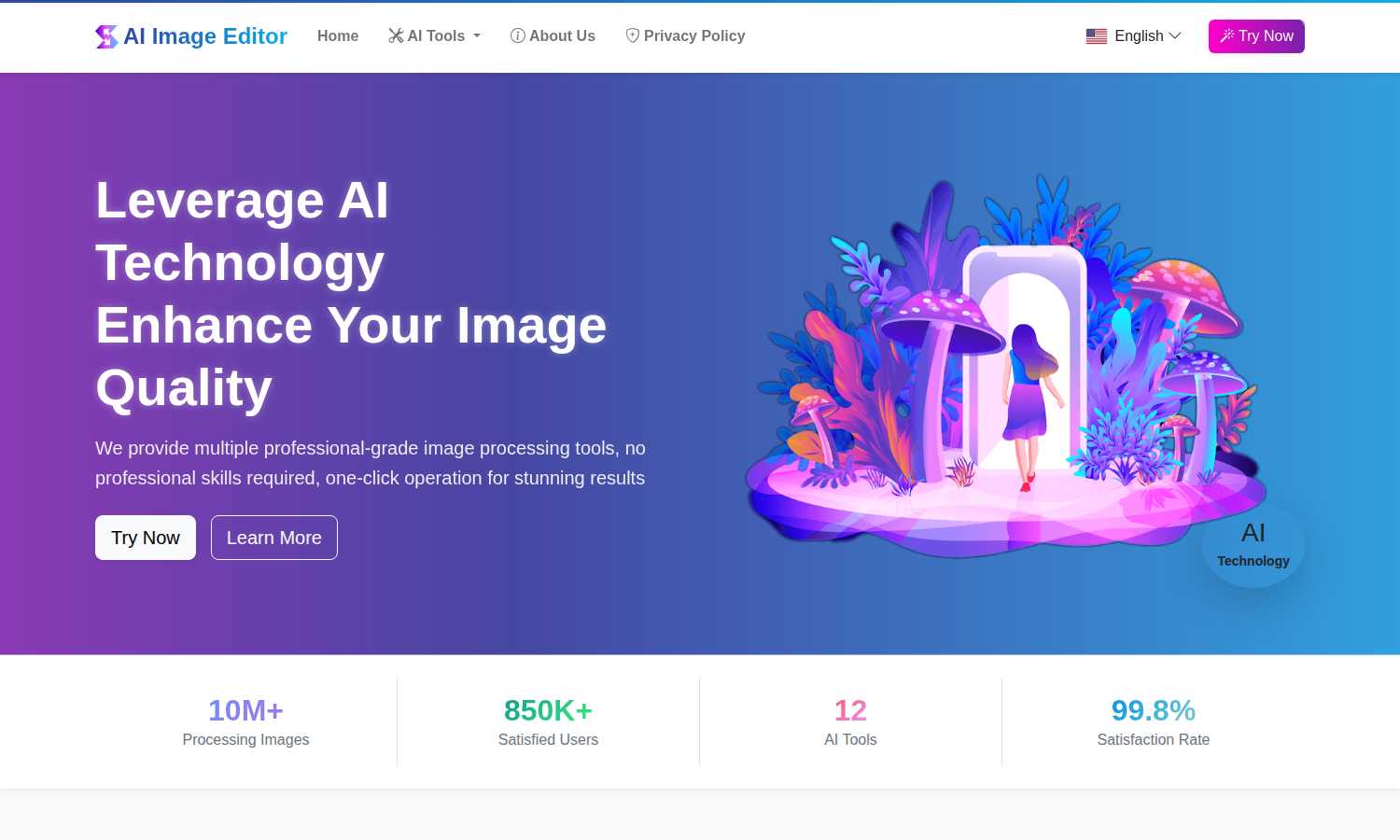
AI Image Editor
Transform any image instantly with a suite of free, professional AI editing tools for stunning results.
Last updated: March 1, 2026

Proofapp
Proofapp lets teams and clients leave visual feedback directly on any webpage to streamline reviews.
Last updated: March 4, 2026
Visual Comparison
AI Image Editor
Proofapp

Feature Comparison
AI Image Editor
AI Image Enhancement
This powerful tool utilizes advanced AI algorithms to automatically analyze and improve the clarity, sharpness, and overall resolution of your images. It intelligently reduces noise, corrects blur, and enhances details, transforming low-quality or aged photographs into crisp, clear, and visually stunning pictures without requiring manual adjustment of complex parameters.
AI Object Remover
Effortlessly eliminate unwanted elements from any photograph with precision. The AI intelligently identifies objects, people, blemishes, or defects within the image and seamlessly removes them. It then expertly reconstructs the background by generating content that matches the surrounding textures, lighting, and patterns, leaving no trace of the original disturbance.
AI Background Remover & Generator
This dual-functionality feature automatically and accurately detects the primary subject in an image, separating it from its background to create a clean, transparent PNG. Furthermore, it allows you to instantly replace the removed background with a vast selection of new scenes, solid colors, or even your own custom images, perfect for product photography and creative compositions.
AI Style Transfer
Unleash artistic creativity by transforming ordinary photos into extraordinary artworks. This feature applies the stylistic elements of famous art movements—such as oil painting, watercolor, or sketch—or the characteristic techniques of specific artists onto your uploaded images, generating unique, visually captivating results that blend your content with new aesthetic forms.
Proofapp
Visual Commenting
Proofapp's foundational feature allows users to click on any pixel of a captured website screenshot to leave a contextual comment. This eliminates the frustrating and ambiguous language often found in emails, such as "move the button to the top left, under the navigation." Feedback is pinned directly to the exact element in question, providing crystal-clear direction for designers and developers. The system supports threaded replies, enabling detailed discussion around each point until it is resolved, keeping all context intact within a single, organized dashboard.
Multi-Breakpoint Testing
Understanding that modern websites must be perfect across all devices, Proofapp automatically captures and presents screenshots of any submitted URL at both desktop and mobile viewports. This allows teams and clients to review the design, layout, and functionality across critical breakpoints simultaneously. Feedback can be left on either version, ensuring issues specific to mobile responsiveness or desktop presentation are caught and addressed visually, preventing costly post-launch fixes and ensuring a consistent user experience.
Secure, Account-Free Sharing
Proofapp facilitates seamless client collaboration by allowing project owners to generate secure, shareable links. These links can be sent directly to clients or stakeholders, who can then view the screenshots and provide comprehensive feedback without the friction of creating a user account. The links can also be set to expire for added security. This feature dramatically lowers the barrier to entry for collecting external feedback, making the review process as simple as sending a URL while maintaining professional control over the project.
Real-Time Collaboration & Integrations
The platform fosters a dynamic collaborative environment where team members can see comments and replies as they happen, eliminating the need for manual refresh and keeping everyone in sync. Coupled with real-time notifications, this ensures no feedback is missed. Furthermore, Proofapp integrates directly with tools like Slack, pushing updates and comments into team channels. This creates a connected workflow where visual feedback from Proofapp becomes a natural part of the existing communication ecosystem, further reducing context-switching and streamlining project management.
Use Cases
AI Image Editor
E-commerce Product Listing Optimization
Online sellers can drastically streamline their workflow by using the AI Background Remover to instantly create professional, transparent-background images of their products. This ensures a clean, consistent, and polished appearance across all marketplace listings, enhancing product appeal and saving countless hours previously spent on manual photo editing.
Restoration and Enhancement of Personal Photographs
Individuals and families can preserve precious memories by restoring old, faded, or damaged photographs. The AI Image Enhancement tool can sharpen blurry images and improve quality, while the Object Remover can eliminate scratches, stains, or unwanted photobombers, allowing cherished moments to be revived and shared in their best possible light.
Creative Content Creation for Social Media and Marketing
Content creators, marketers, and social media managers can rapidly produce eye-catching visuals. They can use Style Transfer to create unique artistic posts, employ Text Replacement to update messaging in graphics, or utilize the Background Generator to place subjects in engaging, context-appropriate settings, all without needing design software expertise.
Professional Design and Artistic Workflow Augmentation
Graphic designers and digital artists can integrate the platform into their professional toolkit to expedite tedious tasks. The Line Art Extraction feature provides perfect outlines from reference photos for illustrations, while Region Replace allows for efficient, non-destructive editing of specific image areas, significantly accelerating project completion times.
Proofapp
Freelancer Client Approvals
Freelancers can use Proofapp to present website designs or developments to clients in a professional, organized manner. Instead of exchanging dozens of emails with attached, annotated images, the freelancer shares a single Proofapp link. The client clicks directly on the design to leave precise feedback, which the freelancer can then address and mark as resolved. This process saves hours per project, reduces revision rounds by an average of 60%, and presents a polished, modern workflow that enhances client trust and satisfaction.
Agency Design Team Workflows
Within a design agency, internal teams and external clients are often involved in the review process. Proofapp serves as a central hub for all visual feedback. Designers can upload multiple page URLs for a full website review. Project managers, developers, and clients can all leave comments in one place. The ability to tag team members, attach reference files, and track the resolution status of each item transforms a chaotic process into a manageable, trackable workflow, ensuring nothing falls through the cracks before launch.
Marketing Campaign Landing Page Reviews
Marketing teams frequently need to review and approve high-stakes landing pages for campaigns with input from copywriters, designers, brand managers, and legal. Using Proofapp, the team can collect all visual and copy feedback directly on the live page mockup. This prevents miscommunication about which headline or image needs changing and accelerates the approval cycle. The visual context ensures that feedback on tone, placement, and compliance is accurate and actionable, helping campaigns launch faster and more effectively.
Development Bug Reporting & QA
Developers and QA testers can utilize Proofapp as a superior bug reporting tool. Instead of writing lengthy descriptions to explain a visual glitch or layout issue, testers can capture the page in Proofapp and pin a comment exactly where the problem occurs. They can attach console logs or other files to the comment. This provides developers with immediate, unambiguous context for every issue, drastically reducing the time spent deciphering bug reports and speeding up the resolution process.
Overview
About AI Image Editor
AI Image Editor stands as a transformative force in the digital creative landscape, fundamentally redefining how individuals and professionals approach image manipulation. This comprehensive, web-based platform harnesses the sophisticated power of artificial intelligence to deliver a suite of 12 distinct, professional-grade editing tools through an astonishingly simple interface. It is engineered for a universal audience, effectively dismantling the technical and financial barriers that have long separated casual users from high-end editing capabilities. Whether you are a photographer aiming to restore historical snapshots, an e-commerce entrepreneur requiring flawless product visuals, a social media creator crafting engaging content, or a professional designer seeking efficient solutions, this tool is designed to meet and exceed your needs. Its core philosophy is one of powerful simplicity: complex tasks like intelligently removing objects, generating new backgrounds, enhancing resolution, or transferring artistic styles are executed with intuitive, often one-click operations. Remarkably, all these advanced capabilities are offered entirely free of charge, with no subscriptions, watermarks, or tiered plans, democratizing access to top-tier visual editing. Having already processed over 10 million images for more than 850,000 satisfied users globally, AI Image Editor proves itself as a reliable, effective, and indispensable asset that saves significant time and effort in any image editing workflow.
About Proofapp
Proofapp is a transformative visual feedback and website review platform engineered to streamline the collaborative process between designers, developers, and their clients. At its core, Proofapp solves the pervasive and costly problem of miscommunication in digital project workflows by replacing endless email chains and vague text instructions with precise, visual commentary. The platform operates with remarkable simplicity: users input any website URL, and Proofapp automatically generates comprehensive screenshots at both desktop and mobile breakpoints. Stakeholders can then click directly on these screenshots to pin comments, initiate threaded discussions, attach files, and mark feedback as resolved, all without requiring reviewers to create an account. This approach ensures feedback is inherently contextual, organized, and actionable. Designed for a broad spectrum of users, from solo freelancers and small development teams to larger marketing agencies, Proofapp offers a powerful suite of features including real-time notifications, Slack integration, and multi-page support, all accessible through a generous free tier and straightforward pricing. By centralizing communication visually, Proofapp dramatically reduces revision cycles, eliminates confusion, and empowers teams to ship higher-quality work faster, making it an indispensable tool for anyone involved in creating or approving digital experiences.
Frequently Asked Questions
AI Image Editor FAQ
Is AI Image Editor really free to use?
Yes, AI Image Editor is completely free to use. There are no subscription fees, no tiered premium plans, and no hidden costs. All 12 AI-powered tools are available for unlimited use without watermarks on your processed images, making professional-grade editing accessible to everyone.
What image formats are supported for upload and download?
The platform supports uploading images in common formats including JPG, PNG, and WebP, with a maximum file size of 10MB per image. Processed images are typically available for download in high-quality PNG or JPG formats, ensuring compatibility with most uses.
How does the AI ensure the privacy of my uploaded images?
AI Image Editor takes user privacy seriously. Uploaded images are processed securely for the sole purpose of applying the selected AI tool. The platform's Privacy Policy outlines data handling practices, and images are not stored longer than necessary to provide the service, ensuring your content remains confidential.
Do I need any prior photo editing experience to use this tool?
No prior experience is necessary. AI Image Editor is designed with a user-friendly, three-step process: upload, select tool, and download. The AI handles the complex editing tasks, so users of all skill levels can achieve professional results in minutes without learning complicated software interfaces.
Proofapp FAQ
How do reviewers leave feedback without an account?
Reviewers do not need to create a Proofapp account to participate. The project owner simply generates a secure, shareable link within the Proofapp dashboard and sends it to clients or team members. When recipients click the link, they are taken directly to the captured screenshots where they can immediately start clicking to leave comments, reply to threads, and attach files. All this functionality is available in a guest mode, making the feedback process incredibly simple and frictionless for all parties involved.
What happens after I submit a website URL?
When you paste a URL into Proofapp, the platform's systems automatically navigate to that webpage and capture high-fidelity screenshots. By default, it captures both a standard desktop view and a mobile-responsive view to ensure comprehensive coverage. These screenshots are then uploaded to your dedicated project workspace within seconds. You can immediately begin commenting on them yourself or share the project link with others to start collecting visual feedback, all without any manual screenshotting or uploading.
Can I use Proofapp for private or local development sites?
Yes, Proofapp supports the review of private websites, including those behind logins or on local development environments (localhost). This is typically achieved by using the provided Proofapp browser extension. The extension allows you to capture screenshots directly from your browser as you view the private or local site, then upload them seamlessly to your Proofapp project. This ensures your internal staging sites and in-progress work can be reviewed securely without being exposed on the public internet.
Is there a limit to the number of projects or comments?
Proofapp offers a generous free tier designed to accommodate small projects and individual users. Specific limits on the number of active projects, captured pages, and comments are detailed within the pricing plans. The platform is built to scale with your needs, offering paid plans that provide increased limits, additional features like team roles and advanced security, and priority support to accommodate growing teams and larger, more complex client portfolios.
Alternatives
AI Image Editor Alternatives
AI Image Editor is a comprehensive, free platform within the content creation and digital design category. It utilizes artificial intelligence to provide a suite of professional-grade editing tools, making advanced image manipulation accessible to everyone from casual users to professionals without the need for complex software knowledge. Users often explore alternatives for a variety of reasons. While some may seek specialized features beyond a core set of tools, others might require offline functionality, integration with specific creative suites, or different commercial licensing terms. The search for the right tool is a natural part of finding the perfect fit for one's unique workflow and project demands. When evaluating alternatives, it is crucial to consider your primary use case, desired feature set, and budget. Key factors include the depth of AI capabilities, ease of use, output quality, file format support, and the overall value proposition, whether it is a one-time purchase, a subscription model, or a freemium service. The ideal choice balances powerful functionality with an intuitive interface that aligns with your creative goals.
Proofapp Alternatives
Proofapp is a visual feedback and website review platform that falls under the category of design collaboration tools. It streamlines the process of collecting and managing feedback on digital designs by allowing users to pin comments directly onto screenshots, facilitating clearer communication between designers, developers, and clients. Users often explore alternatives to Proofapp for a variety of reasons. These can include budget constraints, the need for specific integrations with other project management software, or requirements for more advanced features like video feedback or user testing capabilities. Some teams may also seek platforms that offer different pricing structures or more granular permission controls for larger organizations. When evaluating an alternative, it's crucial to consider your team's specific workflow and collaboration style. Key factors include the ease of use for both internal teams and external clients, the depth of annotation tools available, the quality of real-time notification systems, and the platform's ability to scale with your project volume. The ideal solution should centralize feedback to eliminate confusion and turn subjective notes into actionable tasks efficiently.