
ninthsystemsagents vs Prompt Builder
Side-by-side comparison to help you choose the right tool.

ninthsystemsagents
Ninth Systems Agents creates custom AI agents that automate business tasks, enhance governance, and reduce operational.
Last updated: March 1, 2026

Prompt Builder
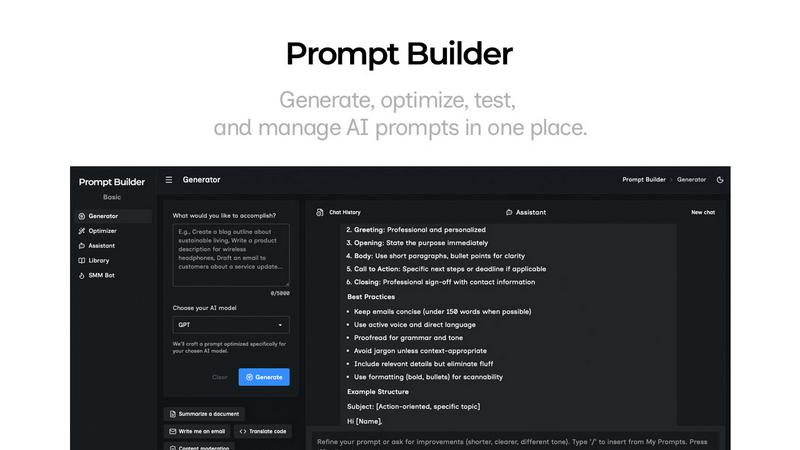
Generate, optimize, test, and manage AI prompts in one place. Turn an idea into a ready-to-use prompt in seconds.
Visual Comparison
ninthsystemsagents

Prompt Builder
Overview
About ninthsystemsagents
Ninth Systems Agents is an innovative AI agent development company that specializes in creating custom AI agents aimed at transforming business operations. By leveraging advanced technologies, these autonomous agents are designed to handle real business tasks with precision and efficiency. Unlike traditional chatbots, Ninth Systems Agents provide sophisticated digital employees that analyze workflows and integrate seamlessly with existing systems such as CRMs, help desks, and various APIs. Their main value proposition lies in the ability to operate independently of human oversight, delivering consistent support around the clock while significantly reducing operational costs. Organizations can automate processes, scale operations without the need for additional hires, and maintain clear success metrics and monitoring. This positions Ninth Systems Agents as an invaluable partner for businesses eager to innovate and optimize their operational landscape in an ever-competitive market.
About Prompt Builder
Prompt Builder is a prompt engineering workspace for writing, testing, and saving prompts. Describe the task in plain English, and it helps you create a prompt that matches the model you choose. Start with a draft, refine it in chat, save or pin versions, then run them when you are ready. It works with GPT, Claude, Gemini, Llama, Mistral, DeepSeek, Grok, Perplexity, and more. You also get an Optimizer, an assistant for quick tests, and a library of reusable prompts and templates from the community. Turn an idea into a ready-to-use prompt in seconds. Refine it in chat, save it to your Library, and run it anytime.