
Hush Touch | Voice-to-Text for MacOS vs Practical AI (Practical AI for SMB)
Side-by-side comparison to help you choose the right tool.

Hush Touch | Voice-to-Text for MacOS
Hush Touch is an offline voice-to-text app for macOS that learns your vocabulary and improves accuracy with every use.
Last updated: February 28, 2026

Practical AI (Practical AI for SMB)
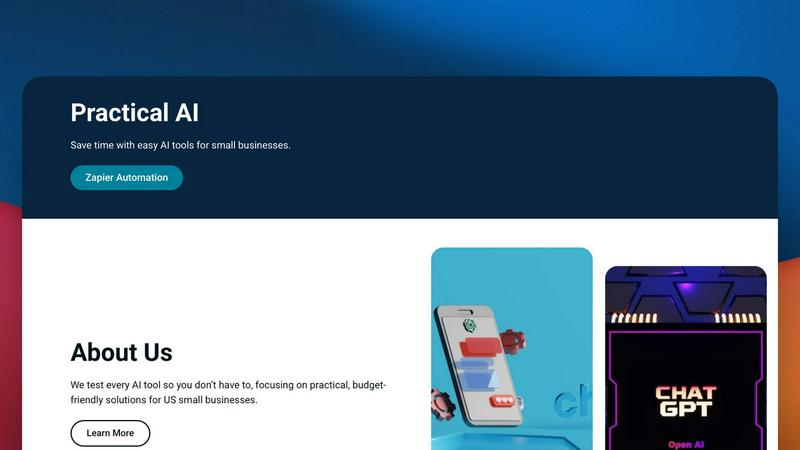
Practical AI provides small businesses with expert-tested guides and automation blueprints to save time and enhance productivity effortlessly.
Last updated: April 4, 2026
Visual Comparison
Hush Touch | Voice-to-Text for MacOS

Practical AI (Practical AI for SMB)
Feature Comparison
Hush Touch | Voice-to-Text for MacOS
Dual-Engine Recognition
Hush Touch employs a dual-engine recognition system that combines the strengths of DictationTranscriber and SFSpeechRecognizer. This innovative approach ensures that natural speech flow and accurate punctuation are maintained while also accommodating a custom vocabulary tailored to the user’s specific needs. The final touch of Apple Intelligence further refines the output, delivering superior transcription results.
Custom Vocabulary
The app features a robust custom vocabulary capability that allows users to add up to 500 specific terms tailored to their unique needs. This includes technical jargon, brand names, and other specialized language. Hush Touch learns and adapts to corrections made by the user, ensuring that it becomes increasingly accurate in recognizing and transcribing the user's preferred vocabulary over time.
Smart Text Processing
Hush Touch offers smart text processing features that significantly enhance the dictation experience. It automatically removes filler words, corrects common mistakes, and formats text with ease, including numbered lists and voice snippets for frequently used phrases. This real-time processing occurs entirely on-device, allowing for a streamlined and efficient dictation experience without the need for internet connectivity.
Context Modes & Hands-Free Dictation
The app includes multiple context modes, such as General, Email, Code, and Notes, which adapt the dictation experience to suit different writing scenarios. Users can initiate hands-free dictation by simply saying "Hey Siri, start touch," allowing for an uninterrupted workflow. Automatic text insertion occurs after two seconds of silence, and users can even send messages by voice using customizable commands, enhancing overall convenience.
Practical AI (Practical AI for SMB)
Manually Tested, Real-World Guides
Every tutorial, automation blueprint, and tool review published on Practical AI is not just researched but manually executed and tested in genuine business environments. This hands-on approach ensures that the instructions are accurate, reliable, and account for the nuances and challenges a real SMB might face, guaranteeing that users can implement solutions with confidence and avoid common pitfalls.
Industry-Specific Zapier Automation Blueprints
Moving beyond generic advice, Practical AI delivers highly specialized automation frameworks tailored for specific local service industries. This includes detailed, step-by-step blueprints for businesses like courier services, laundromats, and landscapers, covering automation of dispatch, machine monitoring, payment syncing, and client communications, providing a direct path to operational transformation.
Honest AI Tool Reviews & Budget-Friendly Focus
The platform provides candid, unbiased reviews of AI software and tools, with a steadfast emphasis on solutions that deliver maximum value for small business budgets. It cuts through marketing claims to assess true usability, cost-effectiveness, and practical ROI, helping SMBs make informed decisions without wasting time or money on unsuitable or overpriced technology.
Ready-to-Use Prompts & Workflow Templates
To eliminate the guesswork and accelerate time-to-value, Practical AI offers a library of pre-built, optimized prompts for AI chatbots and complete workflow templates for automation platforms. These are designed to be copied, pasted, and customized, allowing users to instantly deploy effective AI-driven content creation, customer service responses, and task automation.
Use Cases
Hush Touch | Voice-to-Text for MacOS
Professional Communication
Professionals can leverage Hush Touch to draft and send emails or messages quickly, enhancing productivity and allowing for a more fluid communication style. The ability to dictate accurately without relying on cloud services ensures that sensitive information remains private.
Academic Note-Taking
Students can benefit significantly from Hush Touch while attending lectures or studying. Dictating notes allows for a hands-free approach, enabling students to focus fully on the material being presented. The custom vocabulary feature is particularly advantageous for those studying specialized subjects.
Content Creation
Writers and content creators can utilize Hush Touch to brainstorm ideas, draft blog posts, or create outlines. The app’s ability to process text with minimal interruptions allows for a more natural flow of creativity, reducing the friction often associated with typing.
Medical Documentation
Healthcare professionals, such as physicians and nurses, can depend on Hush Touch to efficiently document patient notes and medical terminology. The app’s adaptive learning capabilities ensure that it accurately captures medical jargon, streamlining the documentation process while improving accuracy.
Practical AI (Practical AI for SMB)
Automating Local Courier & Delivery Operations
Courier businesses can implement the "Velocity-First" blueprint to fully automate their dispatch process. This involves using Zapier to connect booking forms, instantly assign jobs to drivers via communication apps, integrate AI for dynamic route optimization, and automatically sync proof-of-delivery (POD) and status updates to clients, dramatically improving efficiency and customer transparency.
Modernizing Small Laundromat Management
Laundromat owners can adopt the "Remote Operator" blueprint to gain remote control and insight. Automations can monitor machine performance, send instant repair alerts to technicians, sync payments from various kiosks to accounting software, track energy usage, and send automated "Cycle Complete" notifications to customers, enabling better facility management and enhanced customer service.
Enhancing Marketing & SEO with AI
SMBs can leverage detailed guides to use AI tools for creating high-quality, SEO-optimized blog posts, social media content, and email marketing campaigns. Practical AI provides strategies for keyword research, content ideation, and drafting compelling copy, allowing businesses to maintain a consistent and effective online presence without dedicating excessive time or hiring a dedicated marketer.
Streamlining Customer Service & Lead Management
Businesses can automate initial customer inquiries and lead qualification. By setting up workflows that trigger instant, personalized email or SMS responses from form submissions, schedule follow-ups, and categorize leads in a CRM, SMBs can ensure no opportunity is missed and provide prompt service, improving conversion rates and customer satisfaction without manual oversight.
Overview
About Hush Touch | Voice-to-Text for MacOS
Hush Touch is an innovative voice-to-text application designed specifically for macOS, enabling users to dictate text effortlessly and privately. By utilizing advanced on-device processing, Hush Touch operates without requiring an internet connection, ensuring user data remains secure and confidential. The app combines two powerful Apple transcription engines along with an Apple Intelligence final pass to enhance transcription accuracy and clarity. This makes it ideal for individuals across various fields, including professionals, students, and writers, who seek a reliable and efficient dictation tool. With its lightweight 5.5 MB footprint, Hush Touch integrates seamlessly into everyday writing workflows, allowing users to draft emails, notes, documents, and more, all while maintaining a natural speaking rhythm. The app's unique features, like customizable command phrases and adaptive learning capabilities, make dictation not only easier but also smarter over time. For just $20, users can access a lifetime license, eliminating the need for recurring subscription fees.
About Practical AI (Practical AI for SMB)
Practical AI (Practical AI for SMB) is a definitive, hands-on resource hub meticulously crafted for the unique needs of American small and medium-sized businesses. In an era saturated with artificial intelligence hype and complex technical jargon, this platform serves as a clarifying beacon, translating the vast potential of AI and automation into tangible, actionable strategies. Its core mission is to empower SMB owners, managers, and operators with the knowledge and tools to enhance efficiency, reduce operational costs, and drive growth, all without requiring a technical background or a substantial financial investment. The platform distinguishes itself through a rigorous, real-world testing methodology; every tool, automation workflow, and prompt is manually vetted in actual business scenarios before being recommended. Founded by automation specialist Aapt Dubey, whose expertise stems from building over 800 workflows, Practical AI provides a trusted source of clear, step-by-step guides. It focuses on practical applications of popular AI tools like ChatGPT and Claude, and seamlessly integrates them with no-code platforms such as Zapier to automate repetitive tasks, streamline industry-specific operations, improve marketing and SEO efforts, and revolutionize customer service. This is not theoretical exploration but a practical toolkit for immediate implementation, designed to help local service businesses and SMBs across the United States thrive in a competitive digital landscape.
Frequently Asked Questions
Hush Touch | Voice-to-Text for MacOS FAQ
Is Hush Touch available for Windows or other operating systems?
Currently, Hush Touch is designed exclusively for macOS, ensuring optimal performance and integration with Apple’s operating system.
How does Hush Touch ensure user privacy?
Hush Touch processes all voice data entirely on-device, meaning that no audio or transcription is sent to the cloud. This approach guarantees that user data remains private and secure.
Can I try Hush Touch before purchasing?
Yes, Hush Touch offers a 7-day free trial without the need for a credit card, allowing users to experience the app’s capabilities firsthand before committing to a purchase.
What happens if I need to update my vocabulary?
Hush Touch allows users to add up to 500 custom terms to its vocabulary. Additionally, the app learns from corrections made during dictation, automatically updating its vocabulary to improve future accuracy.
Practical AI (Practical AI for SMB) FAQ
Who is Practical AI for SMB designed for?
Practical AI is specifically designed for owners, operators, and managers of small to medium-sized businesses in the United States, particularly those in local service industries like couriers, laundromats, cleaning services, and landscaping. It is ideal for non-technical individuals seeking practical, budget-friendly ways to use AI and automation to save time, reduce costs, and grow their business.
Do I need coding or technical skills to use these guides?
Absolutely not. A core principle of Practical AI is to make automation and AI accessible to everyone. All guides and blueprints are built using no-code platforms like Zapier and user-friendly AI tools like ChatGPT. The instructions are provided in clear, step-by-step formats, requiring no prior technical expertise or programming knowledge to follow and implement successfully.
How are the tools and automations tested?
Every tool review and automation blueprint is manually tested in real-world scenarios by the founder, Aapt Dubey, and his team. This means they build the workflows, use the software as an SMB would, and document the process, challenges, and results. This rigorous, hands-on testing ensures reliability and provides practical tips you won't find in standard promotional content.
What kind of support or community does Practical AI offer?
While the primary offering is a comprehensive library of self-service guides and resources, Practical AI fosters understanding through detailed blog posts and clear explanations. The focus is on empowering users to implement solutions independently. For ongoing support, users typically rely on the support channels of the specific tools (like Zapier or OpenAI) integrated within the guides.
Alternatives
Hush Touch | Voice-to-Text for MacOS Alternatives
Hush Touch | Voice-to-Text for MacOS is a specialized application designed to convert spoken language into written text, functioning entirely offline. As a tool in the AI Assistants category, it utilizes advanced on-device processing to ensure privacy and efficiency while catering to users who prefer dictation without relying on cloud services. Many users seek alternatives to Hush Touch due to varying needs such as pricing, desired features, or compatibility with different platforms. When exploring alternatives, it is essential to consider aspects like usability, transcription accuracy, language support, and the ability to integrate seamlessly into existing workflows, ensuring that the chosen solution meets individual requirements effectively.
Practical AI (Practical AI for SMB) Alternatives
Practical AI (Practical AI for SMB) is a specialized resource hub within the AI Assistants category, designed to provide small and medium-sized businesses with actionable, tested guides for implementing AI and automation. It focuses on demystifying technology through real-world application, offering step-by-step instructions for tools like ChatGPT and no-code platforms to enhance operational efficiency. Users may explore alternatives for various reasons, including budget constraints, the need for different feature sets like more advanced analytics or integration capabilities, or a preference for a platform that offers direct software access rather than educational content. Some may seek all-in-one business suites or require solutions tailored to very specific, niche industries beyond the scope of general SMB guidance. When evaluating an alternative, it's crucial to consider the depth and practicality of the instruction provided, the relevance of the use cases to your specific business operations, and the credibility of the source. The ideal resource should offer transparent, manually verified guidance that translates complex tools into clear, executable steps without requiring a technical background, ensuring you can achieve tangible time savings and process improvements.