
Clipt vs Kling 5
Side-by-side comparison to help you choose the right tool.

Clipt automates video editing tasks, allowing your team to focus on storytelling instead of tedious timelines.
Last updated: February 28, 2026

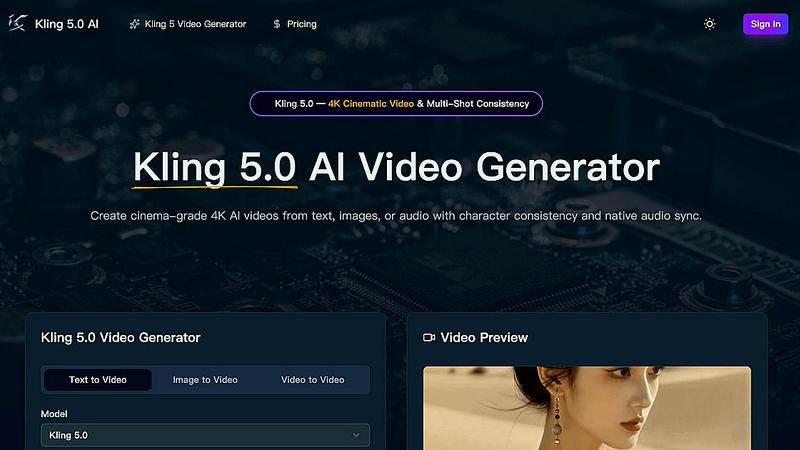
Kling 5.0 generates stunning 4K AI videos from text, images, or audio, ensuring cinematic quality and character consistency across shots.
Last updated: April 13, 2026
Visual Comparison
Clipt

Kling 5
Feature Comparison
Clipt
Caption Creation
Clipt enables users to create precise and visually appealing captions for their videos. With customizable options for fonts, colors, and animation presets, creators can ensure their captions not only convey messages effectively but also align with their brand's aesthetic.
Slideshow Maker
This feature allows users to transform straightforward ideas into dynamic and engaging carousel posts suitable for platforms like TikTok and Instagram. AI assists in scriptwriting, image generation, and voice narration, making the process seamless and quick.
Talking Heads
With the Talking Heads feature, users can create professional spokesperson videos without needing a studio setup. Simply type the script, and the AI generates scenes and chooses delivery styles, allowing for a polished presentation that enhances brand messaging.
AI Character Generation
Clipt allows users to create unique AI-generated characters that maintain consistent appearances across videos. By inputting natural language descriptions, users receive multiple variations, ensuring that their chosen character aligns perfectly with their brand identity.
Kling 5
AI-Powered Video Generation
Kling 5.0 harnesses the power of advanced artificial intelligence algorithms to generate high-quality videos directly from text prompts. This feature enables anyone to create professional-grade video content without the need for extensive video editing skills.
Cinematic Quality
With Kling 5.0, users can produce videos that boast a professional, cinematic look and feel. The platform ensures that every generated video meets high visual standards, making it suitable for various applications, from marketing campaigns to artistic endeavors.
Easy to Use
Kling 5.0 features a simple and intuitive interface that demystifies video creation. Users can easily enter their prompts and adjust parameters, making video production accessible to individuals with all levels of technical expertise.
Versatile Styles
The platform offers a diverse range of video styles, allowing users to select from cinematic, animated, and other creative formats. This versatility caters to different project needs, ensuring that every video aligns with the intended message and audience.
Use Cases
Clipt
Social Media Marketing
Clipt is ideal for social media marketers looking to create engaging content for platforms such as Instagram and TikTok. The ability to generate captivating videos and carousels helps brands increase their online presence and reach wider audiences.
E-commerce Promotion
Online retailers can utilize Clipt to create unboxing and product demonstration videos that resonate with their customers. By using AI-generated spokespersons, brands can present products in an engaging manner that drives conversions.
Educational Content Creation
Educators and trainers can leverage Clipt's capabilities to produce informative videos and lectures. The Slideshow Maker and captioning features allow for clear communication of complex ideas, making learning more accessible.
Brand Consistency Across Platforms
Businesses can maintain a uniform brand presence by using Clipt to create reusable AI characters for their marketing campaigns. This ensures that their messaging is consistent and recognizable, enhancing brand loyalty.
Kling 5
Marketing Campaigns
Businesses can leverage Kling 5.0 to create captivating promotional videos that capture attention and communicate their brand message effectively. The ability to produce high-quality content quickly makes it ideal for fast-paced marketing environments.
Social Media Content
Content creators can utilize Kling 5.0 to generate engaging videos tailored for platforms like TikTok, Instagram, and YouTube. The simplicity of generating videos from text prompts enables creators to maintain a consistent posting schedule without sacrificing quality.
Educational Videos
Teachers and educators can use Kling 5.0 to produce informative and visually appealing educational materials. By converting text into engaging video content, complex topics can be made more accessible and entertaining for learners.
Storytelling and Entertainment
Writers and filmmakers can harness Kling 5.0 to visualize their scripts and narratives. By generating cinematic scenes directly from their text, they can explore creative storytelling possibilities and bring their characters to life with ease.
Overview
About Clipt
Clipt is a versatile AI-powered video creation tool that streamlines the process of generating engaging video content from various sources, including popular platforms like YouTube, X, LinkedIn, TikTok, and Instagram, as well as raw file uploads. With Clipt, users can effortlessly create word-accurate captions and customize their videos with a wide array of fonts, colors, and animation presets. The platform utilizes parallelized cloud rendering to ensure that users' video queues are processed quickly and efficiently. Clipt offers unique features such as the Slideshow Maker, which transforms simple ideas into viral carousel posts, and Talking Heads, which creates professional spokesperson videos without the need for cameras or studios. Whether you are a content creator, a marketer, or a business owner, Clipt provides the tools necessary to produce high-quality video content that resonates with audiences and enhances brand visibility.
About Kling 5
Kling 5.0 is an innovative AI video generator that revolutionizes the way videos are created, making it an invaluable tool for content creators, marketers, and anyone looking to produce engaging visual media. With its advanced artificial intelligence, Kling 5.0 allows users to transform simple text prompts into stunning, cinematic-quality videos in mere seconds. Designed with user-friendliness in mind, Kling 5.0 eliminates the barriers typically associated with video production, such as complex editing software and extensive technical knowledge. Whether you're a seasoned filmmaker or a novice, Kling 5.0 empowers you to bring your ideas to life effortlessly. The platform supports various video styles, including cinematic and animated formats, ensuring you can tailor your content to suit any project or audience. With its exceptional 4K resolution output, Kling 5.0 elevates your video projects, making them ideal for commercial use, social media sharing, or personal enjoyment.
Frequently Asked Questions
Clipt FAQ
How many characters can I create?
Clipt allows users to create an unlimited number of AI characters, providing flexibility in branding and content creation. Each character can be reused across various video types for consistent representation.
Can I use characters across different video types?
Yes, the AI characters generated by Clipt can be used across all video features within the platform. This versatility allows for cohesive branding across different content formats.
Are the characters unique to me?
While the characters are generated based on your descriptions and preferences, they are not exclusively yours. However, the variations created ensure that each character can be uniquely tailored to fit your brand identity.
Can I edit a character after creating it?
Yes, users can edit their AI characters after creation. This allows for adjustments to be made based on evolving brand needs or personal preferences, ensuring that the character always aligns with your vision.
Kling 5 FAQ
How does Kling 5.0 generate videos from text prompts?
Kling 5.0 uses advanced AI algorithms that interpret the text prompts provided by users. It generates corresponding video content with cinematic quality, including character animations and visual effects.
What video styles are supported by Kling 5.0?
Kling 5.0 supports a variety of video styles, including cinematic and animated formats. This versatility allows users to choose the style that best fits their project requirements and audience preferences.
Can I customize the videos generated by Kling 5.0?
Yes, users can customize their videos by adding text, selecting music, and applying various effects. This feature allows for further personalization to match the user’s vision and project needs.
What is the maximum resolution for videos created with Kling 5.0?
Kling 5.0 generates videos in stunning 4K resolution, ensuring high-quality visuals suitable for professional use, broadcast, and online sharing. This level of detail enhances the overall viewing experience for audiences.
Alternatives
Clipt Alternatives
Clipt is an innovative tool designed for video editing automation, allowing users to streamline the tedious tasks of transcription, caption styling, resizing, and rendering. This product caters primarily to marketing professionals and content creators who want to focus on storytelling instead of spending countless hours on editing. With its ability to ingest videos from various platforms and create visually engaging content, Clipt has carved out a niche in the digital marketing landscape. Users often seek alternatives to Clipt for a variety of reasons, including budget constraints, specific feature requirements, or the need for compatibility with different platforms. When choosing an alternative, it's essential to consider factors such as ease of use, the range of features offered, pricing structures, and the level of customer support provided. Ensuring that the alternative aligns with your specific editing needs and workflow will ultimately enhance your content creation process.
Kling 5 Alternatives
Kling 5 is an innovative AI video generator that belongs to the realm of digital content creation tools. It allows users to effortlessly convert text prompts into high-quality videos, making it an essential asset for marketers, educators, and content creators looking to engage their audiences. However, users often seek alternatives due to a variety of reasons, such as pricing structures, specific feature sets that may better suit their needs, or compatibility with various platforms. When exploring alternatives to Kling 5, it's important to consider several factors to ensure the chosen tool aligns with your goals. Look for platforms that offer similar AI-powered video generation capabilities, a user-friendly interface, and customizable options. Additionally, assess the resolution quality, available video styles, and any support or community resources that can enhance your video creation process.